
Solved!
Go to SolutionDT
DELL-Tyler M
Moderator
•
350 Posts
•
3 Points
0
6183
September 25th, 2019 09:00
Computer names with Image Assist
Image Assist provides two options for naming computers.
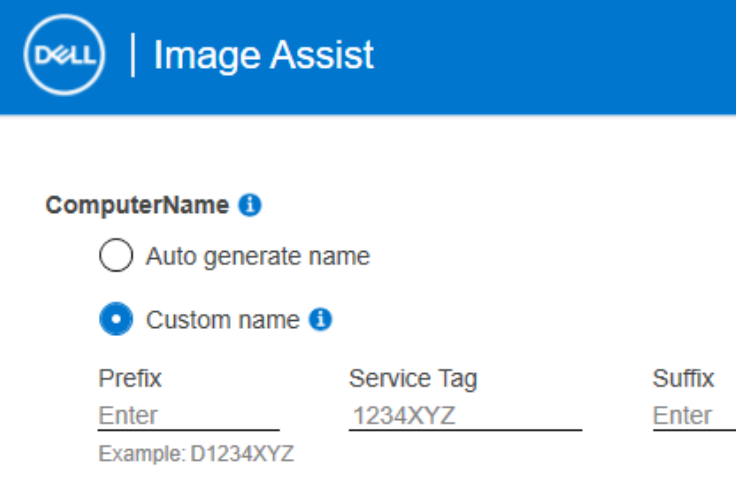
- Auto generate name: This uses Windows default auto-naming. e.g. DESKTOP-ILJECHA
Custom Name: Here, you can add a prefix or suffix to the Dell service tag, with a max of 15 characters. Note: If a prefix or suffix is not added, a “D” will be prepended to the service tag to prevent all-numeric service tags from breaking Windows, which does not support all numeric computer names.
Additional customization: Dell Deployment Services offers more naming options during factory imaging. Contact your Dell sales rep to learn more or join our weekly live webinar. www.dell.com/imagingwebinar
Related Articles:
Contact us for more information.
If you do not already have a Dell contact, use the Global Imaging Contact Sheet to get started.
Learn More with Live Webinars.
See Dell Configuration Services Imaging & Provisioning Webinar for webinar schedules and registration details.
every Thursday from 9:30AM-10:30AM CST (3:30-4:30 UTC/GMT)
(edited)
