

1 Rookie
•
2 Posts
0
306
June 19th, 2023 05:00
Bluetooth missing on Inspiron 5770
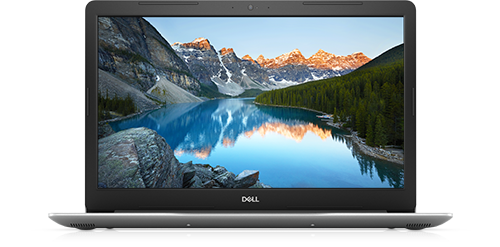
Inspiron 5770
Bluetooth seems to have completely disappeared from my laptop running Windows 10. The Bluetooth button is no longer shown in the action center. In the Bluetooth & other devices settings, there's no longer a switch to turn Bluetooth on and off. Bluetooth is not listed by default in the Device Manager, though I can get it to display with View->Show hidden devices. When I run the Bluetooth troubleshooter, I get
Previously, Bluetooth worked just fine. I was trying to connect a pair of earbuds (that had previously worked just fine) and was having trouble getting them to connect. I tried power cycling the earbuds with no success. I turned Bluetooth off and back on using the settings page and that's when Bluetooth just disappeared.
I looked for solutions in the forums and the most common suggestion was to reinstall the Bluetooth driver. I downloaded Qualcomm-QCA61x4A-QCA9377-Wi-Fi-and-Bluetooth-Driver_YX23Y_WIN_12.0.0.1118_A47_03.EXE from the Dell support website. I tried to re-install the driver, but there was no change. I uninstalled the driver and re-installed it and still had no luck. Wi-Fi (same driver) is still working.
Is there anything else I can try to fix Bluetooth? Or has the Bluetooth hardware just given up the ghost?


0 events found
JOcean
11 Legend
•
12.6K Posts
•
69.5K Points
0
June 19th, 2023 05:00
Have you tried the suggestion from this forum thread? Also try a reset, which is disconnect the battery and adapter. Then press and hold down the power button for 30 seconds. Then reconnect everything and reboot the system. Judging by the forum posts, this seems to be a rather common problem. If all that fails and the Bluetooth is having problems you could try a USB Bluetooth adapter such as these at Amazon.
cjhughes514
1 Rookie
•
2 Posts
0
June 19th, 2023 08:00
Is there any way to prevent this from happening in the future?