


8 Posts
0
2961
May 18th, 2023 01:00
G15 5520, Black screen after update
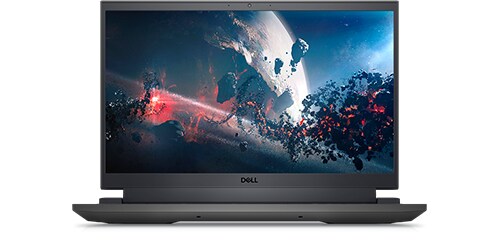
Dell G15 5520
Hello people,
I have a G15 5520 that after an automatic update it restart with a black screen. I had to purchase a monitor in order to be able to access the computer as the main monitor/screen does not work at all. I can not get into BIOS as it only shows up into the main screen and not into the 2nd screen. I have talked to tech support and they told me that it seems to be the LCD cable, I personally do not think this will be a hardware problem, this could and should be a software issue as my system is not that old (11 months) and I do not close the lid a lot, I shut it down and leave it open at the desk. The main problem is that I am traveling and they do not provide me with international assistance as my basic support is technically nothing. To get things worse, they advice to make a transfer of ownership as I will stay for 2 years in this country... but, tech support from the country am in, told me that the basic plan does not cover internationally and they are not able to support... to make this a horrible story, the people from warranties can not sale me a plan because my problem has not been solved and they cant sale anything if the system is broken! So now I am technically stuck and this is one of those situations where you start loosing credibility about the brand. Anyways attached I have added some pictures to see if someone has an idea. I am pretty sure this will help many people if we find a solution and do follow up!
Device Manager on G15
Tom_sanchez
8 Posts
0
June 6th, 2023 21:00
Thanks for your response but had to change motherboard and screen... Motherboard was faulty and the screen cable was also damaged. Seems that sometimes it is not a software problem but a hardware problem!
Tom_sanchez
8 Posts
0
May 18th, 2023 01:00
Forgot to add that if the problem were an LCD cable then I wouldn't be able to get communication with the screen, then the LCD Built-in Self-Test (BIST) wouldn't be able to be performed. No damage to the screen or dead spots or whatever. Check them below.
Tom_sanchez
8 Posts
0
May 19th, 2023 23:00
All, please follow this thread: https://www.dell.com/community/Inspiron/Dell-G15-5515-Bricked-after-latest-BIOS-upgrade-MAY-2023/td-p/8394402/jump-to/first-unread-message
AdrianG001
4 Operator
•
4K Posts
0
June 6th, 2023 04:00
Perform a hard reset.
For Dell laptops with removable batteries, see the User Guide for your Dell laptop for step-by-step instructions to safely remove the battery.