


Unsolved
1 Rookie
•
2 Posts
0
4245
January 10th, 2023 11:00
Dell 5421 - Boot to USB or BIOS with USB Inserted Stuck on Dell Loading Screen
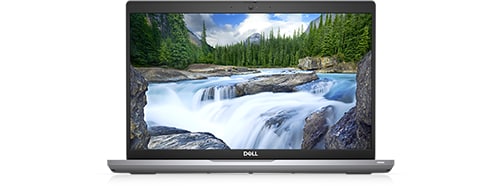
Latitude 5421
We are trying to refresh a couple of 5421s with the same Windows USBs they were built on. When we try to boot to USB or BIOS with the USB inserted the loading screen gets stuck halfway. The BIOS is fully updated. Does any know some troubleshooting steps for this issue?
No Events found!
U2CAMEB4ME
4 Operator
•
6.2K Posts
0
January 11th, 2023 03:00
Welcome to the Dell Community @ebbyit
Have you run the diags yet???
https://www.dell.com/support/kbdoc/en-us/000181163/how-to-enter-the-built-in-diagnostics-32-bit-diagnostics-supportassist-epsa-epsa-and-psa
https://www.dell.com/support/manuals/en-us/latitude-14-5421-laptop/latitude_5421_sm/m-bist?guid=guid-f469bc97-a2a3-4314-9699-094f5e44f880&lang=en-us
Post your results.
Best regards,
U2
ebbyit
1 Rookie
•
2 Posts
0
January 11th, 2023 07:00
Yes, diags have passed on both machines. I can boot to the USB on other Latitude models just fine but it's just these two that are having the issue so far. I can't find anything on this issue on the web.
UsernameWasTaken
2 Posts
1
February 16th, 2023 22:00
I have been seeing the same issue, but not just on the 5421.
It's also occurring on the 5420 and on the 5330. I don't have any other models to test on.
I noticed the issue start around October 2022.
If you try to boot the laptop with the usb plugged in it will hang on the Dell logo screen.
If you try to boot the laptop with the usb plugged in while pressing f12 it will freeze on the screen as per the first post.
Sometimes a laptop will get stuck in a power cycle boot loop. The laptop starts to boot and then the power light goes out and it reboots a few seconds later.
All laptops have fully updated firmware.
The usb thumbdrives are all created via Rufus to install images created with MDT and will boot perfectly fine on Inspiron laptops and optiplex desktops.
They are all Sandisk Ultra USB 3.0. Some of them were bought brand new when i first noticed the issue because i though they were faulty.
I have one thumbdrive that works just fine with the Latitudes and there is no difference between that thumbdrive and others as far as i can see.
UsernameWasTaken
2 Posts
0
March 16th, 2023 00:00
I notice the latest bios for the Precision 7560 fixes what sounds this exact problem.
https://www.dell.com/support/home/en-au/drivers/driversdetails?driverid=24cyp&oscode=wt64a&productcode=precision-15-7560-laptop
"Fixed the issue where the system reboots repeatedly when USB bootable devices with longer product name and serial number are connected to the system."
After seeing this detail i went and checked my USB thumbdrives and sure enough the one working thumbdrive has a different (shorter) name when compared to the other thumbdrives.
Using wmic diskdrive get Model
The working drive is called "SanDisk Ultra USB Device" and the drives that cause the bootloop are called "USB SanDisk 3.2Gen1 USB Device"
Hopefully this fix can be put into the next bios updates for my laptops.
cp21
3 Posts
0
May 9th, 2023 05:00
Any updates to this? Still no bios update available to fix this issue
Davidshmueli
2 Posts
0
July 3rd, 2023 14:00
same problem only with dell products !
DELL VOSTRO
DELL OPTIPLEX
DELL INSPIRON
someone can help us ???????
Davidshmueli
2 Posts
0
July 9th, 2023 08:00
Any solution from someone ???
itsmoocow
1 Message
0
September 21st, 2023 22:30
For those who are still struggling with this, I tried a different flash drive per UsernameWasTaken's post and it did solve my problem. I was also using a SanDisk and switched to a Kingston. This is on a 3500 but same symptoms.
Definitely worth a shot. It may require some trial and error depending on what you have available.