


1 Rookie
•
1 Message
13
8934
August 25th, 2023 18:28
Dell Command Update v5 Unable to retrieve System inventor information
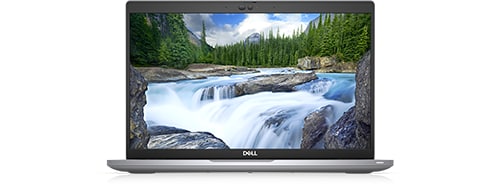
Latitude 5420
I was experiencing some weird behavior from my laptop that hinted at a need for a driver or BIOS update and went to Dell Command Update to address. Unfortunately, I got the "Unable to retrieve system inventory information" error. So I uninstalled (completely and using Revo) the program and reinstalled the most current version. However, the problem persists. The online driver scan on the Dell support page also does not work anymore either. I have restarted the laptop several times. Nothing seems to work.
No Events found!
Brad L (retired)
9 Legend
•
2.7K Posts
1
August 29th, 2023 13:52
This has been resolved and everyone should be able to run Dell Update now.
If anyone is still having this issue, please Restart Dell Client Management services and then reinstall Dell Update.
With that said, if you're still having any trouble with this, please use Get Help Now (located on the bottom right of this page) to contact our team.
(edited)
David_GJ
1 Message
1
September 13th, 2023 16:47
I'm using Command update v 5.0.0 and running it on Dell Latitude 7440's currently, out of the box and freshly imaged. I have also encountered this issue on Latitude 5410 & Latitude 5420.
Based on the the accepted answer, follow these steps:
I attempt the driver check. If it works, great!
If not:
These steps have worked for me so far and hopefully will continue to do so. Best of luck!
(edited)
MotTech
4 Posts
3
August 25th, 2023 23:24
Hi! Same problem here on a xps 13 and a Latitude 5400. As of today same problem on both laptops with the error "Unable to retrieve system inventory". V5 of command update. Tried uninstall, reinstall, same problem. I suspected that there might be some problem with the latest windows updates so I tried uninstall latest update but no luck.
dRossP
3 Posts
1
August 26th, 2023 05:05
Same here on XPS 17, problem started today. Running out of patience and things to try....
twozero3
1 Message
2
August 26th, 2023 12:55
Yes, same probelm with Dell Update Windows Universal Application. Dell G7 7700.
It just happened to coincide with me fitting a new SSD and reinstalling Windows just yesterday. So I've been trying all kinds of things to fix the problem, mainly full removal and reinstalls, thinking it was related to the SSD and new Windows installation. So thanks guys, if nothing else you've put my mind at rest that it is not related to my tinkering and is Dell/Windows software issue.
This is a recurring fault that has been popping up with various versions of Dell Update for years.
Manive
1 Message
3
August 26th, 2023 13:32
Hi. Same problem with a Precision 3440.
Found a temporary workaround by uninstalling the v5.0.0 version, then installing the last previous version 4.9.0: now it works. Previous versions of DCU are available in Dell Support: follow generic instructions in "§Installation of Dell Command | Update" of https://www.dell.com/support/kbdoc/en-us/000177325/dell-command-update?lang=en, then whence in the DCU description page, check "Older versions" (easily missed).
This seems to be a bug to fix for Dell developers, starting the new v5 serie. I would keep an eye on it.
And, of course, when DCU 4.9.0 tells me again that there is a recommanded update in the DCU of july 2023 (this infamous 5.0.0), I unchecked it.
Auteur Savant
1 Message
2
August 26th, 2023 15:43
Me too... Alienware Aurora Ryzen R10. Tried all the usual tricks... no luck. Over to you Dell/Alienware.
Judgeschambers
1 Message
1
August 26th, 2023 16:03
Same issue here on a Dell OptiPlex 5070 Windows 11, and Alienware Aurora R7 Windows 10. Uninstalled/reinstalled Support Assist & Command Update V5. No luck.
Will Try Manive's suggestion to roll back to 4.9.0.
Update: roll back did not work for me.
Dell, back to you. Again.
(edited)
DG Yule
2 Posts
1
August 26th, 2023 16:39
Same problem: v 5.0.0 running on Precision 7730 with Windows 10 Pro Version 22H2. In addition, Dell's SupportAssist Version 3.14 reports and "unexpected error" when attempting to "Get drivers & downloads"
(edited)
Skwish
3 Posts
1
August 26th, 2023 17:08
Same issue on my Alienware Aurora R9
DG Yule
2 Posts
4
August 26th, 2023 18:22
@DG Yule Dell Support advises they are aware of the problem and estimate a fix will be available Monday PM
adilos23
1 Message
1
August 27th, 2023 01:33
Me too... Same problem in Alienware x17 R@2 Tried all tricks... i have the same issue .
MastiffX
2 Intern
•
242 Posts
2
August 27th, 2023 02:34
Same problem with brand new XPS 8960. It seems this is Dell's problem to fix. They'll fix it - not to worry.
ksharris
9 Posts
1
August 27th, 2023 02:52
@MotTech Same problem today with my 1-year-old XPS13.
travis64
1 Message
1
August 27th, 2023 04:13
Same problem on my G15