


1 Rookie
•
1 Message
2
40918
June 14th, 2023 19:00
Temporary Fix - Laptop won't power on, black screen, with power LED blinking
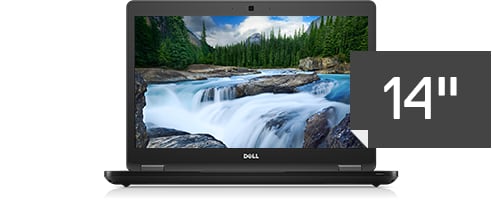
Latitude 5480/5488
Hello, I seem to have encountered a problem with my Dell Latitude 5480 model a few days ago. Whenever I try to power it on, the power LED keeps blinking but it doesn't boot, the screen remains black, not even the Dell logo appears.I've tried various measures to fix this by re-flashing the BIOS, rollback the BIOS, re-flashing the TPM firmware, reinstalling the chipset driver, thermal framework driver, etc but in vain.
(temporary solution down below)
What seems to have caused this issue:
A few months ago, I encountered the same issue when I carried this laptop with me in my backpack (providing for context). It was a 40 minute travel, by bus. After 2 hours, I attempted to power on the laptop, when this issue occured to me for the first time. I've read forum posts that indicate that this might by a motherboard failure. But, after 5 minutes, when I attempted a power-up, it booted fine and worked well for the rest of the day. This happened for only 3 days, and then worked well ever since.
It so happened that I tried to live boot a linux based distro (Lubuntu, 22.04.2 LTS (Jammy Jellyfish)) from an SD card. I kept the SD card unplugged from my PC (running Windows 10, for context). Thats when the problem started. It was exactly 4 days ago. I travelled across states to my new home, and removed the laptop from my bag. Same issue again. Once again, I set a timer to 5 minutes and exactly after that, it worked. No idea why.
Other forms of this issue:
Over the course of 4 days, I encountered many forms of this error. The power LED blinking, 2 amber 1 white blinking on the charge indicator, fan running on full speed for 2-3 seconds then powering off, fan running for 15 seconds and powering off, all keyboard lights on and fan running full speed, etc. Of course, in none of these steps, the system would boot. It would take luck and me force shutting down and attempting power up 10-15 times for it to boot once.For reference, my TPM device is also suddenly vanished. While booting, it says that TPM device is missing.
Attempted troubleshooting:
I've seen many forum posts that suggest that this might be a CPU failure, a motherboard failure, etc, but I wasn't convinced since the laptop boots up anyways.I've removed the back cover, removed battery and adapter and held the power button for 20 seconds (for static discharge), reseated the ram and checked the fans. I didn't remove the CMOS battery though.I've pressed and held Ctrl + esc and plugged in the charger and powered up the PC (to enter BIOS recovery), pressed 'D' key and powered on (to run display self test and then boot after). This seems to work sometimes. Finally after many tries, I seem to have found a possible solution, though temporary, to boot the OS.
***************************************
My Solution:
-
Press and power button once. Of course the PC won't boot. The power LED would blink, and that's what is needed.
-
Force power off the PC.
-
Press and hold the ' D ' key. It would go to display self test.
-
Press and hold the ' M ' key while the display is testing itself. After 2 cycles of RGB and White lights, the system would attempt to boot. Normally this wouldn't work, but since the ' M ' key is held, it would go to maintenance mode/factory mode.
-
The screen lights up with the text " ***Maintenance mode*** Press Ctrl + F to exit ". Press ' Ctrl + F'
-
It should either boot, or give a warning that " TPM device is missing, press F1 to retry boot" . Press " F1 " if that's the case,
-
The OS should boot.
I have no idea why this works, and even if this is going to work for long. Any insight is appreciated on this topic, or any other ideas by which you have fixed this issue.
Reference links:
No Events found!
Brad L (retired)
9 Legend
•
2.7K Posts
0
June 20th, 2024 16:37
Here's an additional video that might be helpful: