

1 Rookie
•
45 Posts
0
710
August 23rd, 2022 11:00
Cannot boot to windows 7
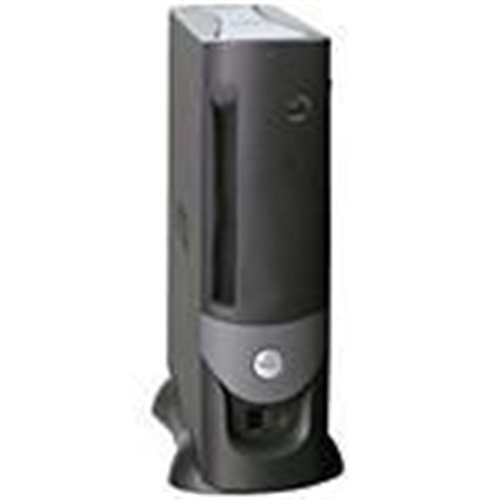
OptiPlex GX270
Hi community..
My pc ran into a problem and i couldn't solve it.
When it boot it disconnect all ports it may be turned off but the power button stay lighted and when i press on it i cannot turn it on or off so i disconnect power then reconnect to open.
I tried to replace all cables and rams and cpu and change the cmos battery and no changes.note that after change bios still warns me that the battery voltage is low and i measuered it using multimeter and it was 3.4 volt
I opend windows memory diagnostec tools and no problems and i made startup repair but it made the same problem at the end of repairment.
Can any one help me.
No Events found!
redxps630
11 Legend
•
15.7K Posts
•
81K Points
0
August 23rd, 2022 23:00
Try clear cmos settings on motherboard using RTCRST jumper.
speedstep
11 Legend
•
47K Posts
0
August 23rd, 2022 11:00
There is no help and no support for an 18 year old DDR1 PCI AGP system.
Oldest model that is viable and useable is Optiplex GX620 TOWER from 2006.
Oldest model I recommend actually buying is Optiplex 7010 tower with Core I7 cpu DDR3, PCI-E, 2nd Gen Ivy bridge CPUs.
https://www.ebay.com/itm/284557412071
computer monster
1 Rookie
•
45 Posts
0
August 23rd, 2022 13:00
Hi speedstep.
At first i know that my pc is very very very old and you say that to me.
I need my computer in this time and i want a solution for this problem only.
Dell support decided to not help me because of warranty,so i asked the community.
Can any one help me??
computer monster
1 Rookie
•
45 Posts
0
August 23rd, 2022 15:00
Speedstep i said to you that i want solution from community from a person that can help me not a support from dell or intel.
If i need support from dell or intel i won't post on dell community.
I said to you that dell decided to not halp me because of warranty and you know that.
CAN ANY ONE HELP!!!?
speedstep
11 Legend
•
47K Posts
0
August 23rd, 2022 15:00
There are no soft fixes for physically bad hardware.
This has a bad Drive and Bad CMOS battery.
This system absolutely is NOT worth fixing.
This particular model suffers from BAD CAPS as well as being wayy past end of life for everything. The recall for these boards ended in JAN 2008.
GX260, 270, 280 models had Issues that prompted a recall that ended in JAN 2008. Its like saying you have a 18 year old car with bad engine and you want a free fix without paying anything. There are no parts and no support from DELL or INTEL or anyone else.
speedstep
11 Legend
•
47K Posts
0
August 24th, 2022 02:00
I have extreme doubt that ANYONE is going to be able to help fix an 18 year old problem. Nor will they be able to get parts from INTEL or Dell to fix this.
http://warrantypartsdirect.dell.com/us/program/T1910000.ASP
Out of Warranty Support Program
Dell™ will provide out of warranty coverage in North, Central and South America for OptiPlex™SX270(UFF), GX270, GX280 systems with failed motherboards due to expanding or leaking capacitors for 5 years from date of purchase, or until 31-January-2008, whichever comes first.
We request that customers with qualifying systems contact Dell Technical Support at 1-800-822-8965. Please note, affected parts will not be dispatched through the WPD program and therefore will not be eligible for labor reimbursement.
For Systems Under Warranty
If a desktop computer listed in the "Products Affected" section has a failed motherboard exhibiting expanding or leaking capacitors, contact Dell Technical Support to have the motherboard replaced as per the Warranty Service coverage contract.
For Systems Out of WarrantyIf a desktop computer listed in the "Products Affected" section has a failed motherboard exhibiting expanding or leaking capacitors and is still within the time period described below, contact Dell Technical Support to have the motherboard replaced at no charge.
The motherboard replacement program is valid for 5 years from the original date of purchase of the system or January 31, 2008, whichever occurs first. Systems that fall outside the motherboard replacement offer terms may be repaired under Dell's Out of Warranty service program.
Products Affected:SX270 USFF (Ultra Small Form Factor)
GX270 SFF, SDT, SMT (All Form Factors - Small Form Factor, Small Desktop, Small-Mini Tower)
GX280 SFF, SDT, SMT (All Form Factors - Small Form Factor, Small Desktop, Small-Mini Tower)
computer monster
1 Rookie
•
45 Posts
0
August 24th, 2022 05:00
As you see speedstep there are ways to fix 18 years old computer as red xps solved one of problems and the other problem i have its solution and if it failed i will find a solution.
Not every thing must be fixed at dell or intel or any manufacture if we can fix it by ourself and this is the task of community
computer monster
1 Rookie
•
45 Posts
0
August 24th, 2022 05:00
THank you for your reply.
YOu solved 1 of 2 of my problems.
BIos is not warning me about battery but while booting it do tha same.
I think that because when i burn the windows from rufus i burnt it as gpt but my pc must have mbr windows.
I will try to put a new windows 7 but i will burn it as mbr
bradthetechnut
9 Technologist
•
9.5K Posts
•
40.1K Points
0
August 24th, 2022 16:00
@computer monster
I think you're right about MBR. Win7 can be installed on either MBR or GPT disk.