
Intel® Core™ Ultra Processors
Learn More

Dell Outlet’s Recommended Support Services
WE'VE GOT YOU COVERED
Protect Your Investment With
Dell Warranty
Enjoy peace of mind with same-as-new warranty on Dell Outlet systems.
Same limited hardware warranty as if bought new.
Support Service
Get the most out of your system with a support service which provides expert support, fast repairs, proactive issue detection, and more.
Your support service options depend on your system’s operating system.
Premium Support / Dell Care Suite for PCs with Windows Home OS
| Basic Support | Premium Support / Dell Care Plus | Premium Support Plus / Dell Care Premium | |
|---|---|---|---|
| Support Essentials | |||
| Hardware issues? We’re here by phone, chat, or online | Business Hours | 24x7 | 24x7 |
| Software trouble? We fix web access and tools like email and Microsoft 365 | 24x7 | 24x7 | |
| PC repair at home, school or work after remote diagnosis3 | Varies | 1-2 Business Days | 1-2 Business Days |
| International support that travels with you, near or far | ✔ | ✔ | |
| Help to back up important files and memories | ✔ | ✔ | |
| Keep your child safe online with parental control set up help | ✔ | ||
| Repairs for accidents like drops, spills, and electrical surges4 | ✔ | ||
| SupportAssist Technology Enabled Features | |||
| Monitor your PC's health, performance, and security—all in one spot | ✔ | ✔ | ✔ |
| AI proactively uncovers issues, informs you, and starts the resolution process | ✔ | ✔ | |
| AI predicts hardware failures early and we’ll send replacement parts | ✔ | ✔ | |
| Gets rid of viruses and malware to keep you secure | ✔ | ||
| Automatically keeps your PC stable, connected, and fast | ✔ |
ProSupport Suite for PCs with Windows Pro OS
Features |
Basic Support |
ProSupport |
ProSupport Plus |
|---|---|---|---|
| Self-healing automations via SupportAssist AI technology | |||
| Library of Dell-authored scripts to automate tasks and remediate issues | ✔ | ||
| Automated PC optimizations | ✔ | ||
| Custom catalogs for remote BIOS, driver and firmware updates | ✔ | ||
| Proactive monitoring via SupportAssist AI technology | |||
| Customizable dashboard in TechDirect portal | "Yes" Not for Chromebook and Thin Client | ✔ | ✔ |
| Fleetwide view of security, health and application experience scores | "Yes" Not for Chromebook and Thin Client | ✔ | ✔ |
| System-level performance and utilization metrics | ✔ | ✔ | |
| Proactive and predictive hardware alerts with auto dispatch | ✔ | ✔ | |
| BIOS, driver, firmware and application version tracking for compliance | ✔ | ✔ | |
| PC inventory with sites and grouping for asset management | ✔ | ✔ | |
| Support Essentials | |||
| Technical support with AI-driven troubleshooting tools | Business hours | 24x7 | 24x7 |
| In-region ProSupport expert assistance for hardware and software issues | ✔ | "Yes" Priority Access | |
| Next business day on-site repair3 | ✔ | ✔ | |
| International travel support | "Yes" Precision, OptiPlex, Latitude, Chromebooks only | ✔ | ✔ |
| Technical Customer Success Manager (CSM) | "Yes" 500 system minimum | ||
| Keep Your Hard Drive Service | ✔ | ||
| Accidental Damage Service4 | ✔ |

ENHANCED COVERAGE — FOR BUSINESS ProSupport
- Hardware and software support
- Next business day on-site repairs after remote diagnosis
- Proactive and predictive hardware alerts with auto dispatch
- 24/7 phone access to in-region experts

ACCIDENTAL DAMAGE COVERAGE INCLUDED ProSupport Plus
- All Benefits of ProSupport Included
- Drops, Spills, Surges Covered, no deductible
- Technical Customer Success Manager (CSM)(i) (eligible starting 500 system min)
- Automates AI Optimisation & remediation
- Priority Access to Specialized Support Experts
- Keep your Hard Drive

DELL RECOMMENDED Premium Support/ Dell Care Plus
- Hardware help 24/7. We built it. We support it.
- Software help 24/7. We update, fix & connect you.
- On-location repairs, by Dell certified technicians, after remote diagnosis (1-2 business days)
- International support that travels with you, near or far
- Help to back up files and memories
- PC health check dashboard
- Integrated AI predicts hardware fails & we’ll ship replacement parts
ACCIDENTAL DAMAGE COVERAGE INCLUDED Premium Support Plus/ Dell Care Premium
Includes everything from Dell Care Plus
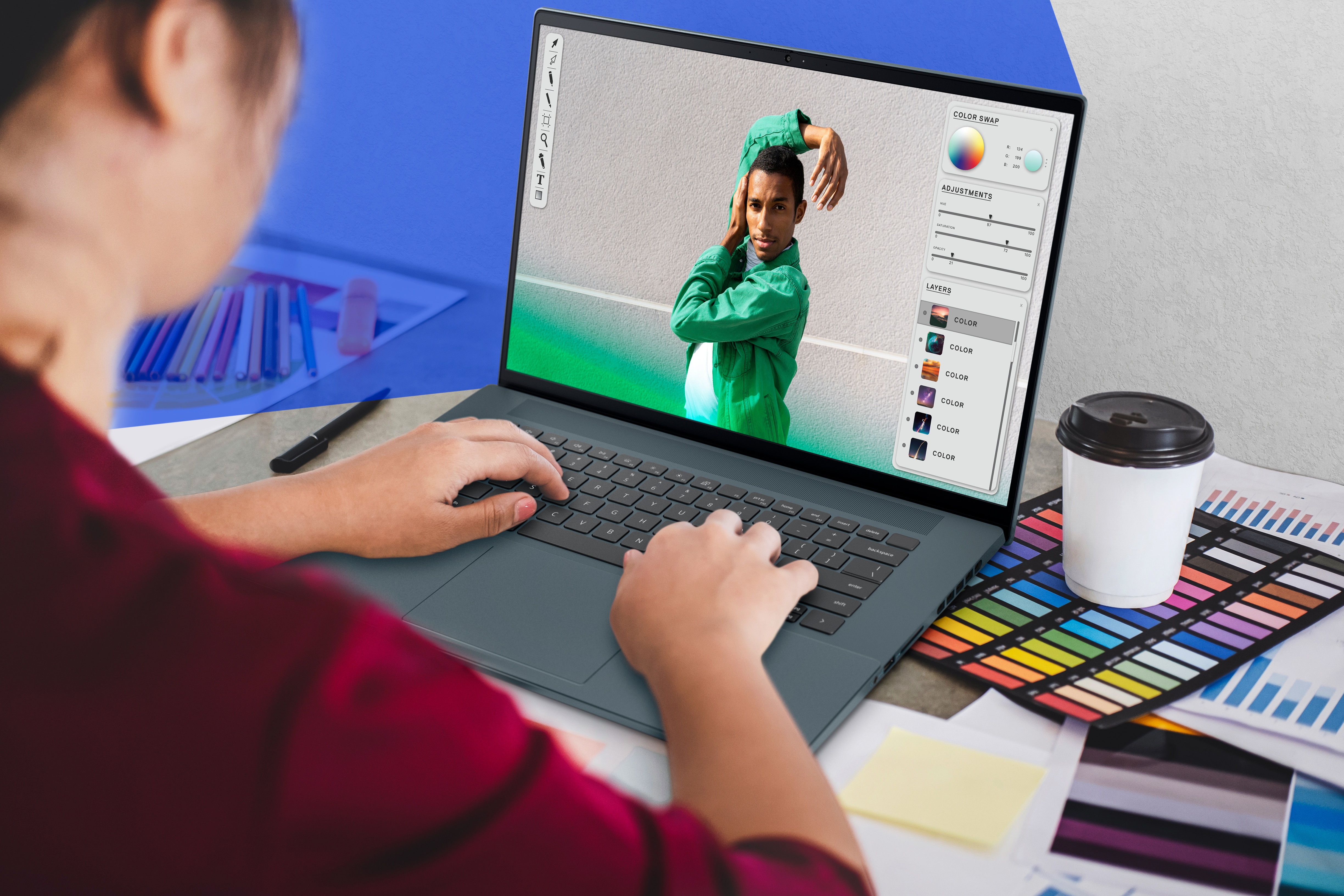
Accidents? Covered
Protect your PC with Accidental Damage Service in event of liquid spills, drops, or electrical surges.

Personalised support
Best for personal use with the Windows Home operating system (Not compatible with the Ubuntu operating system). Automatically boosts speed & network connectivity.

You go places
Get all the benefits of Premium Support, even when you travel.

Get rid of viruses and spot trouble before it happens!
Fix PC problems with AI-powered technology that proactively detects and removes viruses and malware.

Parental Control
Protect your child with parental control setup help.

STANDARD COVERAGE Basic Support
- Basic Onsite Service after remote diagnosis with Hardware-Only Support.

Accidental Damage
Save time and effort when you plan for accidents. Accidental Damage delivers coverage you can count on for drops, spills, and surges:
- Streamlined claim process
- No extra fees or deductible
- Repairs performed by Dell technicians with Dell parts
Accidental Damage is included in Premium Support Plus or you become eligible to purchase it when you buy another support offer.
What’s covered:
- Liquid spilled on or in the unit
- Drops, falls and collisions
- Electrical surges
- Damaged or broken LCD due to a drop
By selecting any Accidental Damage term, you agree that you are 18 years of age or older and have read and agree to the terms and conditions including the key features, which include details of the cover, relevant exclusions (e.g the cover is limited to 1 claim per year of cover), the process for claims and cancellation policy. Prices include insurance premium tax (at the applicable rate).
The Insurance is underwritten by American International Group UK Ltd, registered office, The AIG Building, 58 Fenchurch Street, London, EC3M 4AB, United Kingdom (AIG UK). AIG UK is authorized by the Prudential Regulation Authority and regulated by the Financial Conduct Authority and Prudential Regulation Authority (FRN number 781109). You can check this by visiting https://register.fca.org.uk.
The Insurance is underwritten by American International Group UK Ltd, registered office, The AIG Building, 58 Fenchurch Street, London, EC3M 4AB, United Kingdom (AIG UK). AIG UK is authorized by the Prudential Regulation Authority and regulated by the Financial Conduct Authority and Prudential Regulation Authority (FRN number 781109). You can check this by visiting https://register.fca.org.uk.
SupportAssist
Say goodbye to downtime. SupportAssist is the technology behind the predictive and proactive features of ProSupport and ProSupport Plus, allowing you to virtually eliminate downtime9 and focus on what’s important. We’ll take care of any IT issues.
- Predictive and proactive6 - SupportAssist technology is constantly looking for anomalies. When it sees an issue or predicts a failure is about to happen, it automatically alerts you and Dell at the same time and proactively creates a ticket. Before you know it, we’re calling you to work through the issue and if you need onsite help, we’ll be there the next business day after the remote diagnosis.
- Security – It’s important to us and it’s important to you. Therefore only system state information is used for troubleshooting and all information is protected with 256-bit encryption and SSL protocol.
SupportAssist varies depending on plan level.
Important Information
On-site3 Service or Advanced Exchange Service after remote diagnosis:
- On-site Service after remote diagnosis is determined by the online or phone technician, and may involve customer access to the inside of the system and multiple extended sessions. If the issue is covered by the Limited Hardware Warranty and cannot be resolved remotely, the technician and/or replacement part will be dispatched, usually in 1 or 2 business days, following the completion of the remote diagnosis. The customer must return the original hardware to Dell according to the rules specified. On-site service is provided by Dell Marketing L.P; Availability varies. Other conditions apply.
- (b) Advanced Exchange Service replaces hardware after remote diagnosis. The customer must return the original hardware to Dell according to the rules specified. Advanced Exchange Service is subject to country availability.
- For complete details about On-site Service or Advanced Exchange Service, see dell.com/servicecontracts.
- In some countries, support after local business hours may be provided in a language other than the local language.
- Onsite Service after Remote Diagnosis is determination by online technician of cause of issue; may involve customer access to inside of system and multiple or extended sessions. If issue is covered by Limited Hardware Warranty and not resolved remotely, technician and/or part will be dispatched, usually in 1 or 2 business days following completion of Remote Diagnosis. Onsite Service is provided by Dell Marketing L.P. Availability varies. Other conditions apply. For complete details about Onsite Service, see dell.com/servicecontracts.
- Personalized help with software, including email programs, productivity and creativity apps, network functionality, installing peripherals.
- Premium Support Plus not sold on systems with Windows 10S, Ubuntu or Steam OS. Geographic and service levels vary. See Service Description dell.com/servicecontracts. SupportAssist not available on Linux, Windows 10S, Windows RT, Android, Ubuntu or Chrome based products.
- SupportAssist automatically detects and proactively alerts Dell to: operating system issues, software upgrades, driver updates and patches, malware, virus infected files, failures of hard drives, batteries, memory, internal cables, thermal sensors, heat sink, fans, solid state drives and video cards. Predictive analysis failure detection includes hard drives, solid state drives and batteries.
- Claims based on May 2017 Principled Technologies test report commissioned by Dell comparing Dell Basic Hardware Service to Premium Support Plus with SupportAssist Technology. Testing conducted in the United States. Actual results will vary. Full report: https://facts.pt/sk4vHh.
- Based on internal analysis April 2017. Some features are not available on all products.
1Accidental Damage Service: Service is only available during the term for Dell’s limited hardware warranty or upgraded service contract, and excludes theft, loss, and damage due to fire, flood or other acts of nature, or intentional damage. Customer may be required to return unit to Dell. Limit of 1 qualified incident per contract year. For complete details, consumers visit Dell.com/servicecontracts (https://www.dell.com/learn/us/en/uscorp1/campaigns/global-consumer-service-contracts) and commercial customers visit: Dell.com/servicecontracts (https://www.dell.com/learn/us/en/uscorp1/campaigns/global-commercial-service-contracts).
2On-site service or Advanced Exchange Service after remote diagnosis
(a) on-site service after remote diagnosis is determined by the online technician, and may involve customer access to the inside of the system and multiple extended sessions. If the issue is covered by the Limited Hardware Warranty and cannot be resolved remotely, the technician and/or replacement part will be dispatched, usually in 1 or 2 business days, following the completion of the remote diagnosis. On-site service is provided by Dell Marketing L.P; Availability varies. Other conditions apply.
(b) Advanced Exchange Service repairs or replaces hardware after remote diagnosis. The customer must return the original hardware to Dell according to the rules specified. Advanced Exchange Repair is subject to country availability.
(c) For complete details about On-site Service or Advanced Exchange Repair, see dell.com/servicecontracts.
3Software support with collaborative 3rd party assistance.
4Available for ProSupport Plus customers with 500 or more ProSupport Plus systems.
5Based on a Principled Technologies test report, “Dell ProSupport Plus with SupportAssist warns you about hardware issues so you can fix them before they cause downtime” dated April 2019. Testing commissioned by Dell, conducted in the United States. Actual results will vary. Full report: http://facts.pt/0xvze8. Hardware issues detected by SupportAssist include hard drives, solid state drives and batteries.
6Hard drive retention is not available on models with a soldered hard drive, Chromebooks or Venue tablets, except the Venue 11 Pro.
7SupportAssist not available on Linux, Windows RT, Ubuntu or Chrome based products. SupportAssist automatically detects and proactively alerts Dell to: operating system issues, software upgrades, driver updates and patches, malware, virus infected files, failures of hard drives, batteries, memory, internal cables, thermal sensors, heat sinks, fans solid state drives and video cards. Predictive analysis failure detection includes hard drives, solid state drives and batteries.
8Based on a Principled Technologies test report, “Spend Less Time and Effort Troubleshooting Laptop Hardware Failures” dated April 2018. Testing commissioned by Dell, conducted in the United States. Actual results will vary. Full report: http://facts.pt/L52XKM
9Software support with collaborative 3rd party assistance.
2On-site service or Advanced Exchange Service after remote diagnosis
(a) on-site service after remote diagnosis is determined by the online technician, and may involve customer access to the inside of the system and multiple extended sessions. If the issue is covered by the Limited Hardware Warranty and cannot be resolved remotely, the technician and/or replacement part will be dispatched, usually in 1 or 2 business days, following the completion of the remote diagnosis. On-site service is provided by Dell Marketing L.P; Availability varies. Other conditions apply.
(b) Advanced Exchange Service repairs or replaces hardware after remote diagnosis. The customer must return the original hardware to Dell according to the rules specified. Advanced Exchange Repair is subject to country availability.
(c) For complete details about On-site Service or Advanced Exchange Repair, see dell.com/servicecontracts.
3Software support with collaborative 3rd party assistance.
4Available for ProSupport Plus customers with 500 or more ProSupport Plus systems.
5Based on a Principled Technologies test report, “Dell ProSupport Plus with SupportAssist warns you about hardware issues so you can fix them before they cause downtime” dated April 2019. Testing commissioned by Dell, conducted in the United States. Actual results will vary. Full report: http://facts.pt/0xvze8. Hardware issues detected by SupportAssist include hard drives, solid state drives and batteries.
6Hard drive retention is not available on models with a soldered hard drive, Chromebooks or Venue tablets, except the Venue 11 Pro.
7SupportAssist not available on Linux, Windows RT, Ubuntu or Chrome based products. SupportAssist automatically detects and proactively alerts Dell to: operating system issues, software upgrades, driver updates and patches, malware, virus infected files, failures of hard drives, batteries, memory, internal cables, thermal sensors, heat sinks, fans solid state drives and video cards. Predictive analysis failure detection includes hard drives, solid state drives and batteries.
8Based on a Principled Technologies test report, “Spend Less Time and Effort Troubleshooting Laptop Hardware Failures” dated April 2018. Testing commissioned by Dell, conducted in the United States. Actual results will vary. Full report: http://facts.pt/L52XKM
9Software support with collaborative 3rd party assistance.
| Support Service | Eligible Systems |
| Premium Support Plus | Inspiron (ProOS or HomeOS), XPS, G Series, Alienware |
| Premium Support | Inspiron (ProOS or HomeOS), XPS, G Series, Alienware |
| ProSupport Plus | Precision, OptiPlex, Latitude, Chromebook, XPS, Inspiron (ProOS or HomeOS) , Alienware (except Stream). |
| ProSupport | Precision, OptiPlex, Latitude, Chromebook, XPS, Inspiron (ProOS or HomeOS) , Alienware (except Stream). |
| Basic Support | All |
For supported systems and requirements, please refer to our user guide (SupportAssist for Home PCs version for personal use) or administrator guide (SupportAssist for Business PCs version for PC fleet management) and select supported PCs. Proactive and predictive capabilities depend upon your active service plan and Dell Technologies business rules. For ProSupport Suite for PCs capabilities view our administrator guide and select Connect and manage capabilities and Dell service plans. For Premium Suite for PCs capabilities view the user guide and select SupportAssist capabilities and Dell Services plans.
Browse our wide range of offerings!


We are Dell Outlet
Discover why Outlet is right for you
Why buy with us?
Frequently Asked Questions (FAQs)
Support & Services
Windows 11 System Requirements
Dell Outlet Sustainability
Intel® Core™ Ultra Processors
Learn More