Akku, Stromversorgung und Lüfter
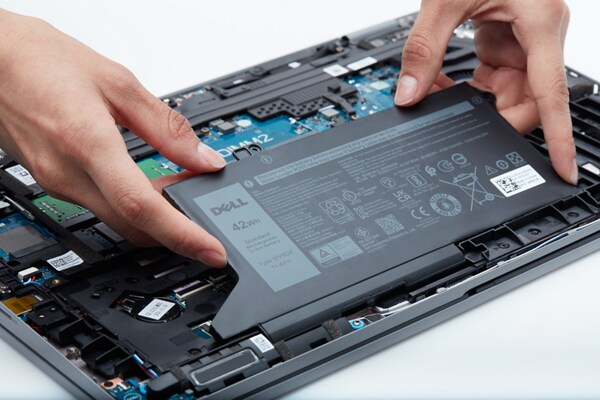
Dell Akku kaufen
Sind Sie auf der Suche nach einem Ersatzakku? Suchen Sie kompatible Teile und Upgrades für Ihr Gerät.
Akkuhardwaretest
Dell empfiehlt die Durchführung von Diagnosen auf Ihrem Akku, um sicherzustellen, dass er ordnungsgemäß funktioniert.
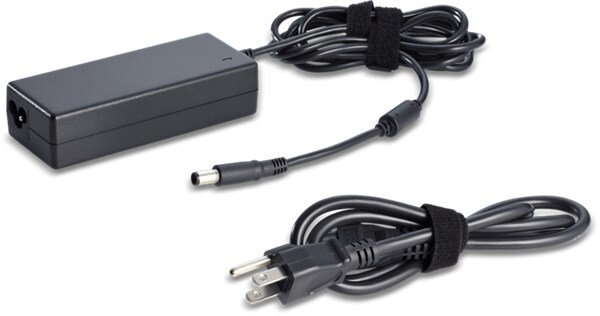
Hardwaretest des Netzadapters
Dell empfiehlt die Durchführung von Diagnosen auf Ihrem Netzadapter, um sicherzustellen, dass er ordnungsgemäß funktioniert.
Computer lässt sich nicht einschalten: Beheben von Problemen mit der Stromversorgung
Ihr Computer lässt sich aufgrund von Problemen mit der Stromversorgung nicht einschalten? Überprüfen Sie die Stromquelle, beheben Sie Probleme mit dem Netzadapter, dem Akku und der Netztaste. Befolgen Sie unsere einfache Anleitung, um Ihren Computer wieder zum Laufen zu bringen.Laptopakku wird nicht aufgeladen: Beheben von Netzadapterproblemen
Beheben von Problemen mit dem Aufladen des Laptopakkus, z. B. Nicht-Aufladen, Stoppen des Ladevorgangs oder angeschlossen, wird aber nicht aufgeladen Schritt-für-Schritt-Lösungen für Dell Laptops.Überprüfen des Akkuzustands des Laptops: Testen des Akkuzustands unter Windows
Erfahren Sie, wie Sie den Akkuzustand Ihres Laptops mit einem Akkutest unter Windows 10 und 11 überprüfen. Finden Sie Akkuinformationen, testen Sie den Akkuzustand und überwachen Sie die Laptopleistung.So verhindern Sie Überhitzung: Tipps zum Kühlen Ihres PCs oder Laptops
Erfahren Sie, warum Ihr Laptop oder Computer überhitzt und wie Sie ihn abkühlen können. Entdecken Sie die Ursachen für eine hohe CPU-Temperatur, einschließlich lüfterbezogener Probleme, und Tipps zur Vermeidung von Überhitzung.Videoressourcen

Dieses Video enthält Anweisungen zum Reinigen der Lüftungsschlitze. Es wird empfohlen, den Computer auszuschal
ten, externe Geräte zu trennen, Druckluft zu verwenden, um Staub aus den Lüftungsschlitzen herauszublasen, dann die Geräte wieder anzuschließen und den Computer neu zu starten.
...
Erfahren Sie, wie Sie überprüfen, ob Ihr System nur über den Netzadapter startet, indem Sie den Akku entfernen
und die Verbindung testen. In diesem Video wird auch das Wiederanschließen des Akkus und das Sicherstellen der ordnungsgemäßen Funktionalität des Systems behandelt.
...

In diesem Artikel wird erläutert, wie Sie feststellen können, ob Ihr Laptopakku ausgetauscht werden muss. Zu d
en Symptomen zählen eine kürzere Akkulaufzeit, ein plötzliches Herunterfahren und ein abrupter Abfall des Ladezustands. Um den Akkuzustand zu überprüfen, rufen Sie das BIOS auf oder verwenden Sie Diagnosetools. Wenn der Akku aufgebläht ist, verwenden Sie den Laptop nicht mehr und lassen Sie ihn vollständig entladen, bevor Sie versuchen, den Akku zu entfernen. Weitere Informationen erhalten Sie unter Dell Support Wenn Sie der Meinung sind, dass der Akku ausgetauscht werden muss, wenden Sie sich an den technischen Support.
...
Sonstige Ressourcen

Troubleshooting von Leistungsproblemen
Erfahren Sie, wie Sie das Problem eines langsamen Dell Computers beheben können. Troubleshooting von Leistungsproblemen
Verbessern der Leistung des Akkus eines Dell Laptops
Erfahren Sie, wie Sie die Leistung des Akkus eines Dell Laptops verbessern können. Hier finden Sie Informationen zu Änderungen, die Sie an einem Laptop vornehmen können, um die Akkulaufzeit zu verbessern. Verbessern der Leistung des Akkus eines Dell Laptops
Troubleshooting bei Problemen mit dem Netzadapter
Erfahren Sie, wie Sie Probleme mit einem Netzadapter auf einem Dell Laptop beheben und lösen können. Hier finden Sie Informationen zur Verwendung und zum Troubleshooting bei Problemen mit dem Netzadapter. Troubleshooting bei Problemen mit dem Netzadapter