VPLEX: How to Change IP addresses
Summary: This article details the steps to generate a SolVe Desktop procedure to Change IP addresses of a VPlex cluster.
This article applies to
This article does not apply to
This article is not tied to any specific product.
Not all product versions are identified in this article.
Instructions
This procedure to change VPlex cluster IP address can be found in Solve Desktop Procedure Generator at the following location:
VPlex -> Admin -> Admin Procedures -> Manage -> Change IP addresses.
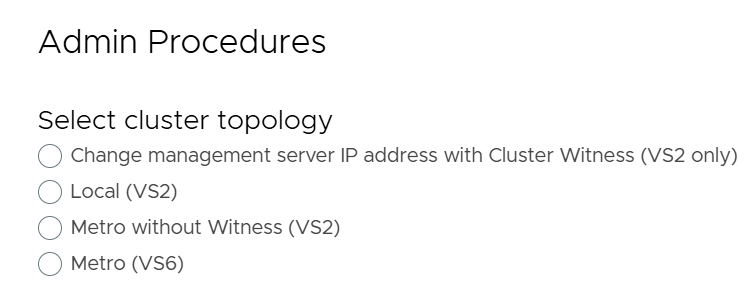
A procedure is generated based on the type of VPlex cluster chosen from the following four options:
-
- Change management server IP address with Cluster Witness (VS2 only)
- Local (VS2)
- Metro without Witness (VS2)
- Metro (VS6)
Below is a screenshot reference from the SolVe Desktop Procedure generator showing the four available options to Change IP addresses of a VPlex cluster:
Additional Information
NOTE: Customer login required to view SolVe Deskop Knowledge Article
If SolVe Desktop is required, use How to Download and Install SolVe Desktop for installation.
Affected Products
VPLEX, VPLEX VS2, VPLEX VS6Products
VPLEX GeoSynchronyArticle Properties
Article Number: 000158332
Article Type: How To
Last Modified: 31 Mar 2025
Version: 3
Find answers to your questions from other Dell users
Support Services
Check if your device is covered by Support Services.