VCF na VxRail: Weryfikacja dodania węzła nie powiodła się, jeśli zasada równoważenia obciążenia sieciowego zarządzania to "Routing based on IP hash"
Podsumowanie: VxRail nie obsługuje trasy opartej na zasadach równoważenia obciążenia skrótu IP, walidacja dodania węzła dnia 2 kończy się niepowodzeniem, jeśli grupa portów zarządzania wybierze tę zasadę. ...
Objawy
VxRail nie obsługuje trasy w oparciu o zasady równoważenia obciążenia skrótu IP, ale w środowisku VCF na VxRail, podczas dodawania domeny obciążenia roboczego (WLD) z interfejsu użytkownika SDDC, użytkownik może wybrać tę zasadę i pomyślnie wdrożyć klaster Virtual Infrastructure Workload Domain (VI WLD).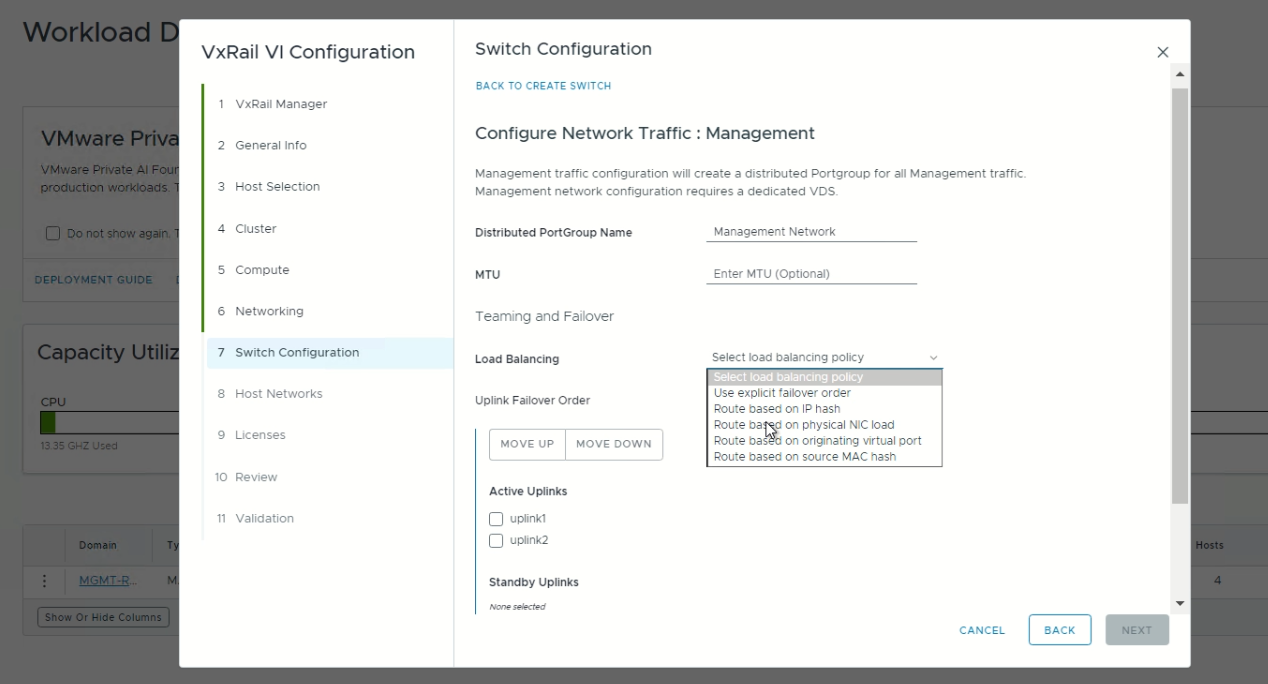
Jednak walidacja dodania węzła dnia 2 kończy się niepowodzeniem z powodu błędu walidacji VLAN.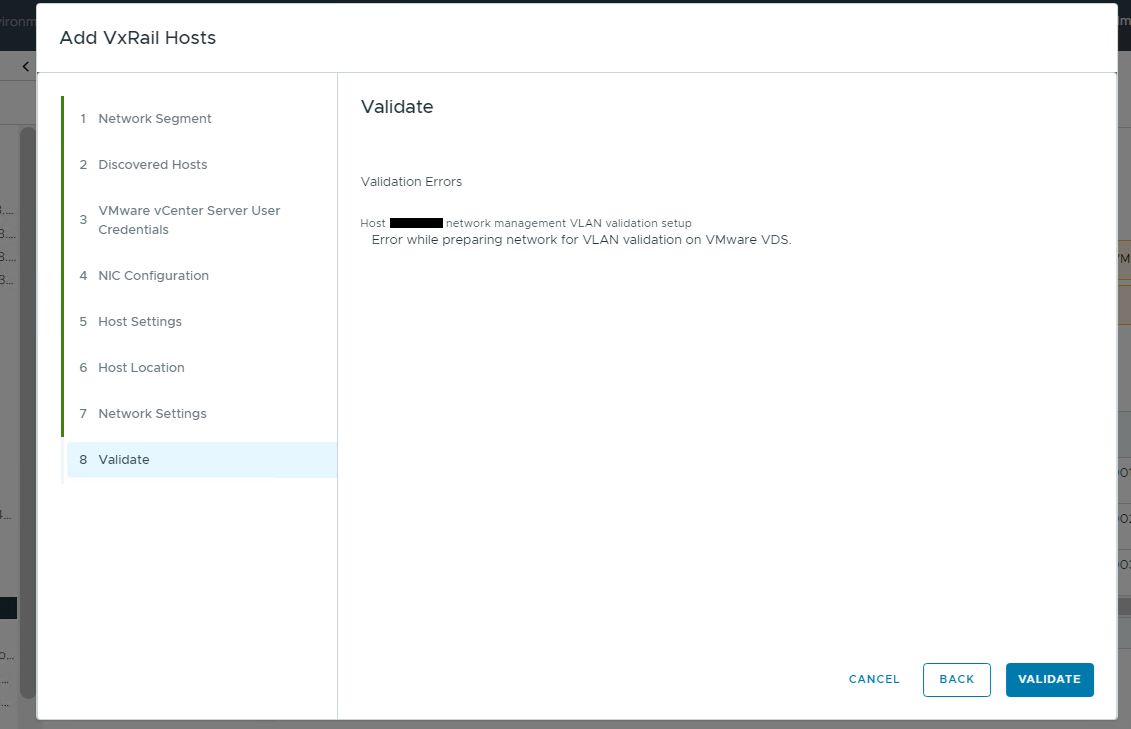
Przyczyna
Rozwiązanie VxRail nie obsługuje "route based on ip hash" polityka równoważenia obciążenia.
Statyczna grupa agregacji łączy (LAG) nie może być używana dla grup portów systemowych, w tym "management," " vxraildiscovery”, jak i „vxrailsystemvm" grup portów.
Rozwiązanie
Zmodyfikuj zasady równoważenia obciążenia grupy portów sieciowych na zasady obsługiwane przez VxRail.
W poniższym przykładzie wybrano zasady równoważenia obciążenia "Trasa oparta na źródłowym porcie wirtualnym" i zasady trybu failover aktywnego/rezerwowego.
-
Zaloguj się do interfejsu użytkownika vCenter, edytuj grupę portów sieciowych zarządzania.
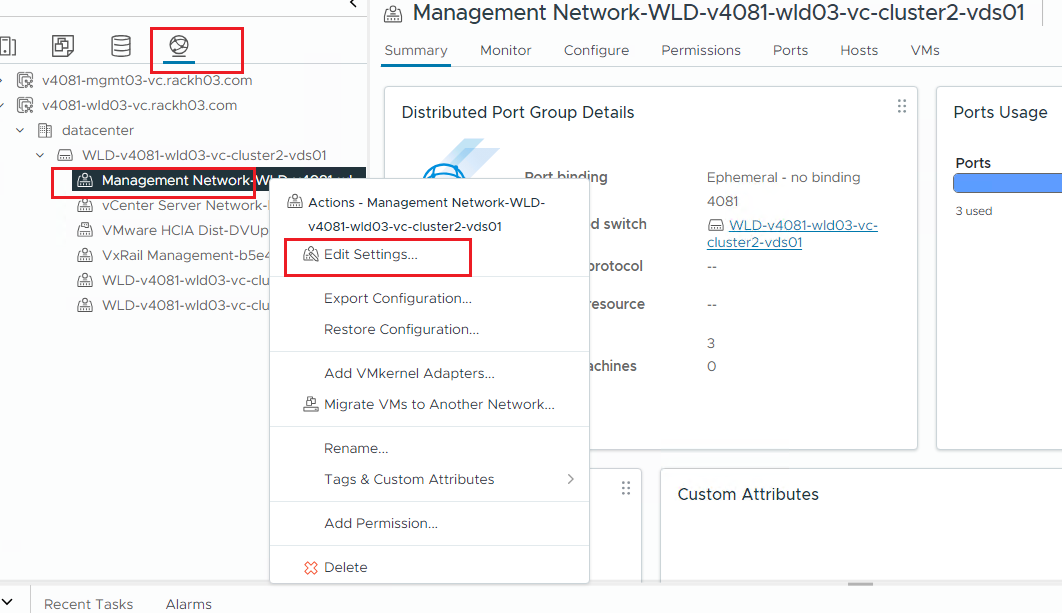
-
Zmień równoważenie obciążenia na "Trasa oparta na źródłowym porcie wirtualnym" i ustaw tylko jedno łącze danych wysyłanych jako "Aktywne".
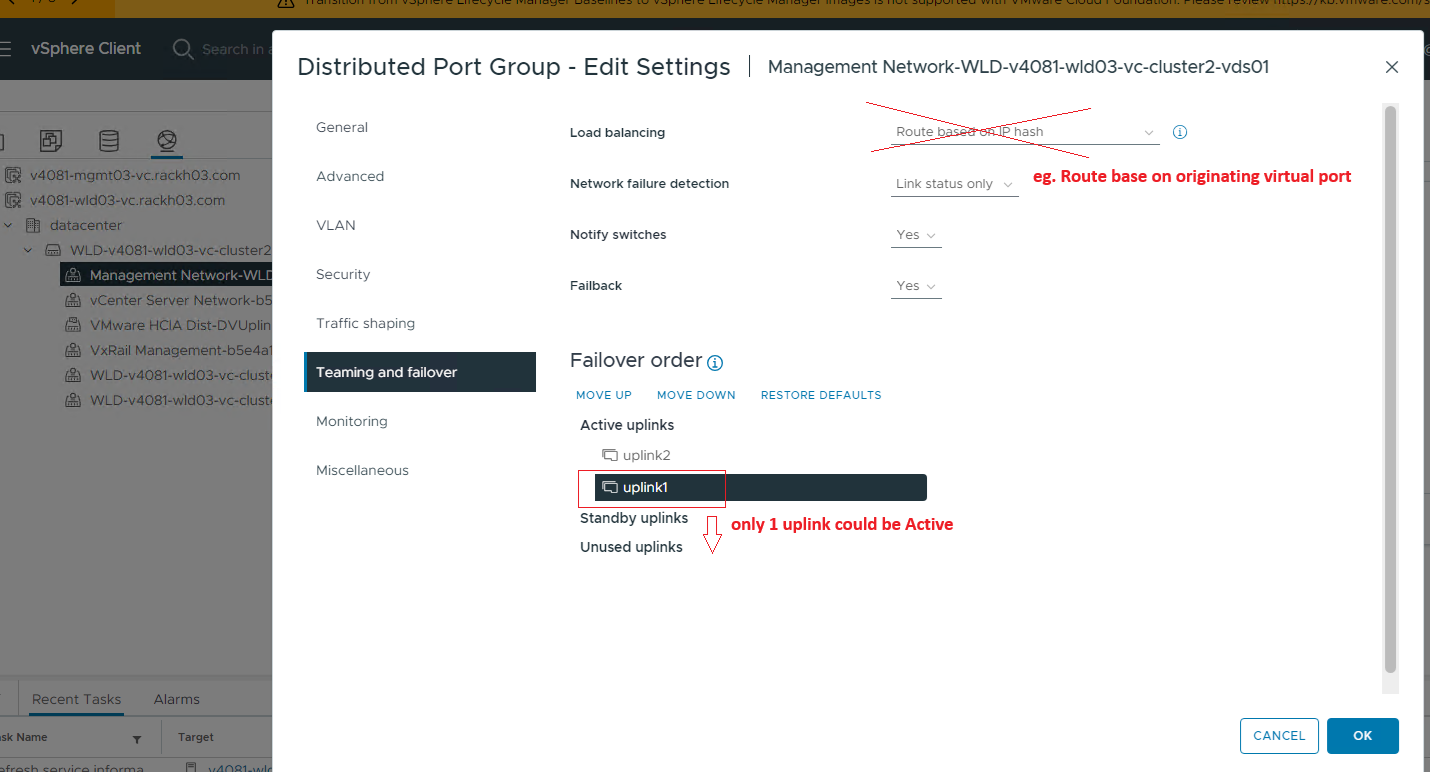
-
Ponów próbę sprawdzenia poprawności dodania węzła.
Dodatkowe informacje
Zapoznaj się z podręcznikiem planowania sieci Dell VxRail | Dell US, aby uzyskać więcej informacji na temat zasad równoważenia obciążenia i przełączania awaryjnego obsługiwanych przez VxRail.