Dell NativeEdge: Controller ID missing under MegaRAID controller on Precision Towers
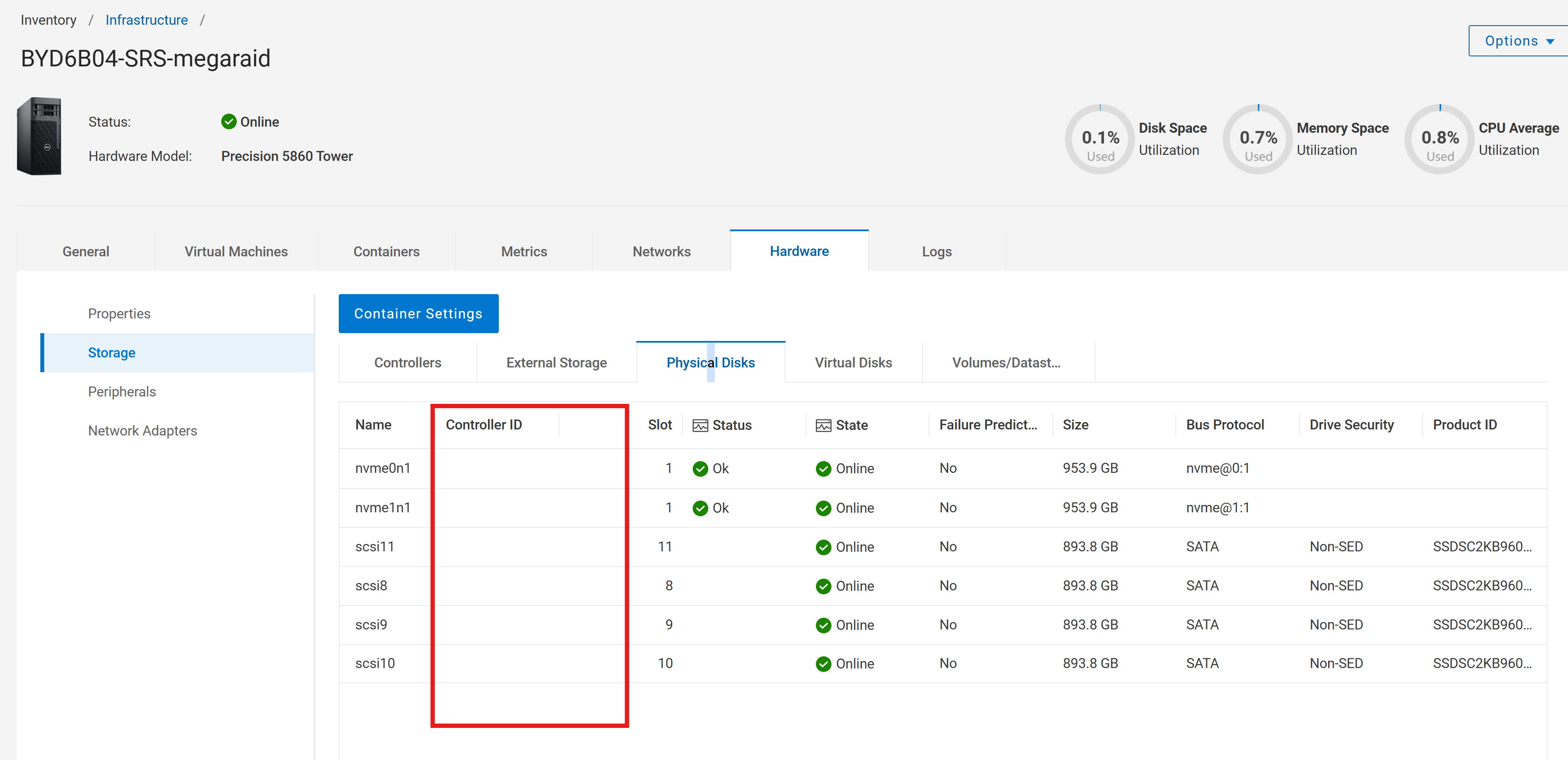
Summary: In current NativeEdge releases, the Controller ID and Status fields for MegaRAID‑based storage controllers do not display correctly in the user interface → Hardware Inventory → MegaRAID Controller section. The Controller ID column appears blank, despite the corresponding data being properly returned by backend inventory services. This issue has been observed primarily on Dell Precision Tower devices using MegaRAID-based hard drives. ...
This article applies to
This article does not apply to
This article is not tied to any specific product.
Not all product versions are identified in this article.
Symptoms
On any current Dell Automation Platform user interface with NativeEdge offering, users viewing hardware inventory may observe on Dell Precision Tower devices using MegaRAID-based hard drives:
- Blank Controller ID field
- Missing Status information
- User interface (UI) discrepancy compared to backend or device‑level tools
Cause
The Dell Automation Platform (DAP) user interface lacked an implementation to display MegaRAID controller metadata for Precision Tower devices.
Resolution
There is no workaround for all current releases.
As the issue is at the UI level, backend data is present but cannot be surfaced over the UI before the next available release.
Affected Products
NativeEdge SolutionsArticle Properties
Article Number: 000437396
Article Type: Solution
Last Modified: 21 رمضان 1447
Version: 1
Find answers to your questions from other Dell users
Support Services
Check if your device is covered by Support Services.