Dell Cloudlink: Deploying Cloudlink 8.x VM in Linux KVM fails with error /dev/disk/by-uuid/ does not exist
Oversigt: A new deployment of a Cloudlink 8.x qcow2 image in Linux KVM boots into Emergency Mode.
Denne artikel gælder for
Denne artikel gælder ikke for
Denne artikel er ikke knyttet til et bestemt produkt.
Det er ikke alle produktversioner, der er identificeret i denne artikel.
Symptomer
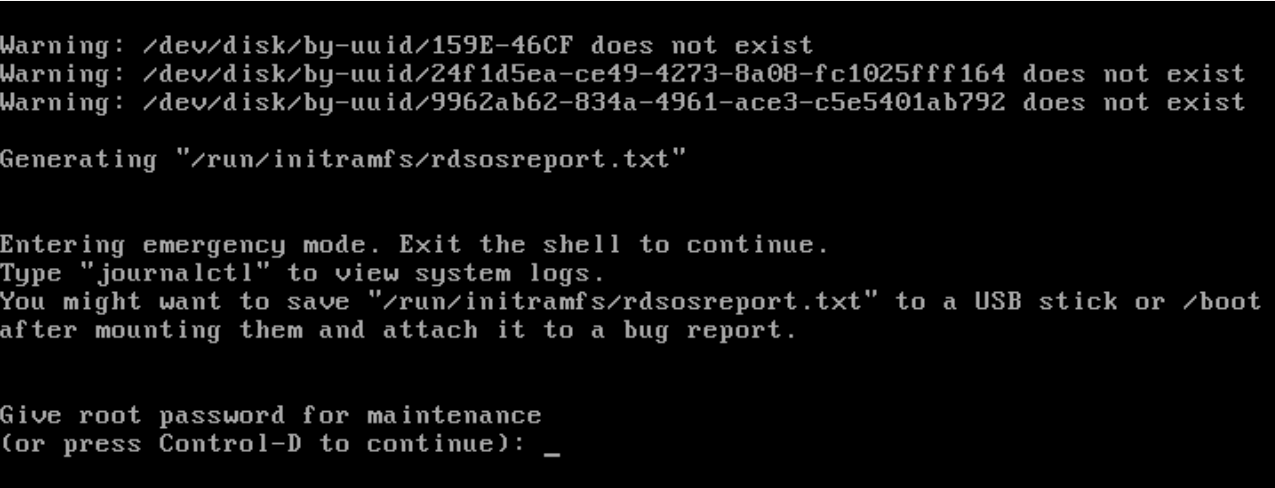
After a new deployment of a Cloudlink 8.x qcow2 image in Linux KVM boots into Emergency Mode and displays this error:
Warning: /dev/disk/by-uuid/159E-46CF does not exist
Warning: /dev/disk/by-uuid/24f1d5ea-cd49-4273-8a08-fc1025fff164 does not exist
Warning: /dev/disk/by-uuid/9962ab62-834a-4961-ace3-c5e5401ab792 does not exist
Årsag
Disk bus type was not set correctly.
Løsning
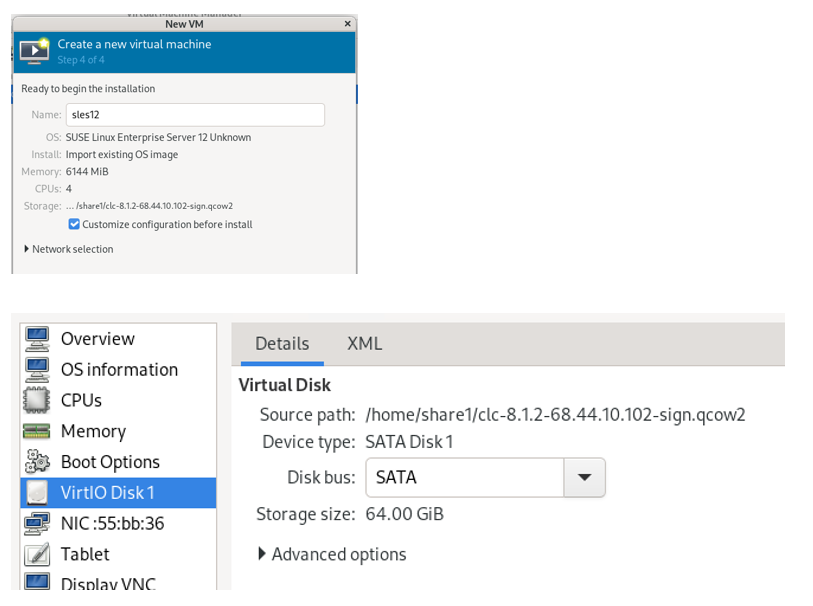
Select Customize configuration before install and select SATA for the Disk bus.
The default Disk bus is VirtIO, and you will have this issue if it is not set correctly.
The Cloudlink Deployment Guide does state that the Disk bus should be set to SATA.
Berørte produkter
CloudLinkArtikelegenskaber
Artikelnummer: 000323281
Artikeltype: Solution
Senest ændret: 09 feb. 2026
Version: 4
Find svar på dine spørgsmål fra andre Dell-brugere
Supportservices
Kontrollér, om din enhed er dækket af supportservices.