PPDM - Replication Synchronization for server DR completed with exceptions
Oversigt: Replication Synchronization for server Disaster Recovery completed with exceptions between the primary and secondary Data Domains
Denne artikel gælder for
Denne artikel gælder ikke for
Denne artikel er ikke knyttet til et bestemt produkt.
Det er ikke alle produktversioner, der er identificeret i denne artikel.
Symptomer
Every few hours, the synchronization between jobs for the Disaster recovery jobs is completed with exceptions with the following error:
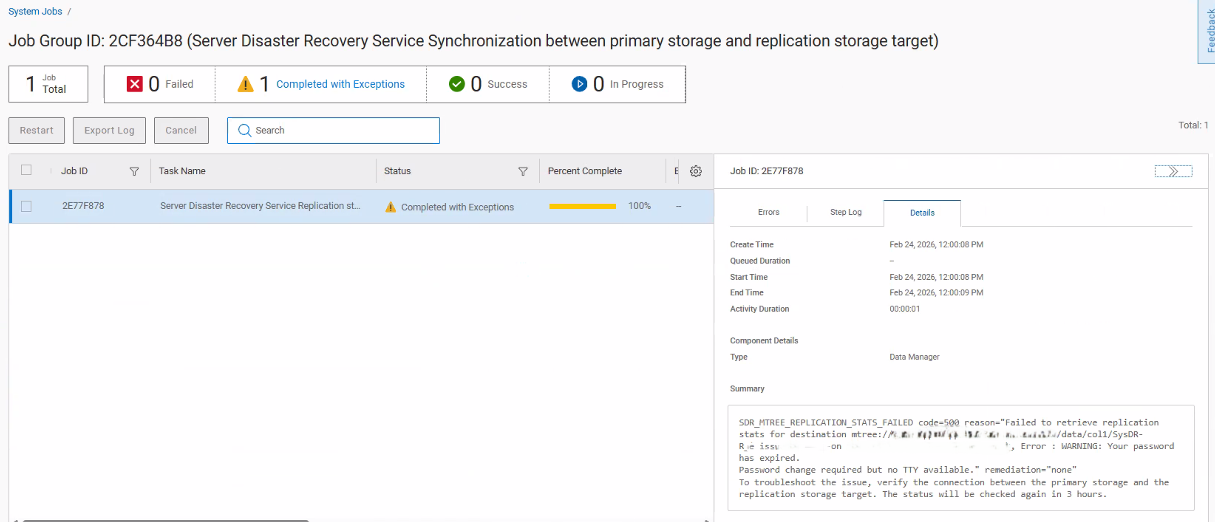
SDR_MTREE_REPLICATION_STATS_FAILED code-500 reason-"Failed to retrieve replication stats for destination mtree://DataDomain/data/col1/SysDR-R_XXXXX on DataDomain, Error : WARNING: Your password has expired.
Password change required but no TTY available." remediation-"none"
To troubleshoot the issue, verify the connection between the primary storage and the
replication storage target. The status will be checked again in 3 hours.
Årsag
This happened because of the Data Domain account password used to add the Data Domain in the PowerProtect Data Manager being expired. This caused the API calls between PowerProtect Data Manager and the Data Domain to fail.
Løsning
Change the Data Domain user account password. Then, update the account which the Data Domain was added to PowerProtect Data Manager, in Administration - Credentials.
Berørte produkter
PowerProtect Data ManagerArtikelegenskaber
Artikelnummer: 000441067
Artikeltype: Solution
Senest ændret: 09 apr. 2026
Version: 1
Find svar på dine spørgsmål fra andre Dell-brugere
Supportservices
Kontrollér, om din enhed er dækket af supportservices.