OptiPlex 3000 Thin Client Windows IoT Default Admin Password
Zusammenfassung: This article discusses the default password for the OptiPlex 3000 Thin Client Windows IoT admin account.
Dieser Artikel gilt für
Dieser Artikel gilt nicht für
Dieser Artikel ist nicht an ein bestimmtes Produkt gebunden.
In diesem Artikel werden nicht alle Produktversionen aufgeführt.
Weisungen
OptiPlex 3000 Thin Client user signs out of the computer and needs a password to regain access to the computer. The admin needs the Windows IoT admin password to log in to the admin account.
The default password for the Admin account is Admin#<Service tag in capital letters> of the device. The default password for the User account is User#<Service tag in capital letters> of the device.
Reference the Windows 10 IoT Enterprise LTSC 2021 for OptiPlex 3000 Thin Client Administrator’s Guide:
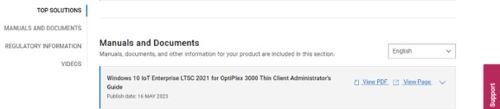
- Click Getting Started in the Table of Contents.
- Click Automatic and manual login.
Note: The default password can be used to sign in to the admin account if the password has not been changed.
Betroffene Produkte
OptiPlex 3000 Thin ClientArtikeleigenschaften
Artikelnummer: 000214259
Artikeltyp: How To
Zuletzt geändert: 22 Apr. 2025
Version: 7
Antworten auf Ihre Fragen erhalten Sie von anderen Dell NutzerInnen
Support Services
Prüfen Sie, ob Ihr Gerät durch Support Services abgedeckt ist.