NetWorker: How to Update the Index Path for Multiple Clients
Zusammenfassung: After changing the location of the index folder on the NetWorker server, use this article to update the index paths for all clients in one move. Examples shown in this article are on a Linux operating system; however, these steps can be used for Windows operating system as well. ...
Dieser Artikel gilt für
Dieser Artikel gilt nicht für
Dieser Artikel ist nicht an ein bestimmtes Produkt gebunden.
In diesem Artikel werden nicht alle Produktversionen aufgeführt.
Weisungen
NOTE: The purpose of this article is to explain how to update multiple client's Index Path configurations at once. Use the below step only if all clients have indexes in the same folder (for example, /index).
- In the NetWorker Management Console, go to Protection > Clients > Add Column > More > Index path.
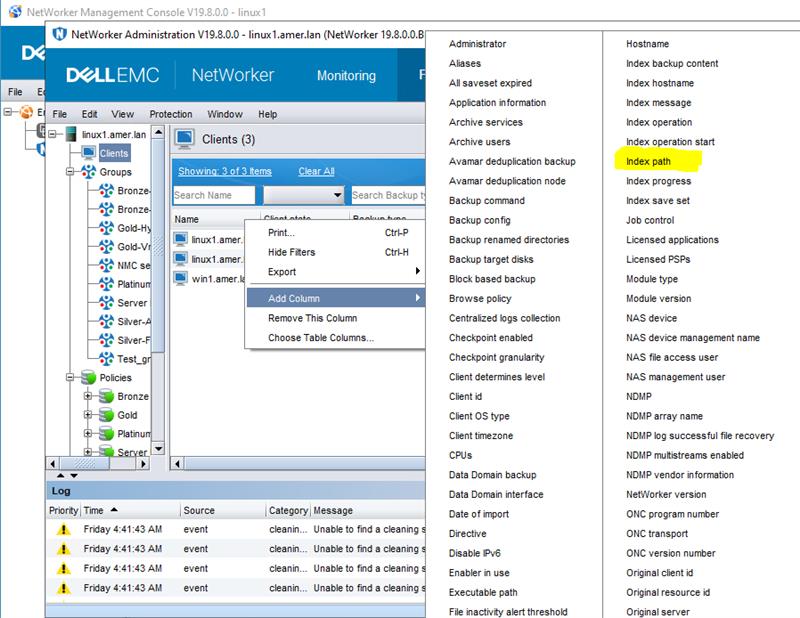
Figure 1: NMC client column options
- Click the Index path column for any individual client > press CTRL + A (to select all).
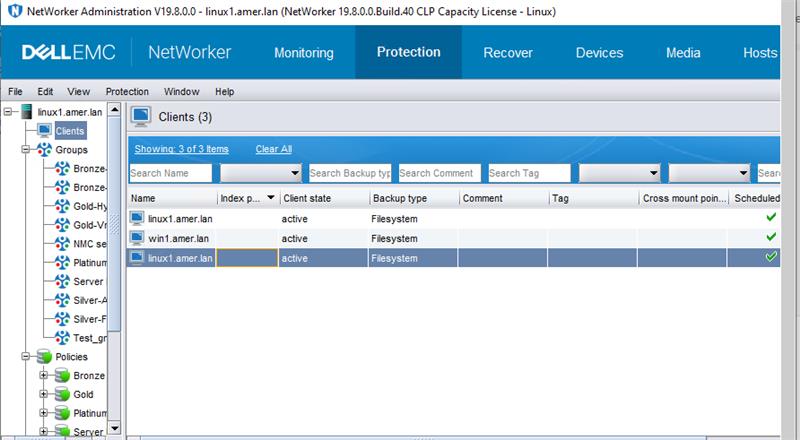
Figure 2: Click Index Path for any individual Client with CTRL+A to select all.
- Right-click the Index path column > select Edit Index path.
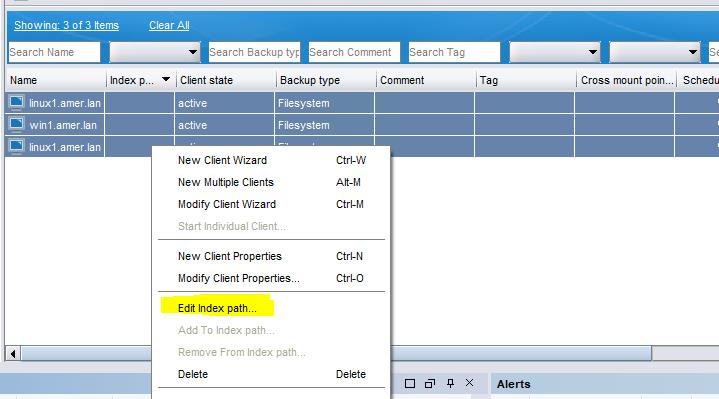
Figure 3: Click Edit Index path for Index path column.
- Enter the path's new folder as "/nsr/new_index_folder" (see below snip) > Click OK.
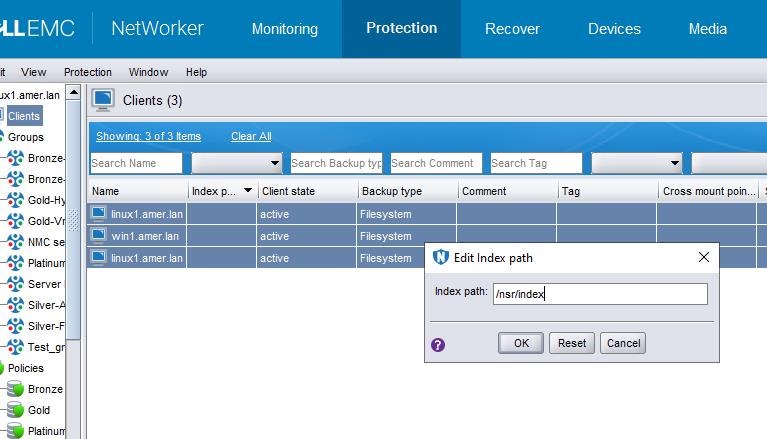
Figure 4: Enter the path's new folder as "/nsr/new_index_folder
- The following error may occur:
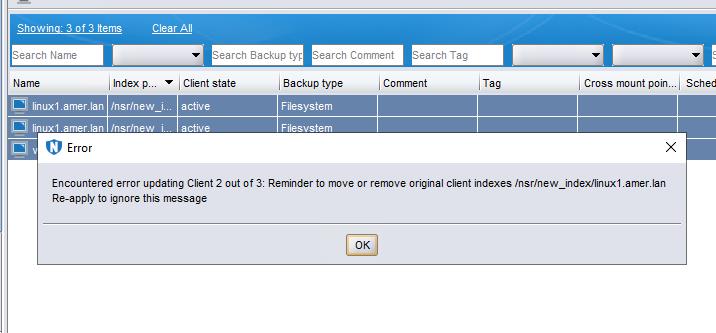
Figure 5: Error may occur: Encountered an error updating Client 2 out of 3. Remember to move or remove original Client indexes.
NOTE: This is a confirmation pop out. Press OK and then press OK again in the "Edit index path" window. Repeat this step until the "Edit index path" window closes.
- The index path is updated successfully:
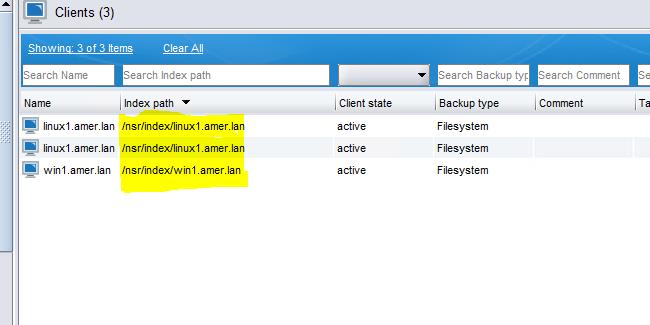
Figure 6: Screenshot of updated Index path
Weitere Informationen
Dell KB article 80544: NetWorker: How to Move a Client File Index to a New Location
Betroffene Produkte
NetWorkerArtikeleigenschaften
Artikelnummer: 000217030
Artikeltyp: How To
Zuletzt geändert: 18 Mai 2026
Version: 5
Antworten auf Ihre Fragen erhalten Sie von anderen Dell NutzerInnen
Support Services
Prüfen Sie, ob Ihr Gerät durch Support Services abgedeckt ist.