Dell Unity: Failed to add role mapping for LDAP user when forest level authentication is configured. (User Correctable)
Zusammenfassung: Customer configured forest level LDAP authentication on Unity for GUI management. The LDAP connection was verified OK but customer was unable to add role mapping for LDAP users.
Dieser Artikel gilt für
Dieser Artikel gilt nicht für
Dieser Artikel ist nicht an ein bestimmtes Produkt gebunden.
In diesem Artikel werden nicht alle Produktversionen aufgeführt.
Symptome
- Customer configured forest level LDAP authentication on LDAP server port 3268 for Unisphere management. Customer followed the Security Configuration Guide to specify userPrincipalName in the User ID Attribute field in Advanced window.
Dell EMC Unity™ Family Security Configuration Guide (delltechnologies.com)
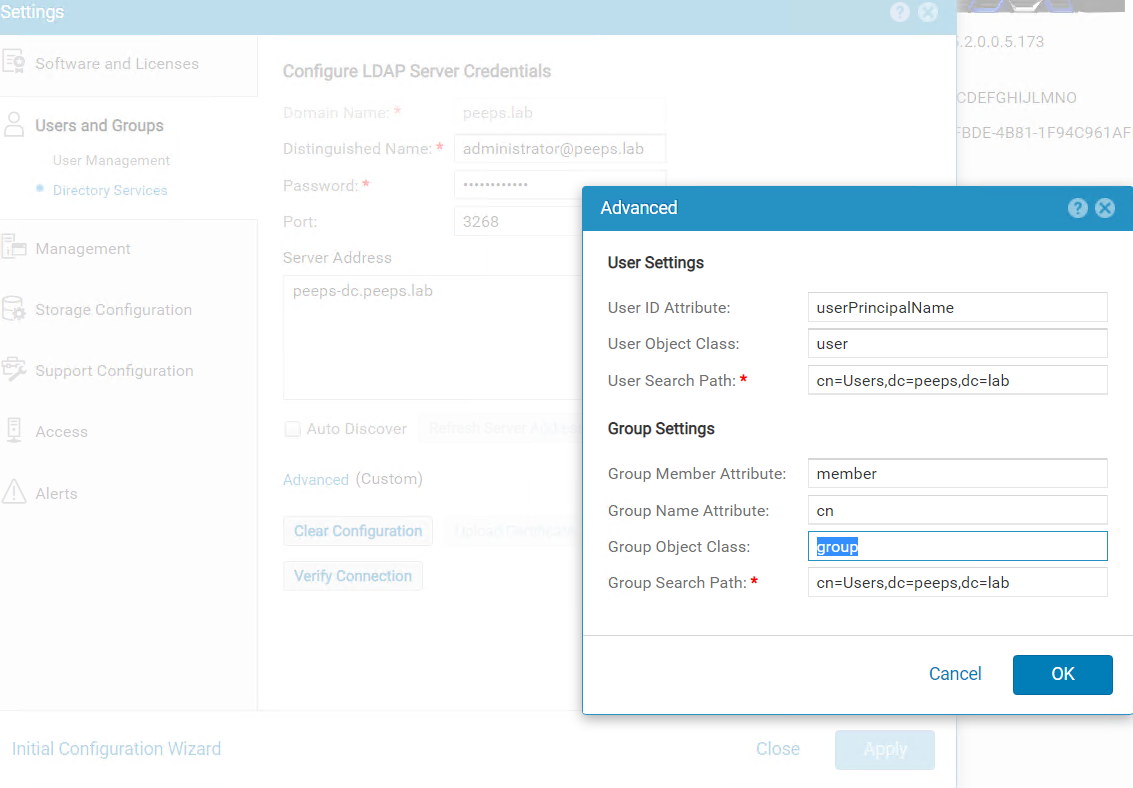
When trying to add LDAP user in Users and Groups --> User Management --> Manage Users & Groups, the following errors were received.
Dell EMC Unity™ Family Security Configuration Guide (delltechnologies.com)
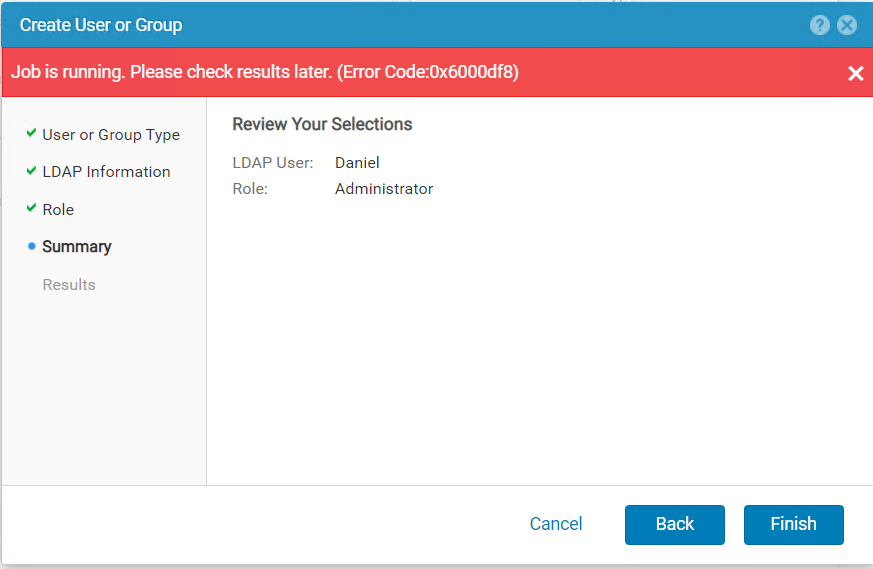
When trying to add LDAP user in Users and Groups --> User Management --> Manage Users & Groups, the following errors were received.
Ursache
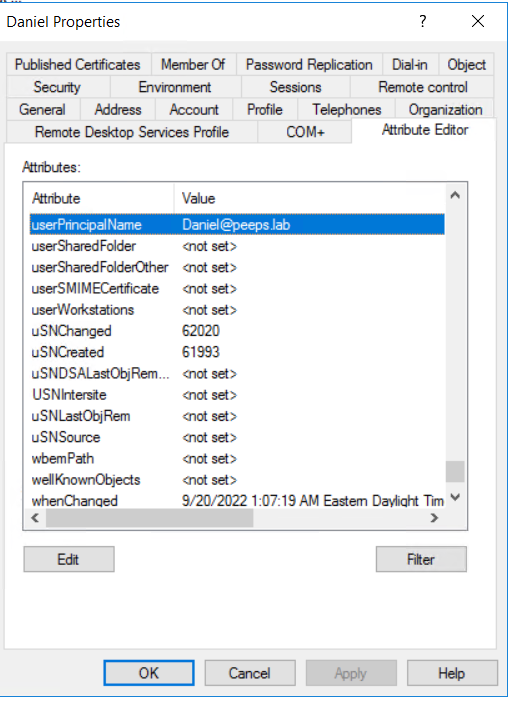
- When forest level LDAP authentication is configured, the username of the LDAP user for role mapping should be configured in the format of <username>@<domain> which is exactly the userPincipalName that customer configures for the user in LDAP server.
Lösung
- If Windows Domain Controller is the LDAP server, the userPrincipalName can be retried from user's properties via Active Directory Users and Computers. Please note the Advanced Features in View tab needs to be enabled to show the Attribute Editor of user.
Betroffene Produkte
Dell EMC UnityArtikeleigenschaften
Artikelnummer: 000203550
Artikeltyp: Solution
Zuletzt geändert: 15 Mai 2026
Version: 4
Antworten auf Ihre Fragen erhalten Sie von anderen Dell NutzerInnen
Support Services
Prüfen Sie, ob Ihr Gerät durch Support Services abgedeckt ist.