VMware vSphere 7 shows Persistent Memory (NVDIMM-N) as 0 MB after DIMM error
Zusammenfassung: This article shows how to resolve an issue where vSphere 7.0 shows Persistent Memory (NVDIMM-N) as "0 MB" after a DIMM error, Persistent Memory (PMEM) namespace shows as "Not in Use."
Dieser Artikel gilt für
Dieser Artikel gilt nicht für
Dieser Artikel ist nicht an ein bestimmtes Produkt gebunden.
In diesem Artikel werden nicht alle Produktversionen aufgeführt.
Weisungen
Symptom
The vSphere Web UI shows "Persistent Memory" as "0 MB" after a DIMM error.
Note: This issue happens after the physical DIMM issue has been fixed.
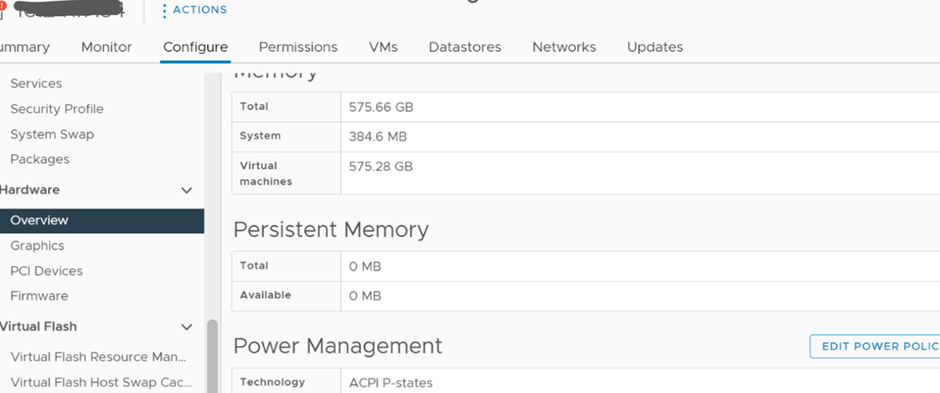
Solution
1) Ensure that the Persistent Memory is enabled in the BIOS as show below:
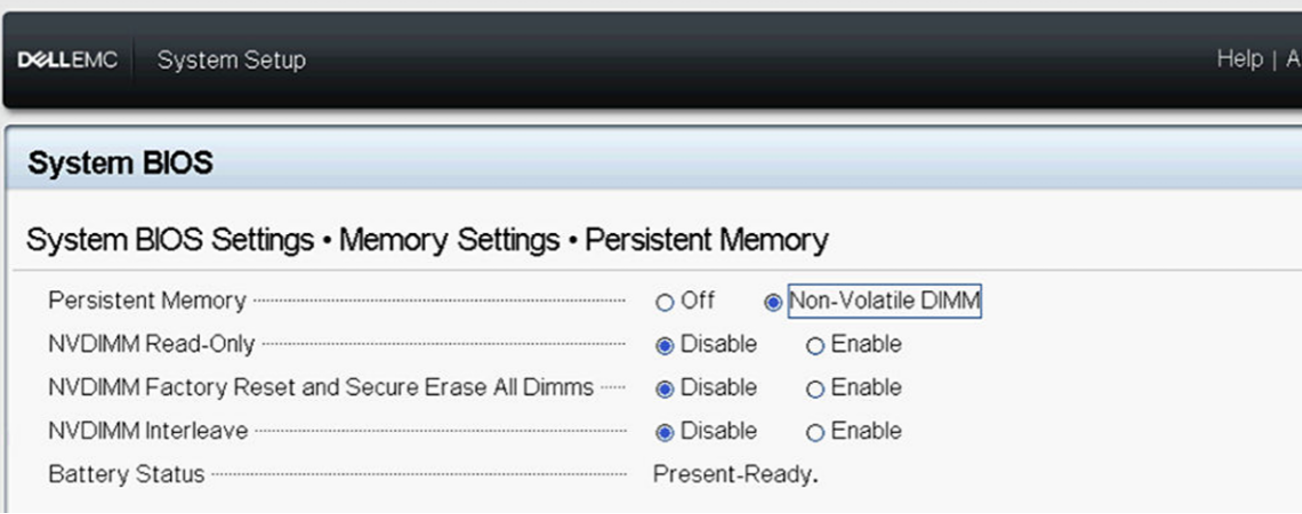
2) Log in to the ESXi host UI to check the Persistent Memory namespace setting.
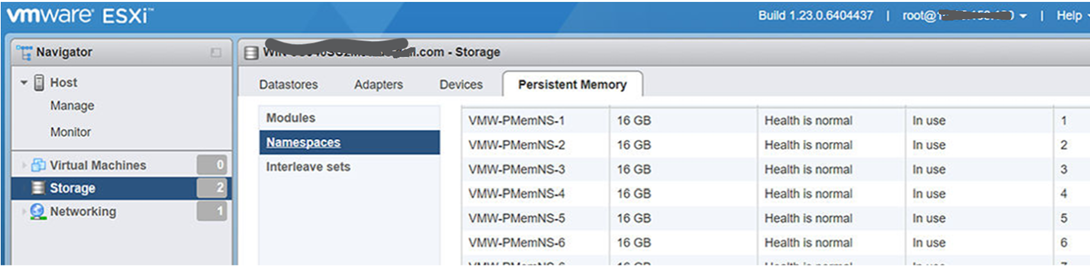
Delete the namespace if it shows as "Not in use," then reboot the host to let ESXi auto re-create the namespace.
3) Once rebooted, the namespace is re-created and functions again.
Betroffene Produkte
VMware ESXi 6.7.X, VMware ESXi 7.x, VMware ESXi 8.xArtikeleigenschaften
Artikelnummer: 000211598
Artikeltyp: How To
Zuletzt geändert: 17 Mai 2026
Version: 5
Antworten auf Ihre Fragen erhalten Sie von anderen Dell NutzerInnen
Support Services
Prüfen Sie, ob Ihr Gerät durch Support Services abgedeckt ist.