How to Create a VMware Carbon Black Cloud Endpoint Sensor Group
Summary: Learn step-by-step instructions to configure a sensor group for VMware Carbon Black Cloud Endpoint by following these directions.
Αυτό το άρθρο ισχύει για
Αυτό το άρθρο δεν ισχύει για
Αυτό το άρθρο δεν συνδέεται με κάποιο συγκεκριμένο προϊόν.
Δεν προσδιορίζονται όλες οι εκδόσεις προϊόντων σε αυτό το άρθρο.
Instructions
This article covers how to create a VMware Carbon Black Cloud Endpoint sensor group in the VMware Carbon Black Cloud.
Affected Products:
- VMware Carbon Black Cloud Endpoint
Affected Operating Systems:
- Windows
- Mac
- Linux
VMware Carbon Black Onboarding Part 3: Policies and Groups
Duration: 03:37
Closed captions: Available in multiple languages
- In a web browser, go to [REGION].conferdeploy.net.
Note: [REGION] = Region of tenant
- Americas = https://defense-prod05.conferdeploy.net/
- Europe = https://defense-eu.conferdeploy.net/
- Asia Pacific = https://defense-prodnrt.conferdeploy.net/
- Australia and New Zealand = https://defense-prodsyd.conferdeploy.net
- Americas = https://defense-prod05.conferdeploy.net/
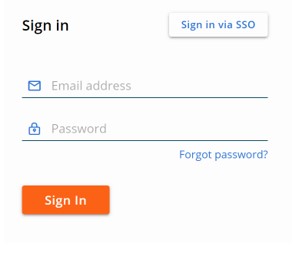
- Sign In to the VMware Carbon Black Cloud.
- In the left menu pane, click ENDPOINTS.
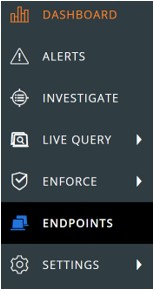 Note: The layout in the example may differ slightly from your environment.
 - In the upper right corner, click Add Group.

- In the Add Group menu:
- Populate group Name.
- Click the appropriate device OS.
- Select criteria for devices.
- Select if all or any of the criteria must be met for devices to be added.
- Click to Apply policy to the sensor group.
- Click Save.
 Note:
Note:- Devices that meet the criteria will be automatically populated after two minutes.
- Devices that modify their criteria to match the sensor group populate after the next check-in.
- Optionally, click Reorder Groups to change the sensor groups' precedence.
 Note:
Note:- The top sensor group holds the highest precedence.
- Devices that meet multiple sensor groups criteria join the group with the highest precedence.
- Devices that no longer meet the criteria are assigned to the Standard Policy.

To contact support, reference Dell Data Security International Support Phone Numbers.
Go to TechDirect to generate a technical support request online.
For additional insights and resources, join the Dell Security Community Forum.
Επηρεαζόμενα προϊόντα
VMware Carbon BlackΙδιότητες άρθρου
Article Number: 000125907
Article Type: How To
Τελευταία τροποποίηση: 06 Ιουν 2025
Version: 13
Βρείτε απαντήσεις στις ερωτήσεις σας από άλλους χρήστες της Dell
Υπηρεσίες υποστήριξης
Ελέγξτε αν η συσκευή σας καλύπτεται από τις Υπηρεσίες υποστήριξης.