Dell Unity: How to Expand Dynamic Pool
Summary: Expanding a pool is the process of adding additional drives to a tier or additional tiers, depending on the system model, to an existing pool within the system to increase its capacity. (Dell Correctable) ...
Αυτό το άρθρο ισχύει για
Αυτό το άρθρο δεν ισχύει για
Αυτό το άρθρο δεν συνδέεται με κάποιο συγκεκριμένο προϊόν.
Δεν προσδιορίζονται όλες οι εκδόσεις προϊόντων σε αυτό το άρθρο.
Instructions
Like a traditional pool, a dynamic pool can be expanded at any time up to the system limits through Unisphere, CLI, or REST API. Dynamic pools can usually be expanded based on the wanted capacity. For example, one drive can be added at a time to a dynamic pool, providing provisioning flexibility and cost savings.
Steps to Expand a Pool in the Unisphere.
-
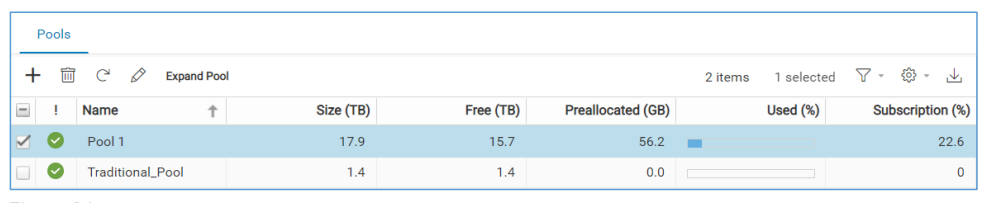
Open Unisphere and go to Pools
- Go to the Storage section in the left pane.
- Click Pools.
- Select the Pool to Expand.
- Click Expand Pool (top-left corner).
-
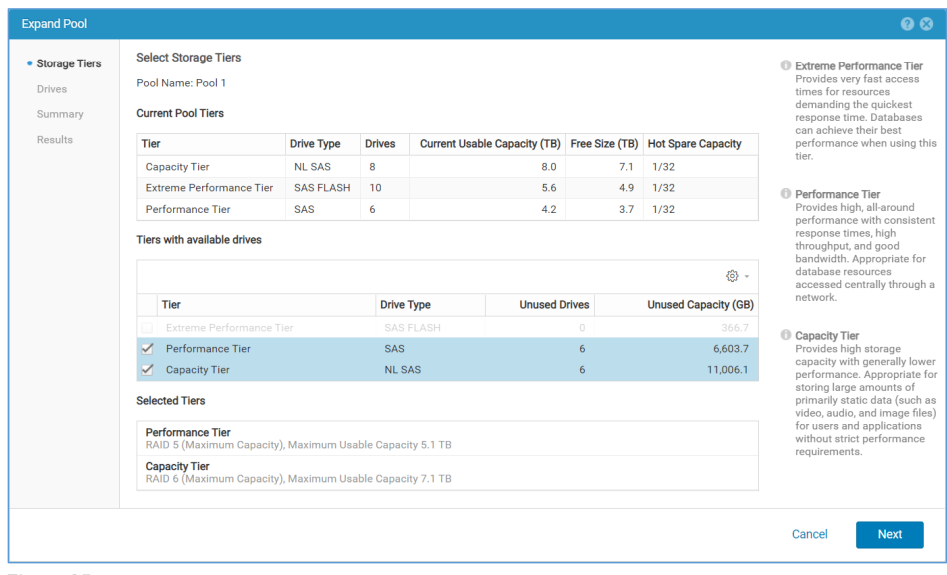
Storage Tiers Step
- Choose the Tier to expand.
- View the existing RAID type (RAID type and hot spare capacity is not editable for existing tiers).
- If adding a new tier, configure its RAID type and Hot Spare Capacity.
-
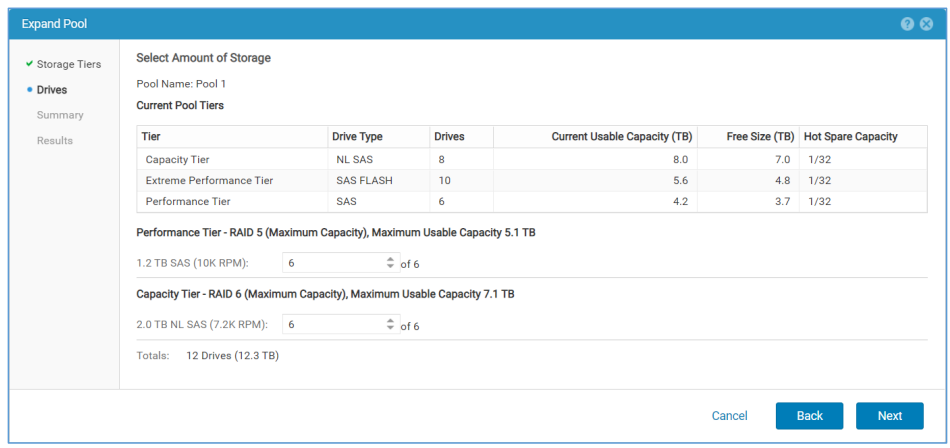
Drives Step
- View all available drives in the system.
- Select the Drives to add (Below, for example, 6 × 1.2 TB SAS + 6 × 2.0 TB NL SAS).
- Totals update automatically with the number and capacity of selected drives.
-
Summary Step
- Review the expansion details:
- Tier being expanded
- RAID configuration
- Number of drives
- Additional usable capacity
- Click Back to make changes or Finish to proceed.
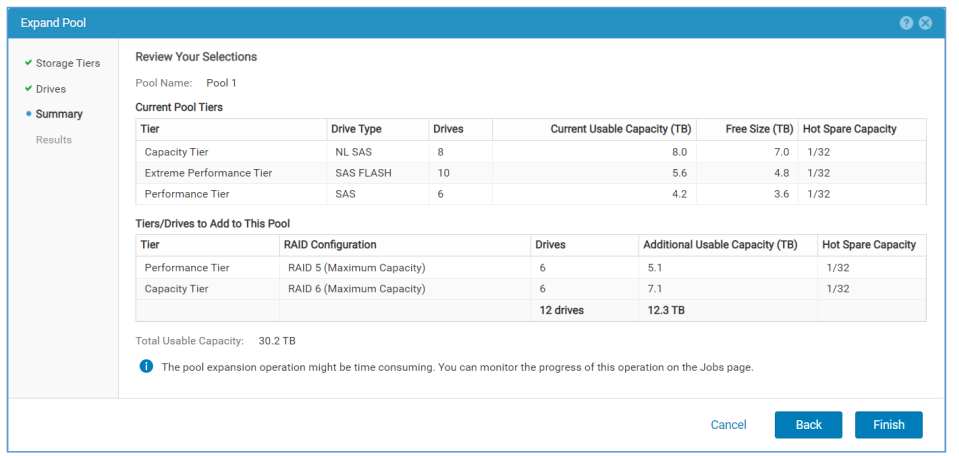
- Review the expansion details:
-
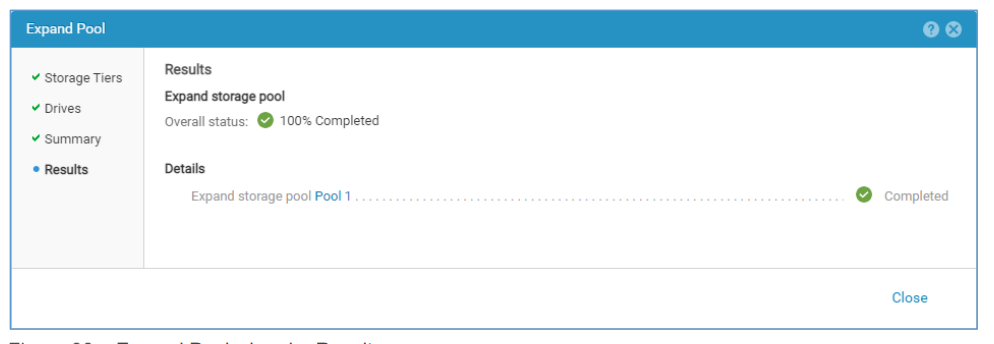
Results Step
- A background job starts to perform the expansion.
- The wizard can be closed while the job runs.
- The new space becomes available after the job completes.
- Duration depends on the number of drives added.
- Monitor rebalancing progress using below command:
uemcli /stor/config/pool show -detail
Επηρεαζόμενα προϊόντα
Dell EMC Unity, Dell EMC Unity HybridΙδιότητες άρθρου
Article Number: 000370053
Article Type: How To
Τελευταία τροποποίηση: 24 Σεπ 2025
Version: 1
Βρείτε απαντήσεις στις ερωτήσεις σας από άλλους χρήστες της Dell
Υπηρεσίες υποστήριξης
Ελέγξτε αν η συσκευή σας καλύπτεται από τις Υπηρεσίες υποστήριξης.