MyDell Setup Facial Recognition Does Not Open the Windows Sign-in Page
Summary: This article provides information about the Navigation issues with the Setup of facial recognition sign-in.
This article applies to
This article does not apply to
This article is not tied to any specific product.
Not all product versions are identified in this article.
Symptoms
Facial Recognition Does Not Open the Windows Sign-in Page
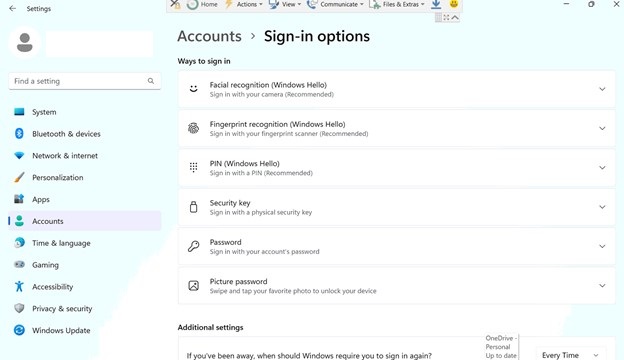
When clicking Setup facial recognition to sign in instantly, it opens the Windows System Settings page instead of the Windows Sign-in Options page.
Affected systems
- MyDell
Cause
Uri (ms-settings:signinoptions) is used to open Windows sign-in page from MyDell Application.
When the first time runs the command, it only opens the settings page which is not expected. The next time, it opens Windows sign-in page.
The same behavior was observed when running the Uri (ms-settings:signinoptions) from the windows run command.
Resolution
- Open ms-settings:signinoptions through run command

- It is open the System Setting page.
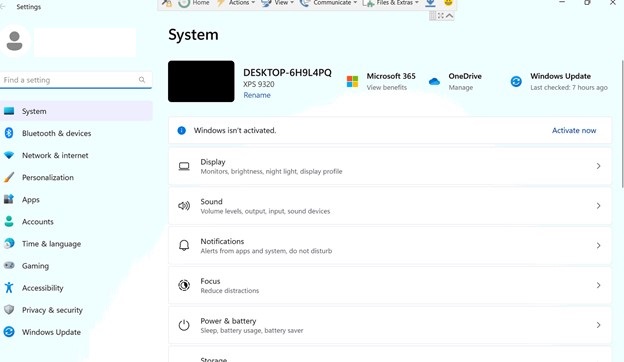
- Again, run the same command through the run without closing the older one. It is coming to the sign-in page.
Affected Products
MyDellArticle Properties
Article Number: 000207683
Article Type: Solution
Last Modified: 24 Apr 2025
Version: 4
Find answers to your questions from other Dell users
Support Services
Check if your device is covered by Support Services.