适用于 Microsoft Azure 的 Dell APEX 云平台:配置代理设置时无法升级群集
Summary: 在群集从 Microsoft Azure Stack HCI 版本 10.2311.5.6 到 10.2402.2.12 的群集更新期间,当群集配置了代理服务器时,Microsoft 环境检查失败。按照设计,winhttp 和 wininet 的代理绕过列表是不同的,但环境检查预计它们是相同的,这会导致验证失败。
This article applies to
This article does not apply to
This article is not tied to any specific product.
Not all product versions are identified in this article.
Symptoms
如果您尝试将代理设置从 Microsoft Azure Stack HCI 版本 10.2311.x.x 更新到 10.2402.x.x的群集,升级将失败。Windows Admin Center 上的 Dell APEX 云平台扩展中的错误消息为:
The cluster update failed. Operation failed. Internal action 'Check update readiness' failed with status 'Failed'.
有关示例,请参阅下面的屏幕截图。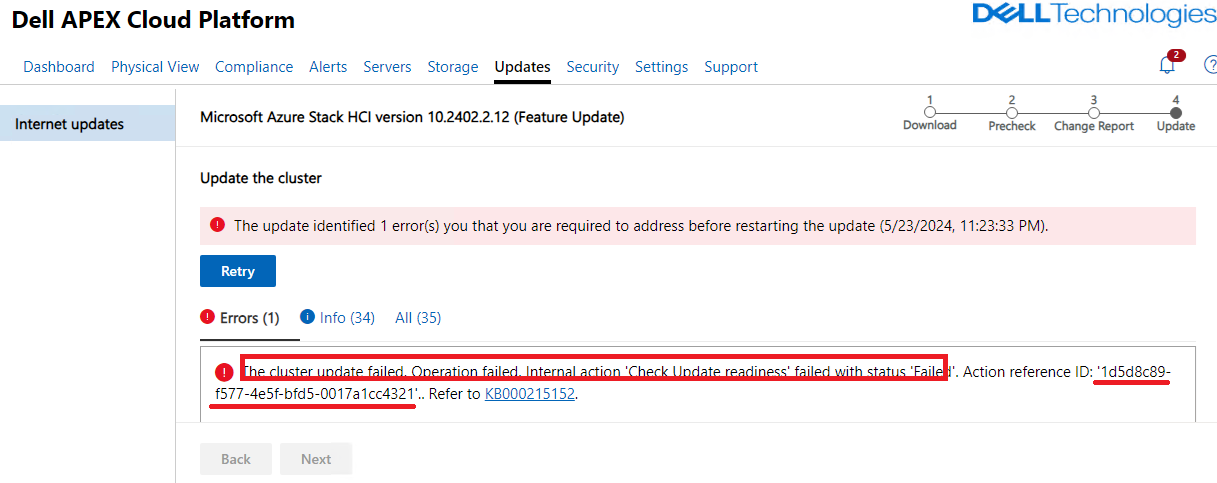
在其中一个群集节点上,您可以通过 cmdlet 检查详细错误:
-
Start-MonitoringActionplanInstanceToComplete -actionPlanInstanceID "<Action reference ID>"
错误消息显示“代理设置(代理服务器和绕过列表)必须在 winhttp 和环境变量和节点之间保持一致。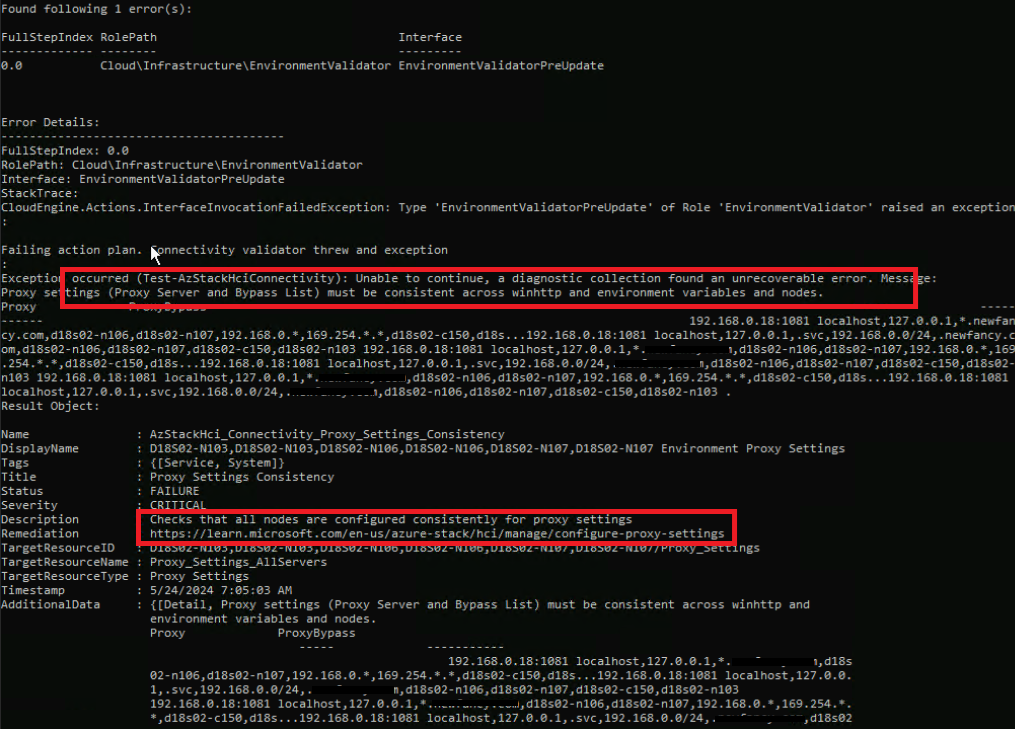
Cause
这是 Microsoft 环境检查器问题。
按照设计,winhttp 和 wininet 的代理绕过列表是不同的,但环境检查预计它们是相同的,这会导致验证失败。
当您使用代理设置将群集从 Microsoft Azure Stack HCI 版本 10.2311.5.6 更新到 10.2402.2.12 时,通常会发生这种情况。
Resolution
请与 Microsoft 支持团队联系以解决此问题。
Additional Information
Microsoft 已在 10.2402.4.x 和 10.2405.1.x 及更高版本上修复此问题。
Affected Products
APEX Cloud Platform for Microsoft AzureArticle Properties
Article Number: 000226211
Article Type: Solution
Last Modified: 29 July 2024
Version: 4
Find answers to your questions from other Dell users
Support Services
Check if your device is covered by Support Services.