PowerStore:UI 儀表板中的 CloudIQ 狀態顯示連線擱置中
Summary: PowerStore:UI 儀表板中的 CloudIQ 狀態會顯示連線擱置中。
This article applies to
This article does not apply to
This article is not tied to any specific product.
Not all product versions are identified in this article.
Symptoms
系統健康狀況顯示連線擱置中,如下所示。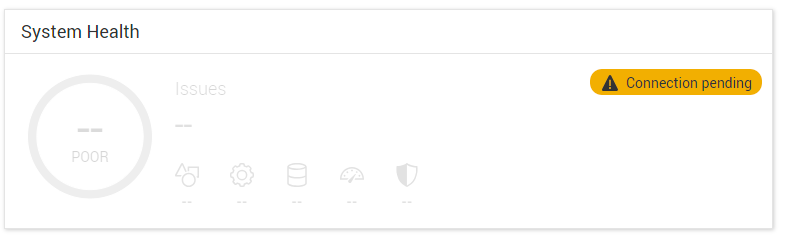
Cause
當系統首次連線至 CloudIQ 或在連線至 CloudIQ 時升級至 PowerStoreOS 4.0.x 版時,會收到健全狀況分數。
如果在升級之前未啟用 Support Assist,則執行狀況分數將不會顯示在儀表板中。
根據設計,升級後啟用 Support Assist 後,系統不會將要求傳送至 CloudIQ 以獲得健全狀況評分。
如果在升級之前未啟用 Support Assist,則執行狀況分數將不會顯示在儀表板中。
根據設計,升級後啟用 Support Assist 後,系統不會將要求傳送至 CloudIQ 以獲得健全狀況評分。
Resolution
需要整合式服務指令檔才能連線至 CloudIQ 並接收分數。
使用 SSH 以服務身分登入並執行
svc_modify_autodownload -hs
最多可能需要 10 分鐘或更長時間才能連線並接收分數。
作業執行完成後,即可在「監控 >作業」底下監控工作。
正在執行和完成的工作範例如下所示。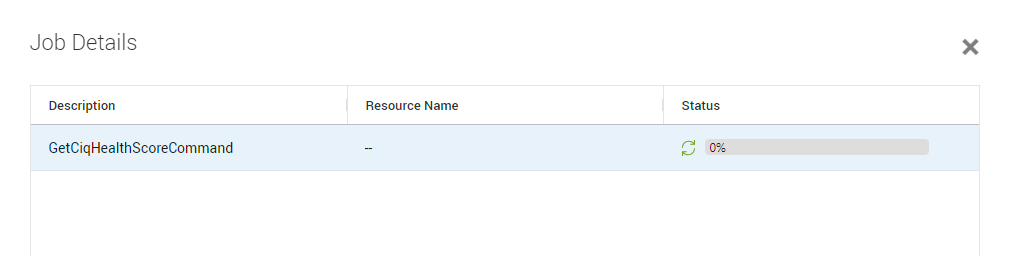
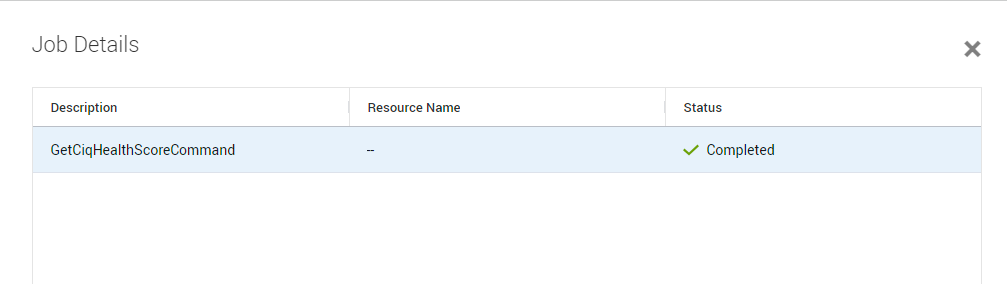
完成後,分數應會顯示在儀表板下方,如下所示。
Affected Products
CloudIQ, PowerStore, PowerStoreOSArticle Properties
Article Number: 000227411
Article Type: Solution
Last Modified: 29 July 2025
Version: 4
Find answers to your questions from other Dell users
Support Services
Check if your device is covered by Support Services.