PowerVault ML6000 Tape Library - Reference Articles
Summary: The PowerVault ML6000 scalable tape library incorporates next-generation market requirements accepting LTO5 to LTO8 drives all in a 5U Chassis. The addition of 9U expansion modules can add up to 18 drives and 409 tape cartridge slots. ...
This article applies to
This article does not apply to
This article is not tied to any specific product.
Not all product versions are identified in this article.
Symptoms
Support Library - PowerVault ML6000 Tape Library
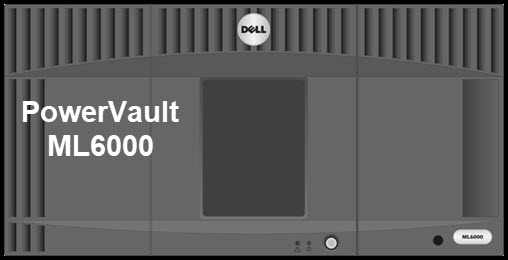
Product Overview:
The PowerVault ML6000 scalable tape library incorporates next-generation market requirements into the mid-range Tape Automation market segment. The ML6000‘s modular architecture provides a compelling entry-level configuration of 2 drives and 41 cartridge slots in a 5U form factor. By adding additional expansion modules it scales to 18 drives and 409 cartridge slots.
The PowerVault ML6000 has a single, common robot for all configurations, from 5U to 41U, and as such, performance is not compromised and there is no penalty for expandability. The PowerVault ML6000 is targeted for mid-market and enterprise class customers by increasing operational productivity, flexibility and simplicity for tape library customers.
Cause
Getting Started:
- ML6000 User’s Guide
- Additional Manuals and Documents (including LTO Media Handbook & Tape Compatibility Matrix)
- PowerVault Tape Automation Feature Activation (Capacity of Demand and Library Managed Encryption)
- For detailed instructions on how to install COD or Library Managed Encryption please go to PowerVault ML6000 Tape Library - When the License Key is No Longer Present.
- ML6000 COD License Page
- Both sites are external links on Quantum.com to gain access to the license portals. You will need your Service Tag and Serial Number to complete the request.
Resolution
Troubleshooting:
- Drivers and Downloads
- ITDT-SE CLI for Windows – Customer use of ITDT to update Tape Drives and Run Diagnostics
- PowerVault ML6000 : How-to collect the tape library logs (Snapshot)
- PowerVault ML6000 - Update Drive Firmware Using the Web Interface (RMU)
- ML6000 License Key Replacement (Capacity of Demand and Library Managed Encryption Instructions for adding the keys)
Affected Products
PowerVault ML6000Article Properties
Article Number: 000137294
Article Type: Solution
Last Modified: 30 Apr 2026
Version: 6
Find answers to your questions from other Dell users
Support Services
Check if your device is covered by Support Services.