VxRail: Upgrade experiences run pre-check failure in execution for VMware vCenter Server Platform Services Controller upgrade
Summary: Upgrade fails with run pre-check failure in execution for VMware vCenter Server Platform Services Controller upgrade with error: Ensure the patch iso is valid.
Symptoms
VxRail upgrade fails with error "Dry-run pre-check failure in execution for VMware vCenter Server Platform Services Controller upgrade with error."
lcm.log:
2019-05-12T09:22:20.198+0000 ERROR [pool-9-thread-1] com.vce.lcm.service.checker.upgrade.PSCDryRunPrechecker PSCDryRunPrechecker.performDryRun:118 - Dry run pre-check failure in execution for VMware vCenter Server Platform Services Controller upgrade with error: ..
2019-05-12T09:22:20.199+0000 INFO  [pool-9-thread-1] com.vce.lcm.service.LCMServiceImpl LCMServiceImpl.handleUpgradeException:1541 - handling upgrade exception.
2019-05-12T09:22:20.201+0000 INFO  [pool-9-thread-1] com.vce.lcm.service.LCMServiceImpl LCMServiceImpl.setStatusToUpgradeFailed:1531 - set bundle VMware vCenter Server Appliance status to upgrade failed
2019-05-12T09:22:20.201+0000 ERROR [pool-9-thread-1] com.vce.lcm.service.LCMServiceImpl LCMServiceImpl.handleUpgradeException:1569 - failed to upgrade: VXRAIL_COMPOSITE-4.7.200-13531219_for_4.7.x.zip, with exception:
com.vce.lcm.exception.LCMInternalException: Failure running upgrade script.
        at com.vce.lcm.service.checker.upgrade.PSCDryRunPrechecker.performDryRun(PSCDryRunPrechecker.java:120) ~[lcm_module-4.7.200.jar:?]
        at com.vce.lcm.service.checker.upgrade.AbstractApplianceDryRunPrechecker.performCheck(AbstractApplianceDryRunPrechecker.java:62) ~[lcm_module-4.7.200.jar:?]
        at com.vce.lcm.helper.LCMUtilService.executeIndividualCheck(LCMUtilService.java:758) ~[lcm_module-4.7.200.jar:?]
Cause
This happens because of the following:
- Corrupted VxRail composite .zip file or something went wrong during the download.
Resolution
Follow the below steps to verify if the composite is corrupted.
-
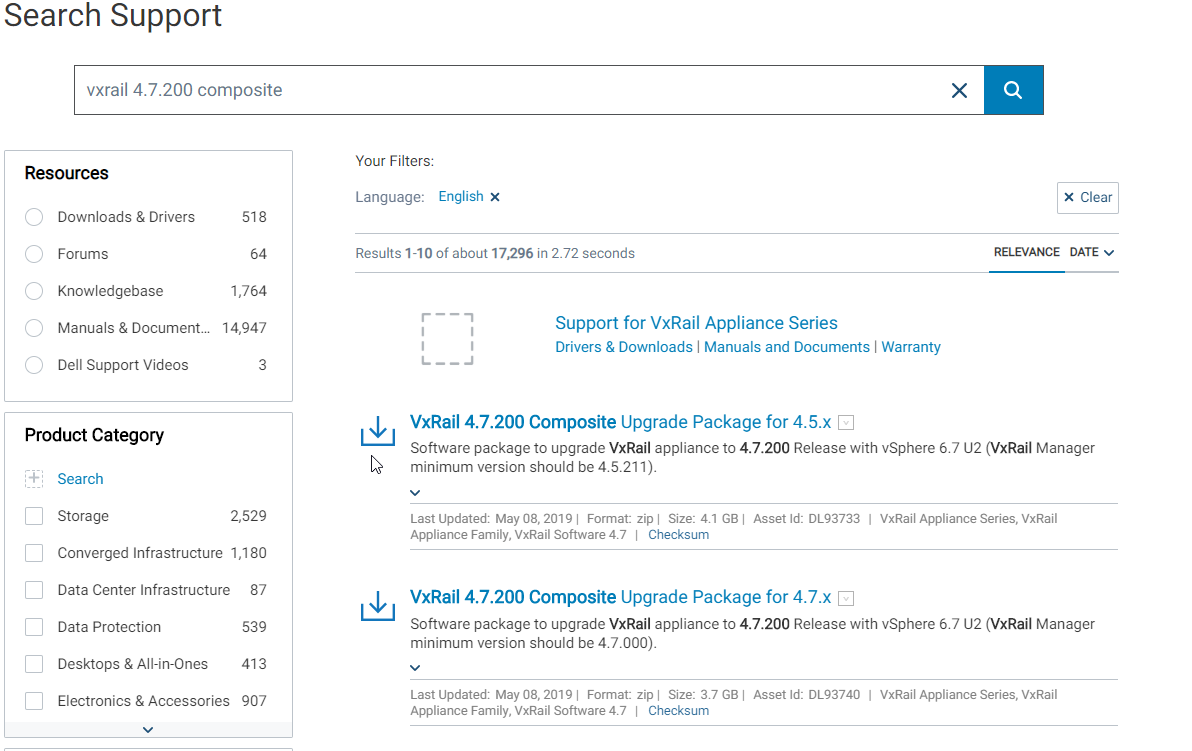
Search for the target composite upgrade for example: VxRail 4.7.200 Composite Upgrade Package for 4.7.x
-
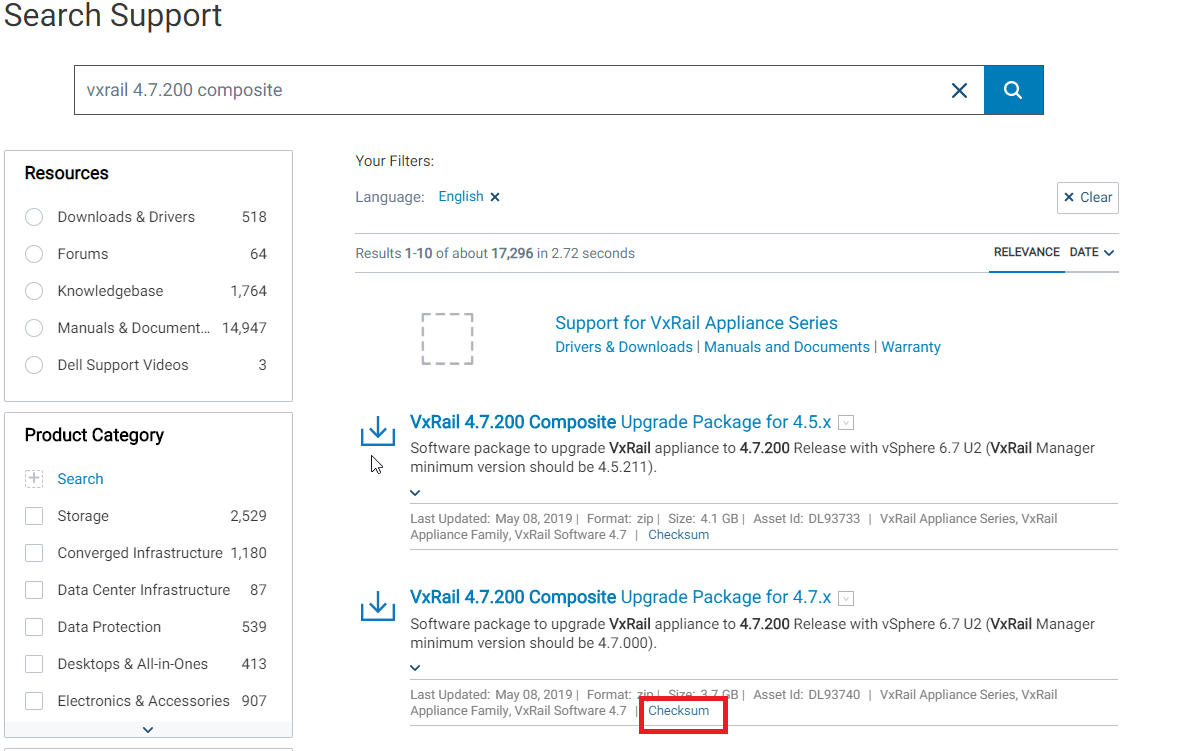
Under the found result, press checksum
-
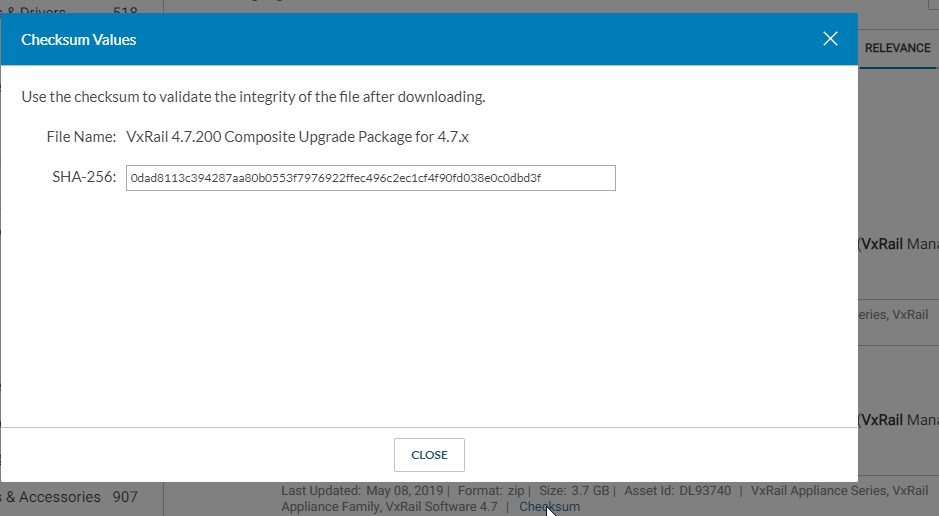
It shows the Hash key with the Hash algorithm used as follows
-
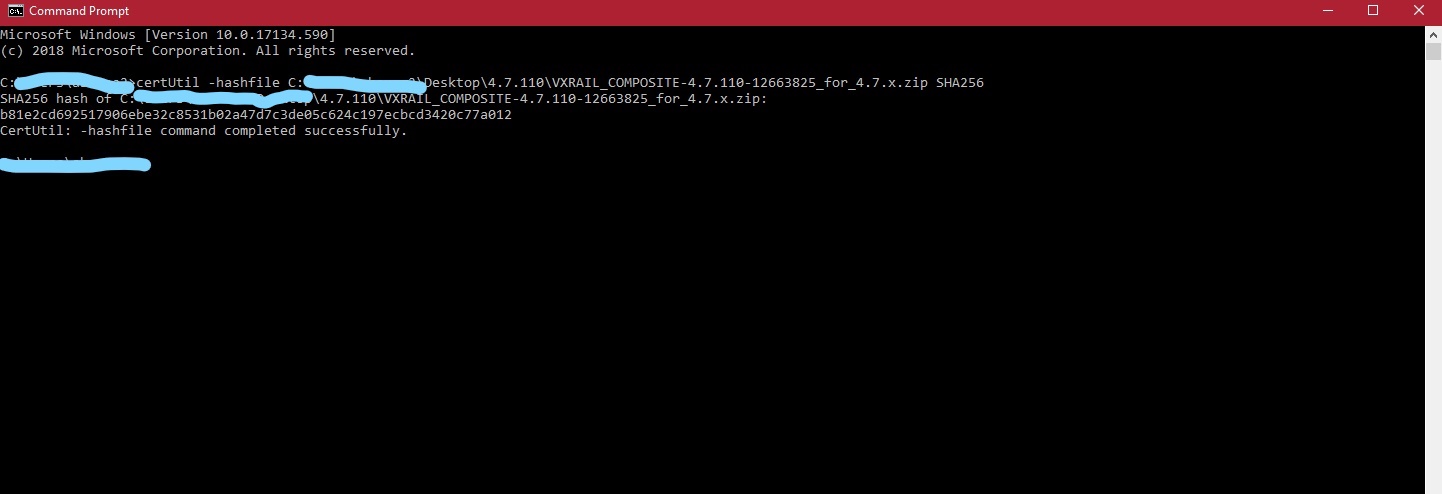
On the local machine that has the corrupted upgrade composite, open cmd and run the following command:
certUtil -hashfile pathToFileToCheck [HashAlgorithm]
For example:
certUtil -hashfile C:\Downloads\VXRAIL_COMPOSITE-4.7.200-13531219_for_4.7.x.zip SHA256
The HashAlgorithm choices are: MD2 MD4 MD5 SHA1 SHA256 SHA384 SHA512
-
Compare the generated hash key from cmd with the one found on support.emc.com and if they have a mismatch this means that the downloaded composite is corrupted
-
Re-download the composite again and repeat the previous two steps to guarantee that the new one is correctly downloaded.
-
If a snapshot is taken from VxRail Manager and before starting the previous upgrade, revert to it and retry the upgrade using the newly downloaded upgrade composite.
-
If no snapshot was taken, then take a snapshot and perform the following three steps:
- Open the mystic database using the command below on the VxRail Manager VM:
psql -U postgres mysticmanager;
- Reset the upgrade status to HAS_NEWER by running the following command:
update virtual_appliance set upgrade_status='HAS_NEWER'where component_id='VXRAIL_SYSTEM';
- Restart runjars and vmware-marvin services using the below commands
systemctl restart vmware-marvin
systemctl restart runjars
- Open the mystic database using the command below on the VxRail Manager VM: