Data Domain: Konfiguration af MTree-replikering ved hjælp af brugergrænsefladen
Summary: Denne KB-artikel beskriver, hvordan du konfigurerer MTree-replikering ved hjælp af brugergrænsefladen.
This article applies to
This article does not apply to
This article is not tied to any specific product.
Not all product versions are identified in this article.
Instructions
Konfiguration af MTree-replikering ved hjælp af brugergrænsefladen
Formål
Artiklen beskriver, hvordan du konfigurerer MTree-replikering ved hjælp af brugergrænsefladen.
GÆLDER FOR
- Alle Data Domain-systemer
- Replikering af MTree
Løsning
-
Tilføj både kilde - og destinationssystemer på samme brugergrænseflade (Enterprise Manager):
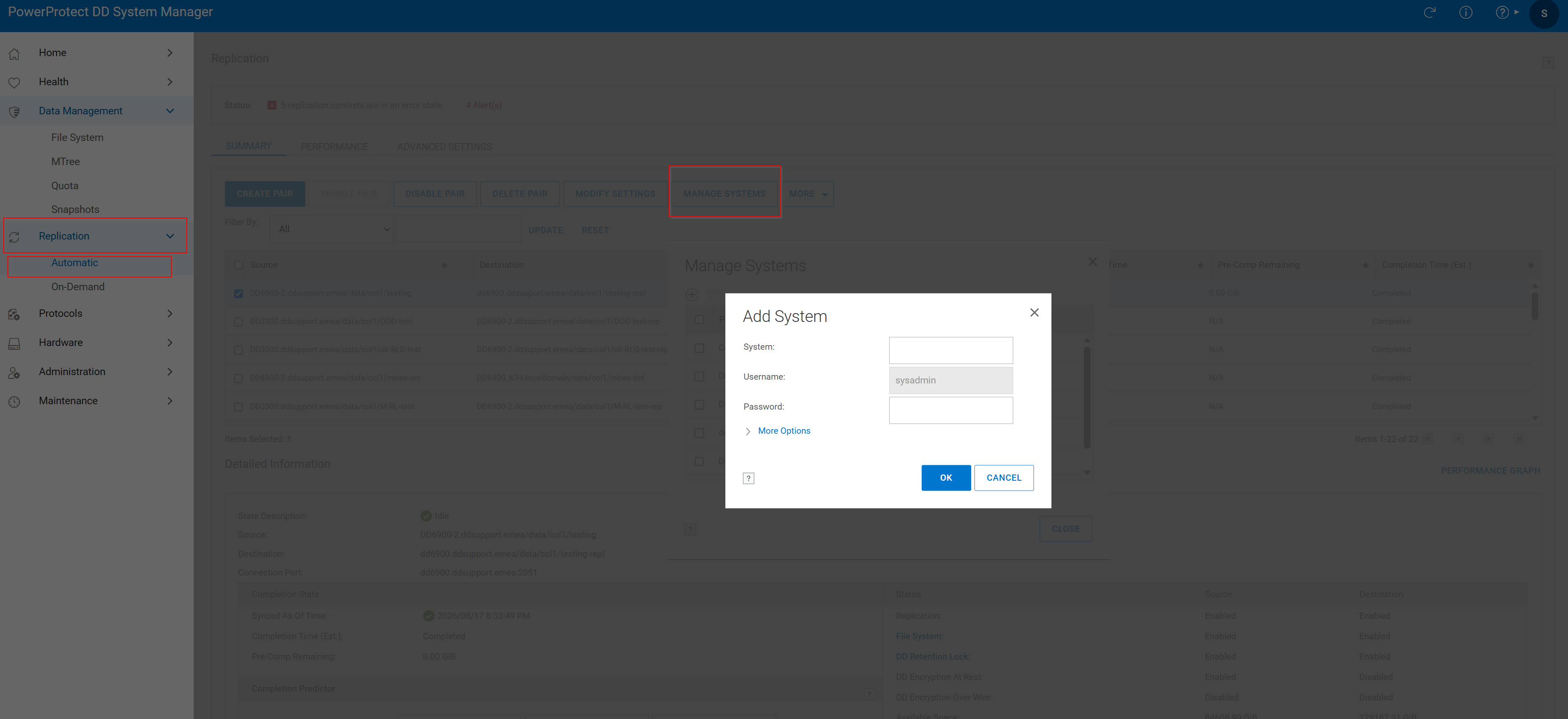 Figur 1. Tilføj system
2. Opret replikeringspar:
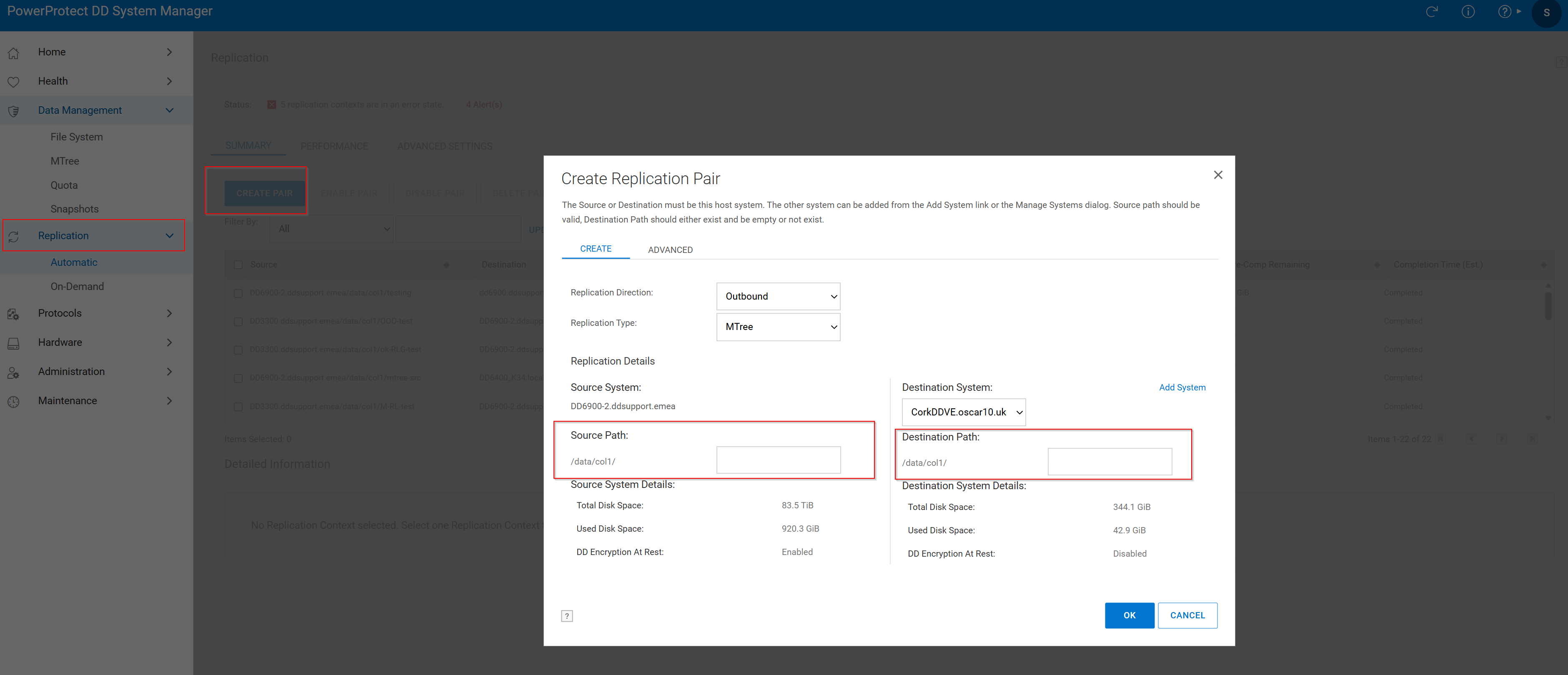 Figur 2. Opret kildesti til replikeringspar >
- Klik på fanen Replikering, og klik derefter på Opret par.
- Vælg kildesystemet og kildestien. Mtree skulle allerede eksistere i kilden.
- Vælg destinationssystemet og destinationsstien. Destinations-MTree findes ikke allerede. Hvis den allerede findes, skal du gennemse følgende videnartikler:
Replikering oprettes korrekt med følgende vindue:
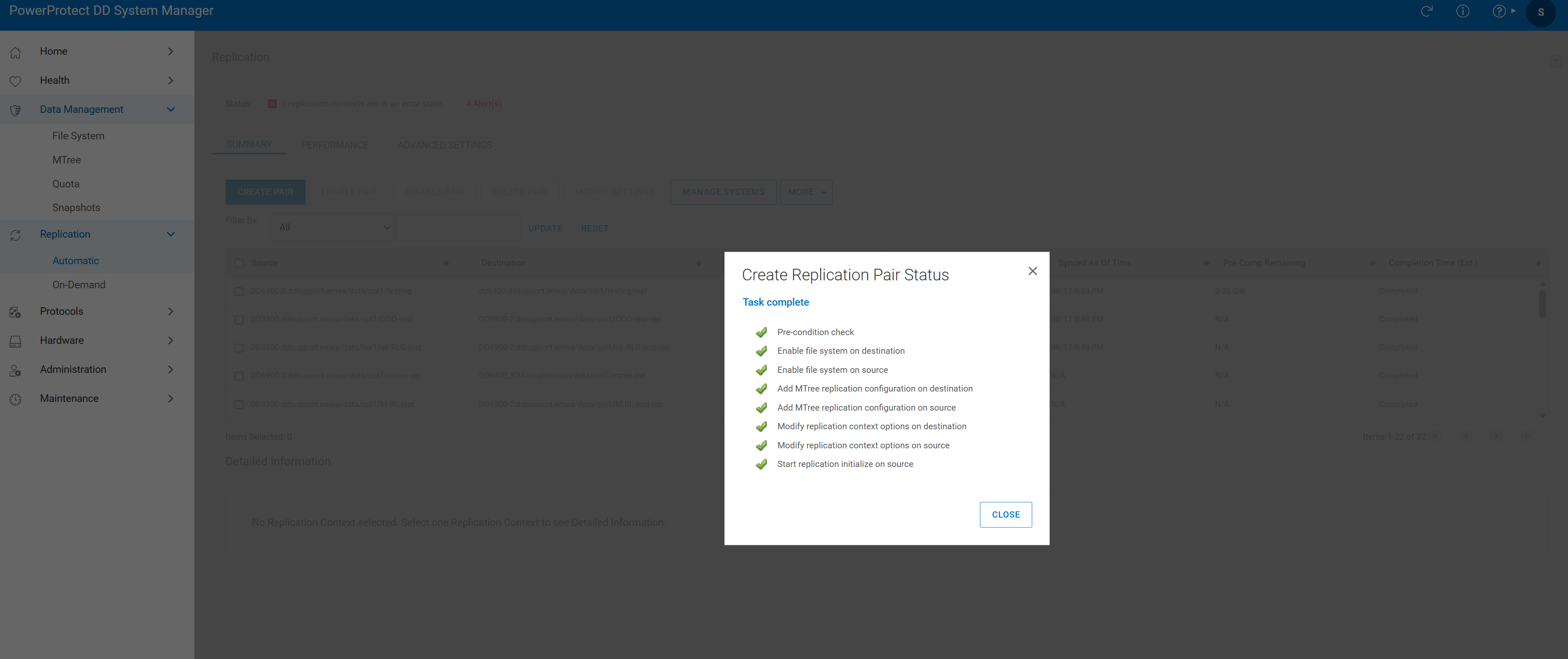 Figur 3. Opgaven er fuldført
- Bekræft replikeringsparret:

Figur 4. Replikeringsverificering
Additional Information
Affected Products
Data DomainProducts
Data DomainArticle Properties
Article Number: 000010996
Article Type: How To
Last Modified: 18 Aug 2026
Version: 7
Find answers to your questions from other Dell users
Support Services
Check if your device is covered by Support Services.