PowerEdge: How to install Windows Server Backup using PowerShell
摘要: How to install Windows Server Backup using PowerShell for Windows Server. Follow these steps for installation and manage your server backups efficiently.
本文章適用於
本文章不適用於
本文無關於任何特定產品。
本文未識別所有產品版本。
說明
- To start Windows PowerShell Type in the Command Prompt window
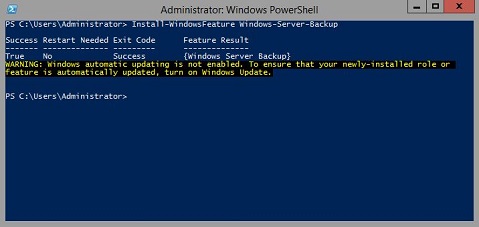
Start PowerShell - To install Windows Server Backup Type
Install-WindowsFeature Windows-Server-Backup
Additional Information:
Windows Server Backup https://learn.microsoft.com/en-us/previous-versions/windows/it-pro/windows-server-2012-r2-and-2012/jj614621(v=ws.11)

Windows Server Backup Windows PowerShell Cmdlets https://learn.microsoft.com/en-us/powershell/module/windowsserverbackup/?view=windowsserver2022-ps
受影響的產品
Microsoft Windows 2012 Server, Microsoft Windows 2012 Server R2產品
C Series, HS Series, Modular Infrastructure, Rack Servers, Tower Servers, XE Servers, XR Servers, OEM Server Solutions, Microsoft Windows Server 2016, Microsoft Windows Server 2019, Microsoft Windows Server 2022, Microsoft Windows 2008 Server R2
, Microsoft Windows 2008 Server Service Pack 2, Microsoft Windows 2012 Server, Microsoft Windows 2012 Server R2
...
文章屬性
文章編號: 000122393
文章類型: How To
上次修改時間: 05 Sept 2025
版本: 9
向其他 Dell 使用者尋求您問題的答案
支援服務
檢查您的裝置是否在支援服務的涵蓋範圍內。