PowerStore: 원격 시스템을 추가하면 "File Not OK"가 표시되고, 원격 NAS 시스템에 연결할 수 없으며, 테이프에서 디스크로 복제할 수 없음 - 0xE02010020047
Summary: 관리 네트워크를 재구성하고 FMN(File Mobility Network) IP를 여러 번 추가 및 삭제한 후 FMN이 더 이상 작동하지 않는 상황이 발생할 수 있습니다. 이 문제로 인해 원격 시스템 연결을 추가한 후 "File Not OK" 메시지와 기타 오류 메시지가 표시됩니다.
This article applies to
This article does not apply to
This article is not tied to any specific product.
Not all product versions are identified in this article.
Symptoms
ProtectionRemote >> Systems ADD로 이동하여 Management/File State 열 아래에 표시되는 "File Not OK"를 확인합니다.
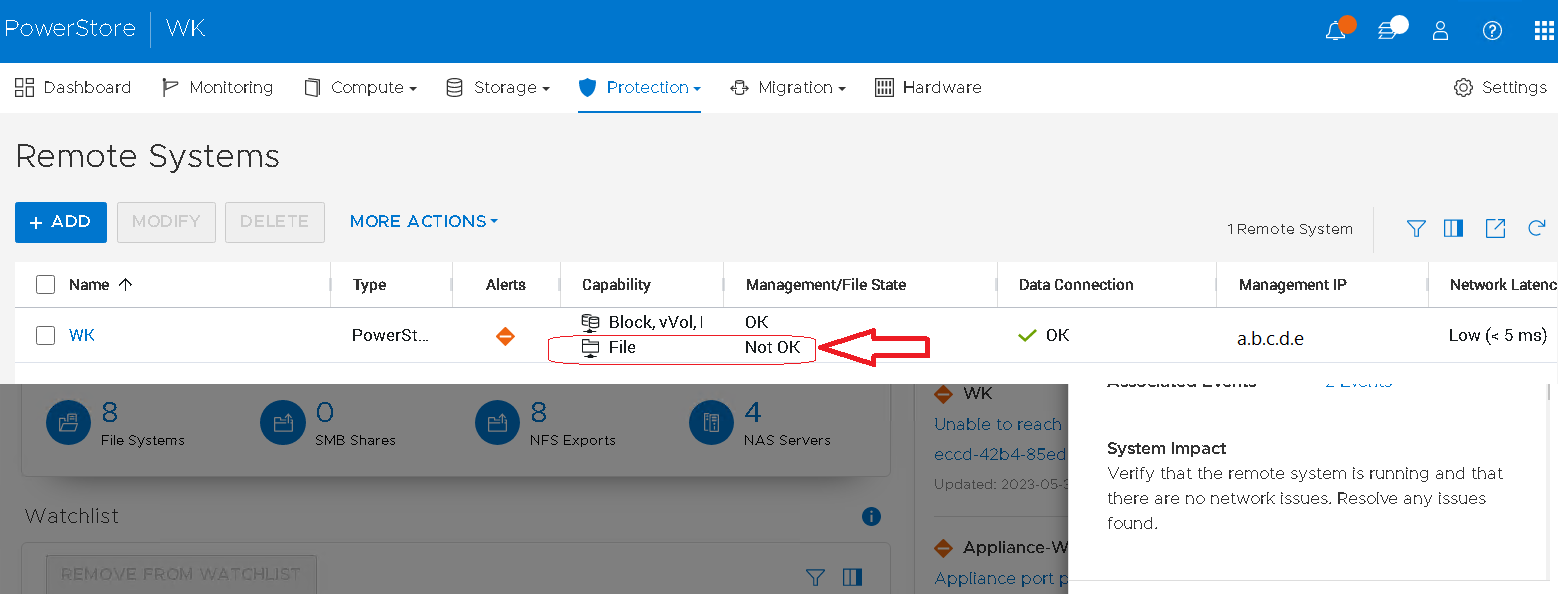
그림 1: "파일이 정상이 아님" 메시지를 표시하는 관리/파일 상태 열 스크린샷
Major 알림 생성됨:
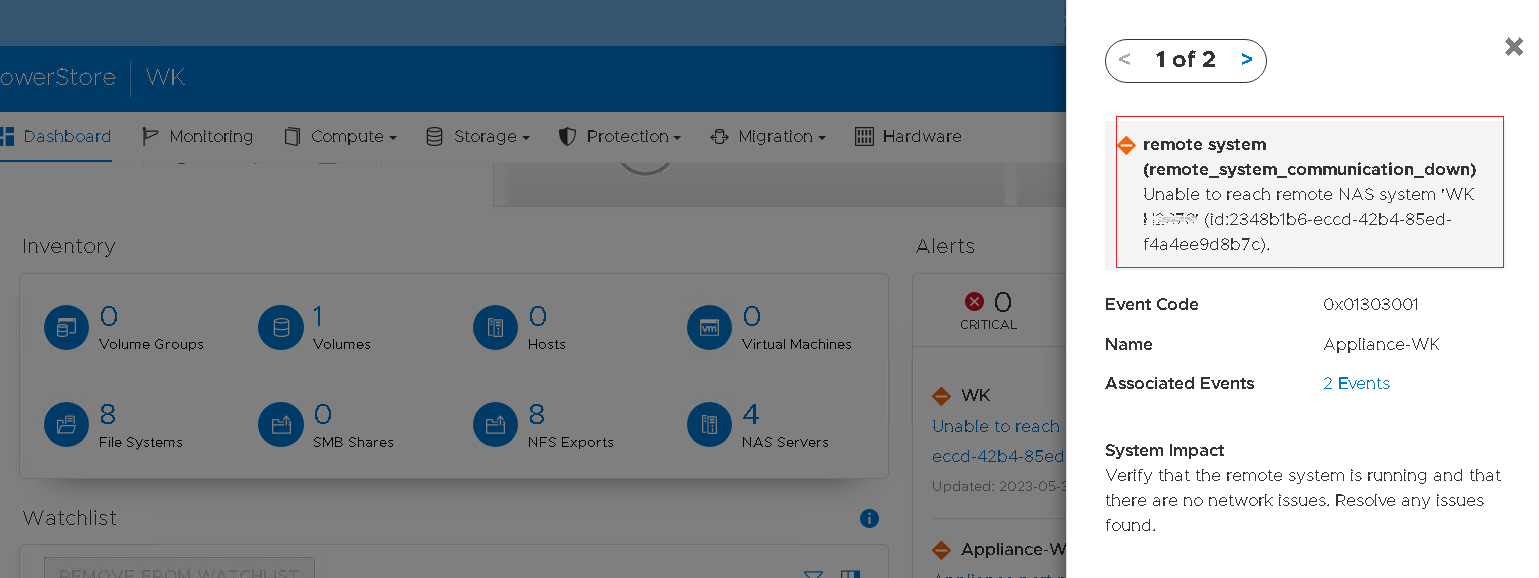
그림 2: 오류 메시지 스크린샷: 원격 시스템 통신 끊김
확인 및 업데이트:
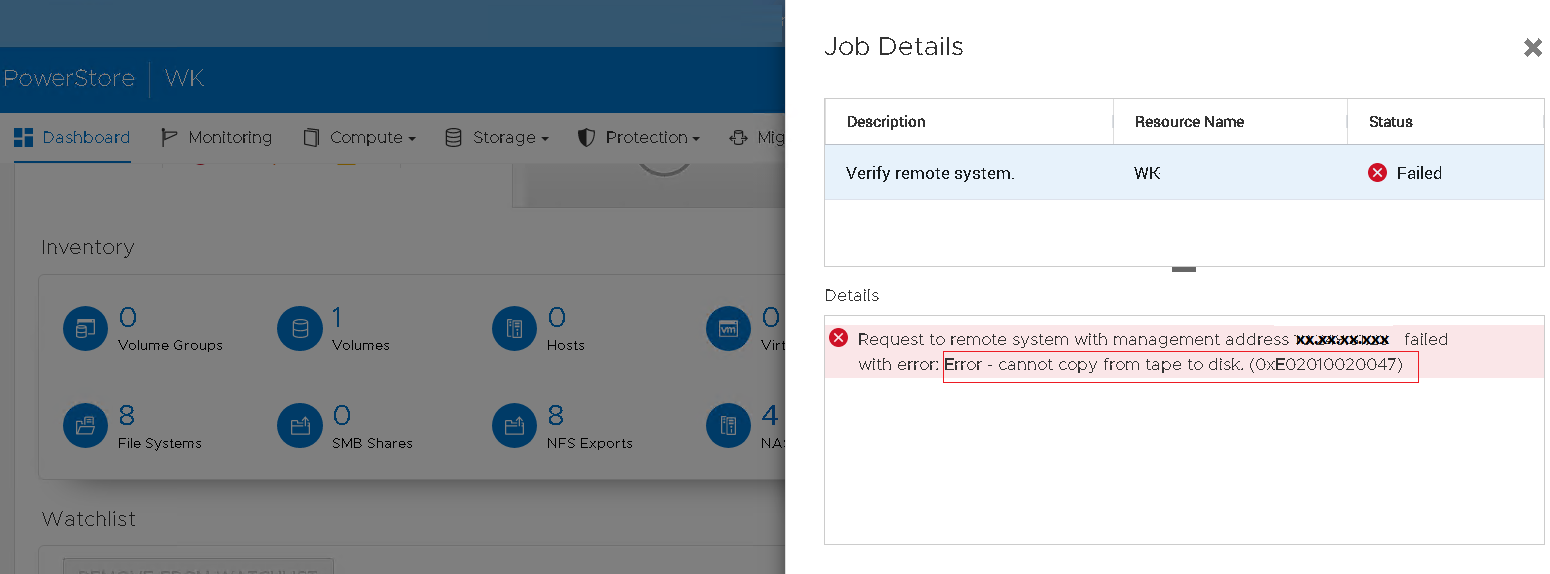
그림 3: 오류 메시지 스크린샷: 테이프에서 디스크로 복제할 수 없음 - 0xE02010020047.
그림 1: "파일이 정상이 아님" 메시지를 표시하는 관리/파일 상태 열 스크린샷
Major 알림 생성됨:
Event code: 0x01303001
Text: remote_system_communication_down Unable to reach remote NAS system. Verify that the remote system is running..."
그림 2: 오류 메시지 스크린샷: 원격 시스템 통신 끊김
확인 및 업데이트:
"Request to remote system failed with error: Error - cannot copy from tape to disk" with error 0xE02010020047.
그림 3: 오류 메시지 스크린샷: 테이프에서 디스크로 복제할 수 없음 - 0xE02010020047.
Cause
FMN 플래그가 설정될 수 있지만 파일 이동성 네트워크를 여러 번 제거하고 다시 생성할 때 netdevice에 IP 주소가 제대로 할당되지 않을 수 있습니다.
Resolution
- 원격 시스템 연결 제거
- 소스 및 원격 PowerStore 시스템 모두에서 FMN 네트워크 제거
- 각 PowerStore 시스템에서 FMN 네트워크 재생성
- 원격 시스템 연결 재생성
Affected Products
PowerStoreArticle Properties
Article Number: 000216997
Article Type: Solution
Last Modified: 05 Sept 2025
Version: 3
Find answers to your questions from other Dell users
Support Services
Check if your device is covered by Support Services.