Dell Unity: Warning Code: "dm::check_filesystems_health_4 During Pre-Upgrade-Healthcheck"
Summary: Dell Unity: Warning Code: "dm::check_filesystems_health_4 during Pre-Upgrade Health Check"
This article applies to
This article does not apply to
This article is not tied to any specific product.
Not all product versions are identified in this article.
Symptoms
Pre-Upgrade Health Check failed with error code:
20:dm::check_filesystems_health
One or more file systems may be in an unhealthy state. You can continue with the upgrade, but it is recommended that you record the error code and contact your service provider.
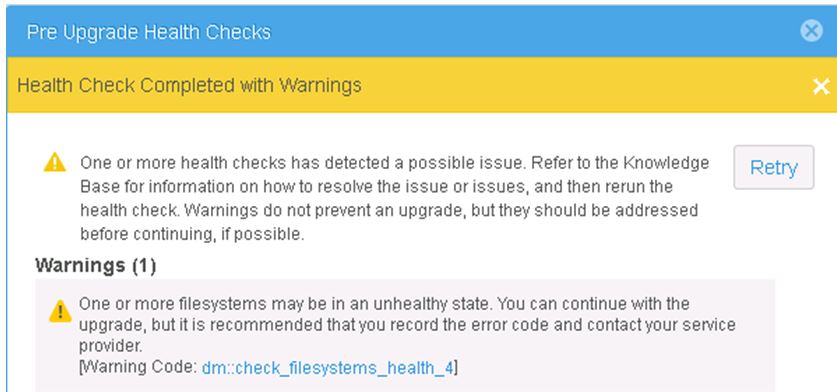
[ Warning Code: dm::check_filesystems_health_4 ]

File systems at the Dell EMC Unity are fully consumed:
uemcli -sslPolicy accept /stor/prov/fs show -detail

1:    ID                         = res_1
      Name                       = Share
      Description                =
      Health state               = Degraded/Warning (10)
      Health details             = "The file system has run out of space. Allocate more storage space to the storage resource.
      File system                = fs_1
      Server                     = nas_1
      Storage pool ID            = pool_1
      Storage pool               = Pool1
      Format                     = UFS64
      Protocol                   = cifs
      Folder rename policy       = forbiddenSmb
      Size                       = 10737418240 (10.0G)
      Size used                  = 10511523840 (9.7G)
Cause
This alert is reported on file system member in pools which have a system-defined threshold exceeded.
Resolution
The customer should be informed about the full file system and if possible the affected file system should be expanded.
In rare cases where customers are running permanently with full file systems and do not want to expand, you can also continue the upgrade.
Note: During the NDU phase, the same warning appears but you can continue when you choose the Retry option:
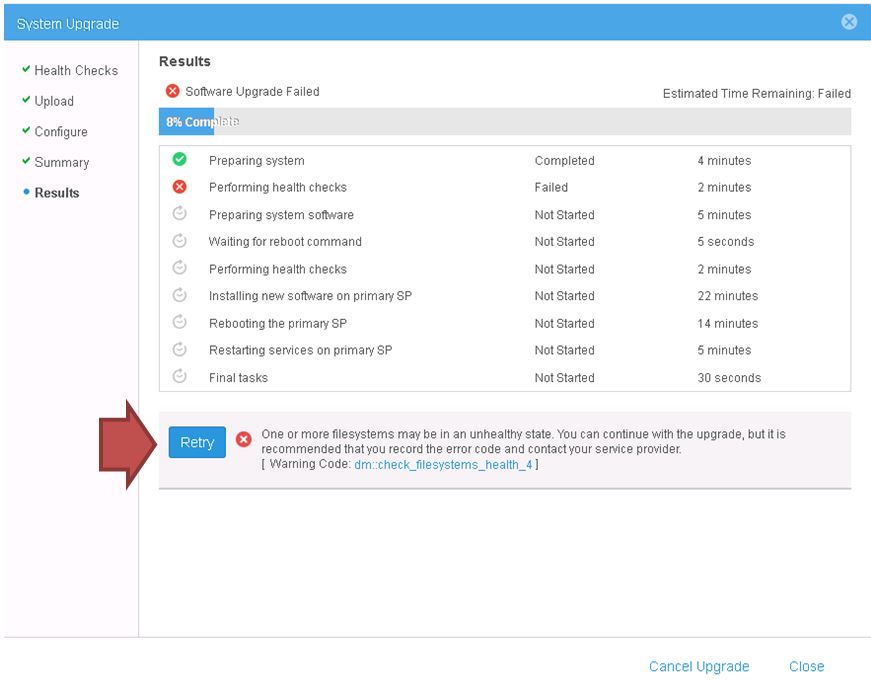
To further identify the file system reporting health issues, run:
uemcli -noHeader -sslPolicy accept /stor/prov/fs show -filter "Name, Health state, Health details
Affected Products
Dell EMC UnityProducts
Dell Unity 300, Dell EMC Unity 300F, Dell EMC Unity XT 380, Dell EMC Unity XT 380F, Dell EMC Unity 400, Dell EMC Unity 400F, Dell EMC Unity 500, Dell EMC Unity 500F, Dell EMC Unity 600F, Dell EMC Unity Family |Dell EMC Unity All Flash
, Dell EMC Unity Hybrid
...
Article Properties
Article Number: 000052548
Article Type: Solution
Last Modified: 20 Oct 2025
Version: 7
Find answers to your questions from other Dell users
Support Services
Check if your device is covered by Support Services.