Dell Recovery with USB: ダイレクト メディア ドライブを使用してOSを再インストールします
Summary: ダイレクト メディアUSBを使用したDellリカバリーとOSの再インストールに関する情報。
This article applies to
This article does not apply to
This article is not tied to any specific product.
Not all product versions are identified in this article.
Symptoms
Cause
原因に関する情報はありません。
Resolution
Dell Directメディアのオンライン取扱説明書
Dell Directメディアを使用するには、次の手順を実行します。
手順1:Dell製デスクトップまたはノートパソコンに電源を接続し、Dell DirectメディアUSBドライブを挿入します。一部のデバイスにはUSB-Cアダプターが必要な場合があります。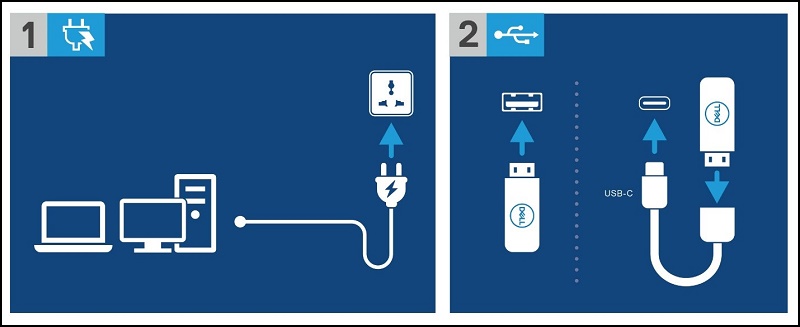
手順2:Dell製コンピューターまたはノートパソコンの電源を入れ、F12キーを押して[One Time Boot Menu]に入ります。[USB Storage Device]を選択して、Dell DirectメディアUSBドライブから起動します。![Dell製コンピューターの電源を入れ、F12キーを押して[One Time Boot Menu]に入り、[USB Storage Device]を選択します。](https://supportkb.dell.com/img/ka0Do000000ltagIAA/ka0Do000000ltagIAA_ja_5.jpeg)
手順3:Dell製デスクトップまたはノートパソコンがDell DirectメディアUSBドライブから起動します。画面の指示に従って、Windowsのインストールを開始します。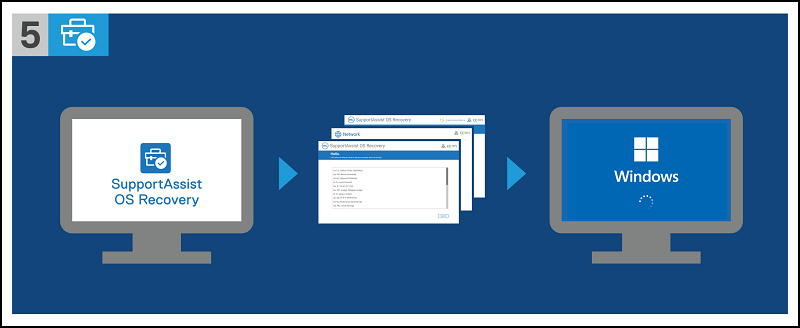
Additional Information
『Dell SupportAssist OS Recoveryユーザーズ ガイド』は、次のマニュアル ページから入手できます。
Affected Products
Desktops & All-in-Ones, LaptopsArticle Properties
Article Number: 000129655
Article Type: Solution
Last Modified: 14 Jul 2025
Version: 10
Find answers to your questions from other Dell users
Support Services
Check if your device is covered by Support Services.