文件资源管理器在 Windows 10 中没有响应
Summary: 在 Windows 10 中文件资源管理器无响应时遇到问题?按照本指南通过清除历史记录、重置文件夹和还原默认设置来解决问题。重新启动计算机以解决此问题。
This article applies to
This article does not apply to
This article is not tied to any specific product.
Not all product versions are identified in this article.
Symptoms
受影响的操作系统:
- Windows 10
Windows 10 文件资源管理器是否无法响应,在工作循环中继续,然后显示无响应消息?
Cause
出现此问题的原因是,下载到计算机的某些应用程序可能会导致某些设置被更改,从而导致文件资源管理器锁定和计算机性能下降。要解决该问题,请按照下面的步骤操作:
Resolution
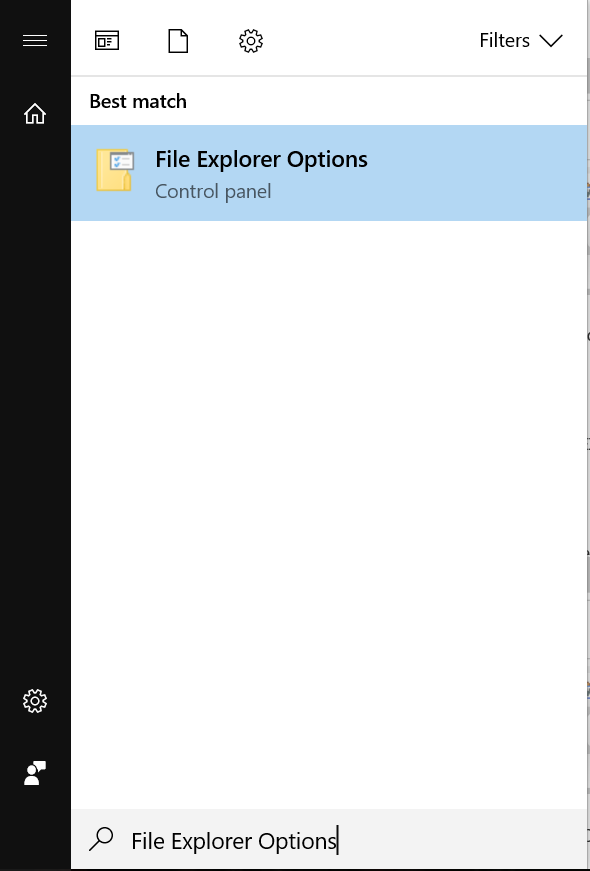
- 单击开始按钮,然后键入 文件资源管理器选项:
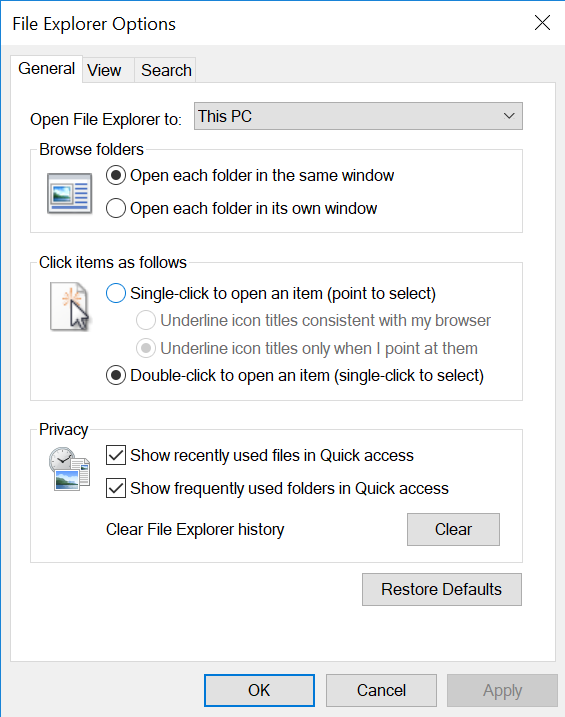
- 单击 GENERAL 选项卡,在Clear File Explorer History选项中单击 CLEAR,单击 RESTORE DEFAULTS,最后单击 APPLY。
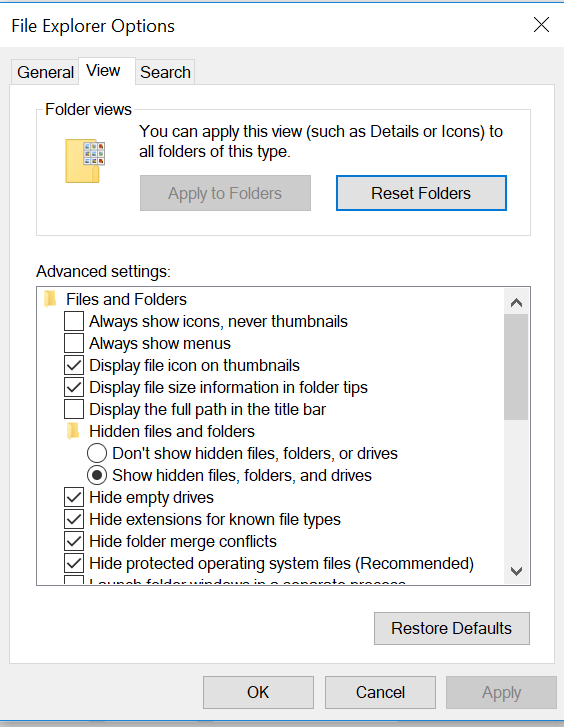
- 现在,单击 VIEW 选项卡,选择 RESET FOLDERS,然后单击 YES。接着单击 RESTORE DEFAULTS,然后单击 APPLY。
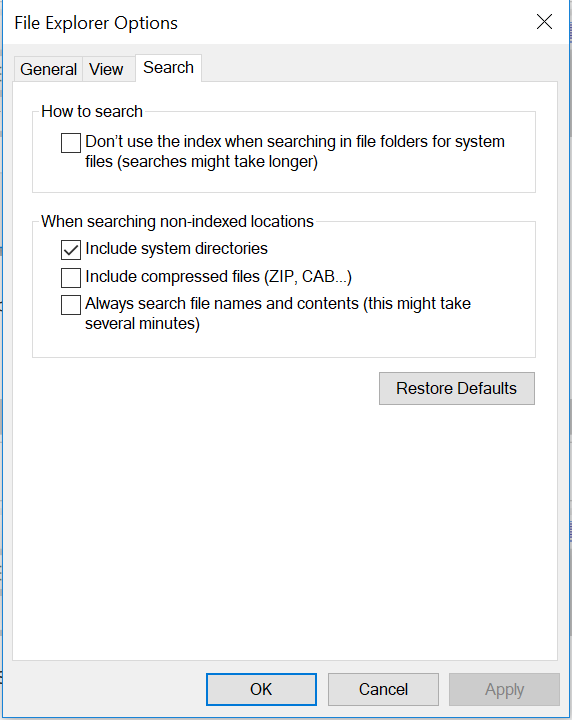
- 在 SEARCH 选项卡中,单击 RESTORE DEFAULTS ,然后单击 APPLY。
- 完成此作后, 重新启动 计算机,问题应得到解决。
Affected Products
Alienware, Inspiron, Legacy Desktop Models, OptiPlex, Vostro, XPS, G Series, G Series, Alienware, Inspiron, Latitude, Vostro, XPS, Legacy Laptop Models, Fixed Workstations, Mobile WorkstationsArticle Properties
Article Number: 000148462
Article Type: Solution
Last Modified: 17 Jul 2025
Version: 8
Find answers to your questions from other Dell users
Support Services
Check if your device is covered by Support Services.