Avamar: 登入失敗結果:0 錯誤結束代碼 66:在 Avamar 資料庫中找不到使用者
Summary: 無法使用輕量型目錄存取通訊協定 (LDAP) 認證登入。
This article applies to
This article does not apply to
This article is not tied to any specific product.
Not all product versions are identified in this article.
Symptoms
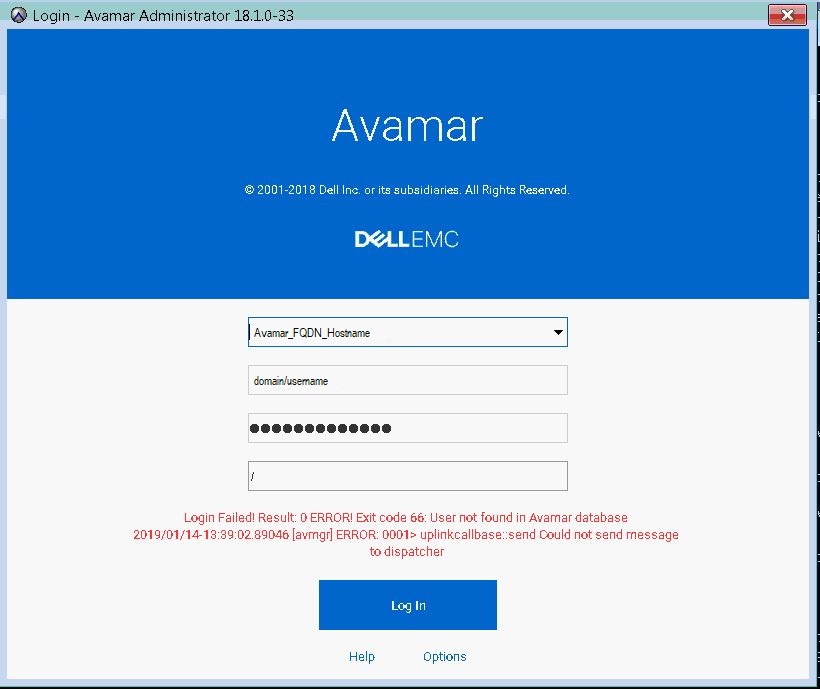
在正確設定 LDAP 認證讓使用者存取 Avamar Administrator 後,會看到嘗試登入下列錯誤訊息。
"Login Failed! Result: 0 ERROR! Exit code 66: User not found in Avamar database 2019/01/14-18:39:02.89046 [avmgr] ERROR: 0001> uplinkcallbase:: send Could not send message to dispatcher"
Cause
使用不正確的使用者名稱語法。
Resolution
使用正確的使用者名稱語法使用 LDAP 驗證登入,即:
username@domain_name
範例:johndoe@enterprise.com
注意:domain_name的配置應相同。
/usr/local/avamar/etc/ldap.properties and /usr/local/avamar/etc/krb5.conf
範例:
root@avamar:/usr/local/avamar/etc/#: grep ldap.qualified-name-default ldap.properties
ldap.qualified-name-default=enterprise.com

root@avamar:/usr/local/avamar/etc/#: grep default_domain krb5.conf
default_domain = enterprise.com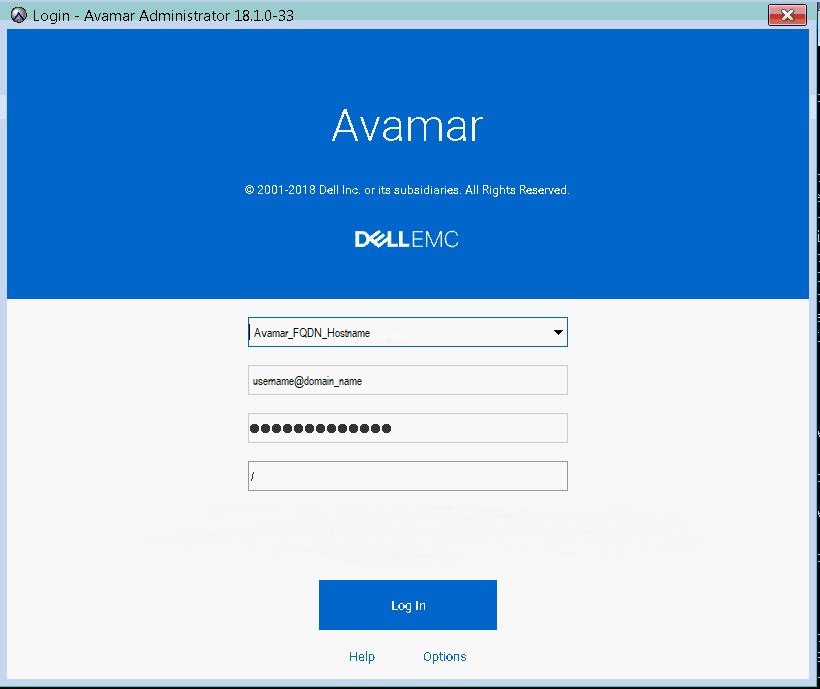
Additional Information
Affected Products
AvamarProducts
AvamarArticle Properties
Article Number: 000167659
Article Type: Solution
Last Modified: 17 Oct 2025
Version: 4
Find answers to your questions from other Dell users
Support Services
Check if your device is covered by Support Services.