Avamar: 登录失败结果:0 ERROR Exit code 66:在 Avamar 数据库中找不到用户
Summary: 使用轻量级目录访问协议 (LDAP) 身份验证登录失败。
This article applies to
This article does not apply to
This article is not tied to any specific product.
Not all product versions are identified in this article.
Symptoms
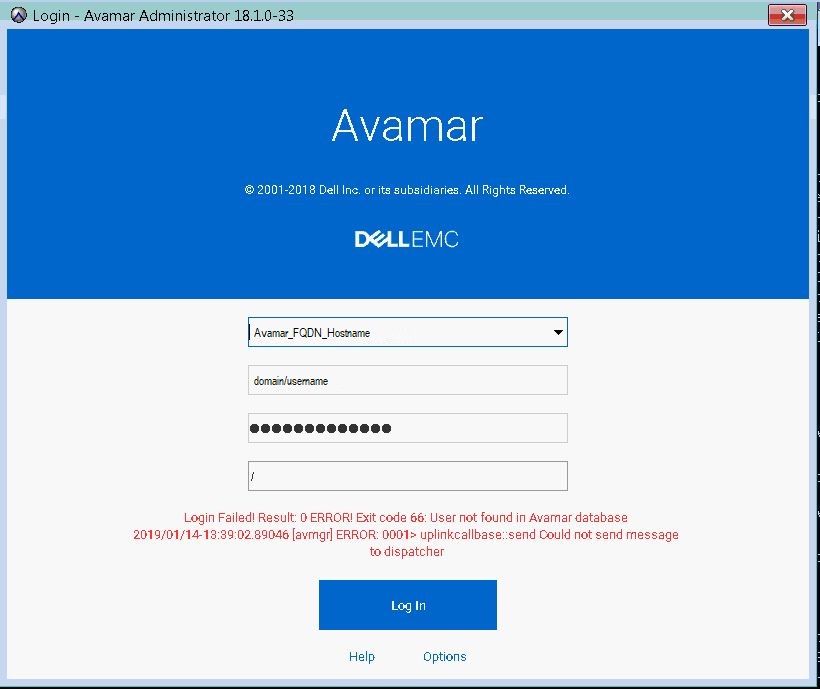
在正确配置 LDAP 身份验证以便用户访问 Avamar Administrator 后,会显示尝试登录以下错误消息。
"Login Failed! Result: 0 ERROR! Exit code 66: User not found in Avamar database 2019/01/14-18:39:02.89046 [avmgr] ERROR: 0001> uplinkcallbase:: send Could not send message to dispatcher"
Cause
使用了不正确的用户名语法。
Resolution
使用正确的用户名语法通过 LDAP 身份验证登录,即:
username@domain_name
示例: johndoe@enterprise.com
注意:domain_name应与 中的配置相同。
/usr/local/avamar/etc/ldap.properties and /usr/local/avamar/etc/krb5.conf
示例:
root@avamar:/usr/local/avamar/etc/#: grep ldap.qualified-name-default ldap.properties
ldap.qualified-name-default=enterprise.com

root@avamar:/usr/local/avamar/etc/#: grep default_domain krb5.conf
default_domain = enterprise.com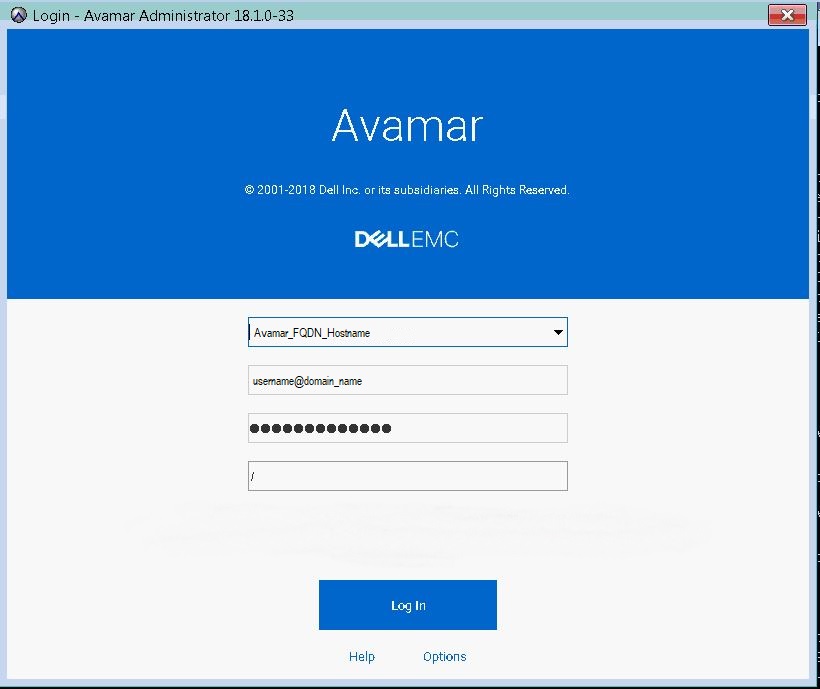
Additional Information
Affected Products
AvamarProducts
AvamarArticle Properties
Article Number: 000167659
Article Type: Solution
Last Modified: 17 Oct 2025
Version: 4
Find answers to your questions from other Dell users
Support Services
Check if your device is covered by Support Services.