Wyse 5070 更新至 Dell ThinOS 9.x 版時,在開機時顯示嚴重錯誤
Summary: 將 Wyse 5070 更新至 ThinOS 9.x 版時,BIOS 也必須為 1.3.1 版或更新版本。
This article applies to
This article does not apply to
This article is not tied to any specific product.
Not all product versions are identified in this article.
Symptoms
受影響的平台:
- Wyse 5070
受影響的作業系統:
- Dell ThinOS 9.x
Cause
將 Wyse 5070 更新至 ThinOS 9.x 時,如果 BIOS 是比 1.3.1 舊的修訂版,則在開機時會發生嚴重錯誤。
Resolution
在更新至 ThinOS 9.x 之前,請將 Wyse 5070 BIOS 升級至 1.3.1 或更新版本。
檢查 BIOS 中的可信賴平台模組 (TPM) 或 Platform Trust Technology (PTT) 選項。這位於「安全性」類別中。
注意:PTT 僅存在於購買用於中國或俄羅斯的 Wyse 裝置中。
如果 BIOS 中有 TPM 或 PTT 選項,則不需要採取進一步的動作。
如果 BIOS 中沒有 TPM 或 PTT 選項,請將 BIOS 更新至最新修訂版,然後更新 ThinOS。ThinOS 1.3.1 或更新版本可啟用 TPM 或 PTT。
如果在 BIOS 之前更新作業系統,請清除 TPM 或 PTT。
若要清除 TPM 或 PTT:
- 在開機期間輕觸 F2 ,將受影響的裝置開機進入 BIOS。
- 從 BIOS 中,按一下以展開 安全性 ,然後按一下 TPM 2.0 安全性。
 注意:在購買用於中國或俄羅斯的 Wyse 裝置中,TPM 2.0 安全性的標題可能有所不同。
 - 按一下 解除鎖定。
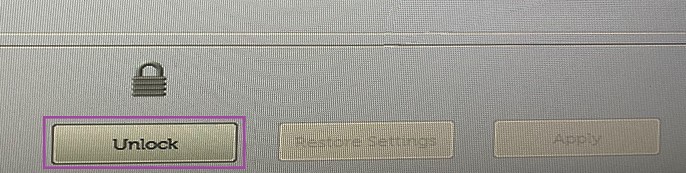
- 如果出現提示,請填入 密碼 ,然後按一下 清除。

- 當系統提示您清除所有金鑰時,請按一下 是。

- 按一下結束。
 注意:
注意:- 請按照《Dell Wyse ThinOS Version 9.1 Migration Guide》(Dell Wyse ThinOS 9.1 版遷移指南)中的步驟操作,以使用 Merlin 映像還原 Wyse 5070。
- 如需詳細資訊,請參閱 Wyse 5070 精簡型用戶端說明文件的《Dell Wyse ThinOS Version 9.1 Migration Guide》(Dell Wyse ThinOS 9.1 版遷移指南)。
Additional Information
Videos
Affected Products
Wyse 5070 Thin Client, Dell ThinOSArticle Properties
Article Number: 000182295
Article Type: Solution
Last Modified: 17 Jun 2025
Version: 14
Find answers to your questions from other Dell users
Support Services
Check if your device is covered by Support Services.