PowerEdge: Behavior of Disabling the Power Button in the Server BIOS
Summary: This article explains the behavior of "Power Button = Disable" in BIOS of 12G and later.
This article applies to
This article does not apply to
This article is not tied to any specific product.
Not all product versions are identified in this article.
Instructions
When BIOS -> Security Settings -> Power Button is set to "Disable" in the PowerEdge Server BIOS, it prevents the system from being shut down onsite using the front panel power button.
- If the system is powered off, pressing the power button will still power it back on, even if the button is disabled.
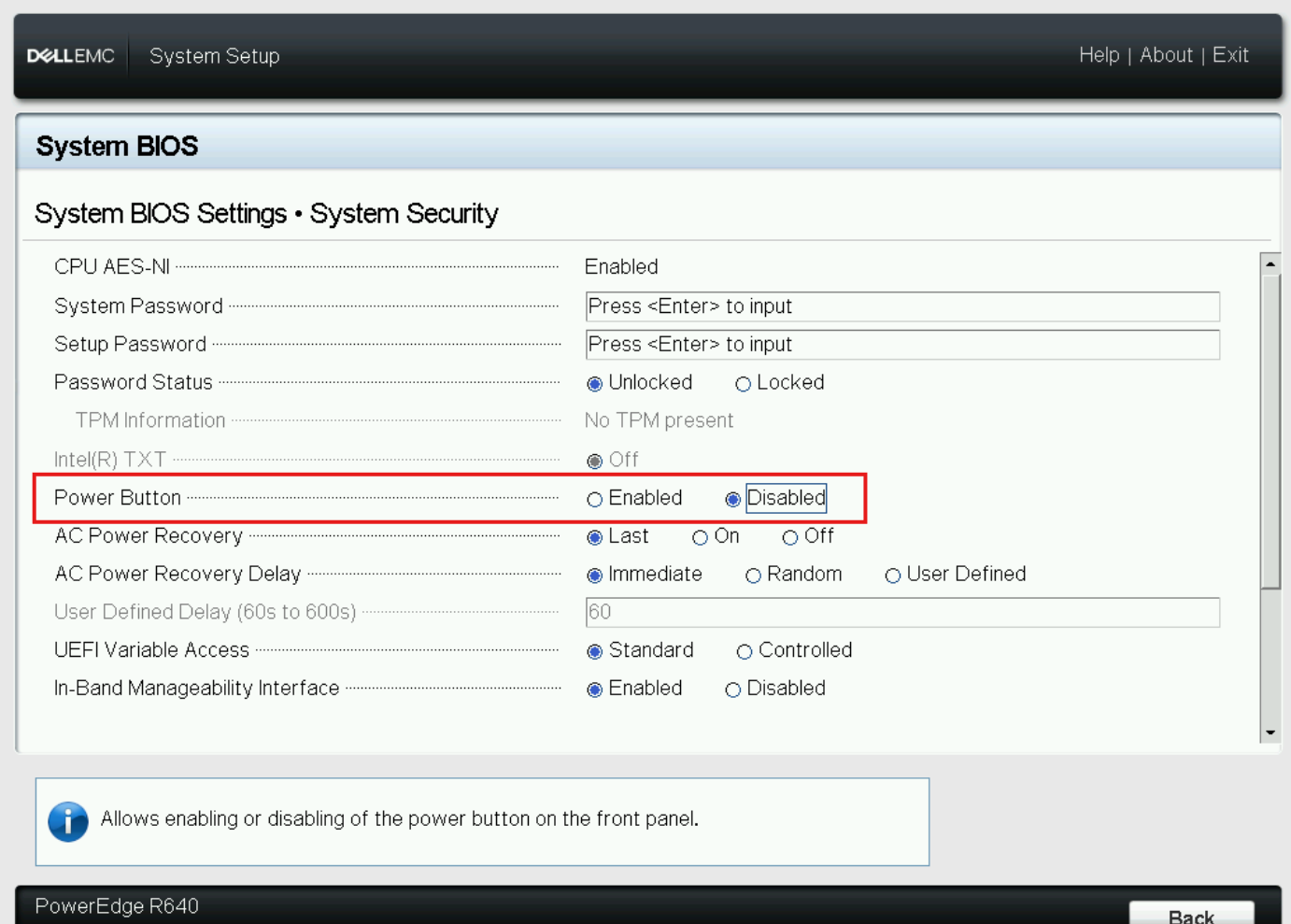
Note: While disabled, the server can still be controlled from the OS and IDRAC.
Affected Products
C Series, HS Series, Modular Infrastructure, Rack Servers, Tower Servers, XE Servers, XR ServersArticle Properties
Article Number: 000187765
Article Type: How To
Last Modified: 21 Oct 2025
Version: 6
Find answers to your questions from other Dell users
Support Services
Check if your device is covered by Support Services.