Instalacja aplikacji Dell Pair ma opóźnioną reakcję z zainstalowanym programem antywirusowym AVG
Summary: Ten artykuł zawiera informacje i rozwiązania problemu z opóźnioną reakcją aplikacji Dell Pair, gdy zainstalowana jest aplikacja AVG Antivirus.
This article applies to
This article does not apply to
This article is not tied to any specific product.
Not all product versions are identified in this article.
Symptoms
Dotyczy produktów:
- Dell Pair
Dotyczy platform:
- Latitude 7320
- Latitude 7420
- Latitude 7520
- Latitude 7330
- Latitude 7430
- Latitude 7530
- Latitude 9330
- Latitude 9430
- Precision 5470
- Precision 5570
- Precision 5770
- Precision 7670
- Precision 7770
- XPS 9315
- XPS 9320
- XPS 9520
- Dell Pro 13 Premium
Dotyczy systemów operacyjnych:
- Windows 10 kompilacja 10.0.19041 i nowsze
- Windows 11
Użytkownik może doświadczyć opóźnionej reakcji instalatora aplikacji Dell Pair, gdy na komputerze jest zainstalowany program AVG Antivirus.
Uwaga: Opóźnienie wynosi około jednej lub dwóch minut, a po zakończeniu instalacji nie ma żadnych awarii.
Tło aplikacji Dell Pair
Aplikacja Dell Pair obsługuje następujące funkcje:
- Wykrywanie urządzeń firmy Dell, takich jak mysz i klawiatura, gdy znajdują się one w zasięgu wykrywania, aby sparować je za pomocą połączenia Bluetooth.
- Parowanie urządzeń przez Bluetooth.
Cause
Program antywirusowy AVG powoduje opóźnienie instalacji.
Resolution
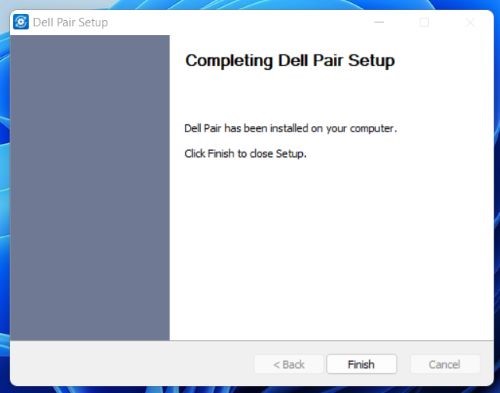
Po zainstalowaniu programu antywirusowego AVG na komputerze użytkownik musi poczekać na wyświetlenie komunikatu o zakończeniu instalacji aplikacji Dell Pair.
Affected Products
Dell Pair, Dell Pro 13 Premium PA13250, Latitude 7320, Latitude 7330, Latitude 9330, Latitude 7420, Latitude 7430, Latitude 9430, Latitude 7520, Latitude 7530, Precision 5470, Precision 5570, Precision 7670, Precision 5770, Precision 7770
, XPS 13 9315, XPS 13 Plus 9320, XPS 15 9520
...
Article Properties
Article Number: 000204223
Article Type: Solution
Last Modified: 24 Apr 2025
Version: 7
Find answers to your questions from other Dell users
Support Services
Check if your device is covered by Support Services.