Folder na pulpicie nie reaguje podczas używania panelu dotykowego lub ekranu dotykowego
Summary: Informacje na temat braku możliwości przeciągania lub klikania folderu Pulpit za pomocą panelu dotykowego lub ekranu dotykowego w systemie Windows 11 (wersja 23H2, 22631.2428).
This article applies to
This article does not apply to
This article is not tied to any specific product.
Not all product versions are identified in this article.
Symptoms
Kliknięcie folderu Pulpit systemu Windows nie powoduje odpowiedzi w przypadku korzystania z touchpada lub ekranu dotykowego.
Dotyczy systemu operacyjnego:
- Windows 11 (wersja 23H2 22631.2428)
Modele, których dotyczy problem:
- Latitude 5430
- Latitude 5431
- Latitude 5440
- Latitude 7030 Rugged Extreme Tablet
- Latitude 7230 Rugged Extreme Tablet
- Latitude 7320
- Latitude 7330
- Latitude 7430
- Latitude 7440
- Latitude 7640
- Latitude 7530
- Latitude 9330
- Latitude 9430
- Latitude 9440
- Precision 3470
- Precision 3480
- Precision 5470
- Precision 5480
- Precision 5570
- Precision 5680
- Precision 7670
- Precision 7680
- Precision 7770
- Precision 7780
- Dell Pro 13 Premium
Cause
Jest to problem z systemem Windows 11 (wersja 23H2 22631.2428).
Resolution
Poprawka systemu Windows
Poprawka systemu Windows 22631.2861 rozwiązuje ten problem i jest dostępna w sklepie Microsoft Store.
Kliknij pole Windows i wybierz opcję Ustawienia (Rysunek 1).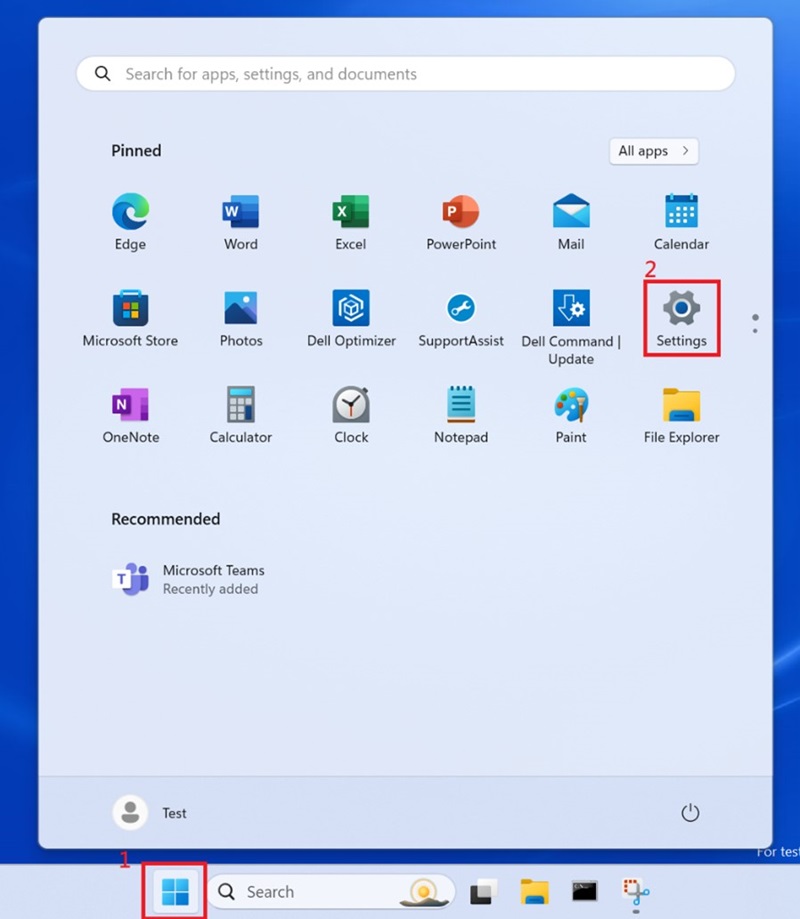
Wykres 1
Wybierz Windows Update i zaktualizuj system Windows (Rysunek 2 i 3).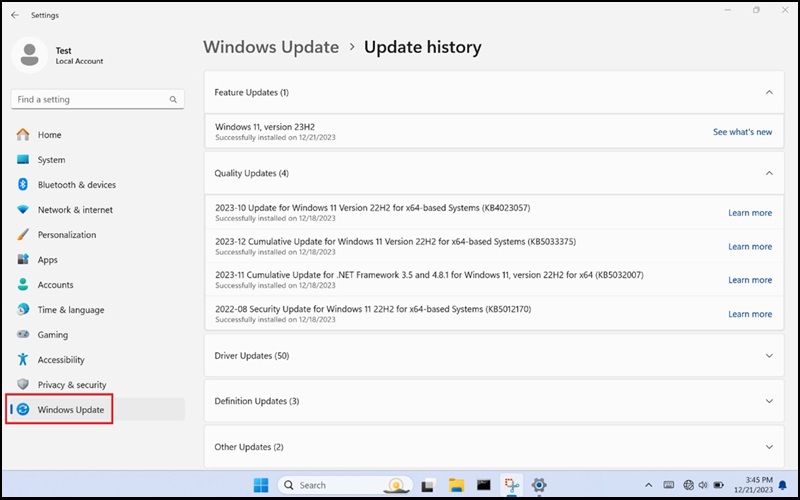
Wykres 2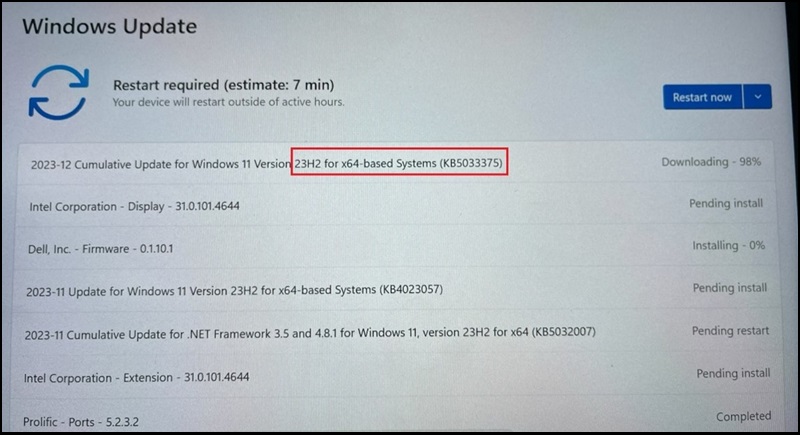
Wykres 3
System Windows należy zaktualizować do wersji 23H2 22631.2861 (Rysunek 4).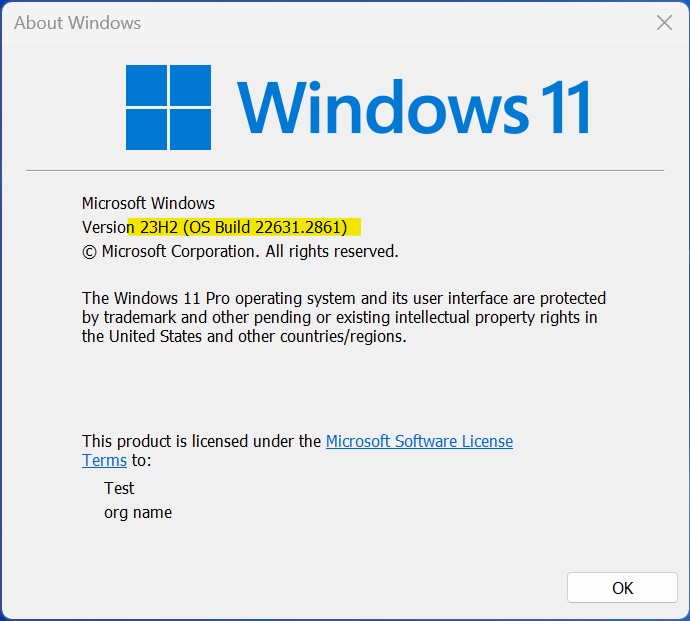
Wykres 4
Więcej informacji: 12 grudnia 2023 r. — KB5033375 r. (kompilacje systemu operacyjnego 22621.2861 i 22631.2861)
Affected Products
Dell Pro 13 Premium PA13250, Latitude 7030 Rugged Extreme Tablet, Latitude 7230 Rugged Extreme Tablet, Latitude 7320, Latitude 7330, Latitude 9330, Latitude 5431, Latitude 5440, Latitude 7430, Latitude 7440, Latitude 9430, Latitude 9440 2-in-1
, Latitude 7530, Latitude 7640, Latitude 5430, Precision 3470, Precision 3480, Precision 5470, Precision 5480, Precision 5570, Precision 5680, Precision 7670, Precision 7680, Precision 7770, Precision 7780
...
Article Properties
Article Number: 000220837
Article Type: Solution
Last Modified: 22 Apr 2025
Version: 7
Find answers to your questions from other Dell users
Support Services
Check if your device is covered by Support Services.