Enabling Some Settings in Dell Optimizer May Result in Degraded Performance
Summary: This article provides information about application running slower after enabling Optimize Applications or Prioritize Foreground Applications in Dell Optimizer (DO).
This article applies to
This article does not apply to
This article is not tied to any specific product.
Not all product versions are identified in this article.
Symptoms
Affected Products:
- Dell Optimizer
Affected Versions:
- v1.0
- v.3.0 and Later
Cause
Optimize Applications Machine Learning (ML) models added in DO v1.0 (and removed in DO v4.2.1) were deemed obsolete given the generation over generation chipset technology advances and software application architecture changes. Recent testing revealed that the ML models were not yielding the desired optimizations when they were first released.
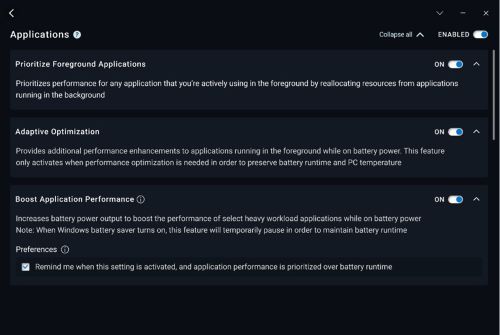
Prioritize Foreground Applications (In DO v3.0 and later) on Windows 11 provides no additional benefit beyond what Windows 11 natively provides. Enabling the feature may even add greater degradation to background applications without providing any additional benefit to foreground applications.
Resolution
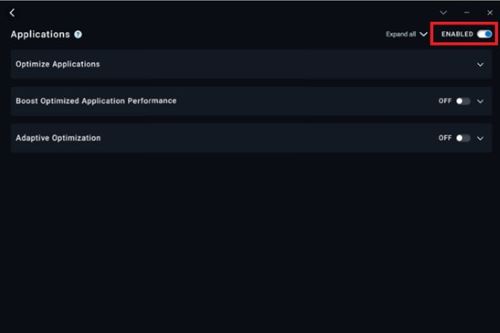
Turning off all optimization features in the Applications pane restores application performance.
Affected Products
Dell OptimizerArticle Properties
Article Number: 000225112
Article Type: Solution
Last Modified: 05 Aug 2025
Version: 2
Find answers to your questions from other Dell users
Support Services
Check if your device is covered by Support Services.