PowerFlex 4.x – Så tar du bort och lägger till en resursgrupp igen med PFMP
Summary: Ta bort och läs en resursgrupp igen.
This article applies to
This article does not apply to
This article is not tied to any specific product.
Not all product versions are identified in this article.
Instructions
1) Innan du gör detta, öppna resursgruppen, gå för att visa alla inställningar:
Klicka på livscykel –>resursgrupp –> välj resursgrupp –> klicka på visa alla inställningar.
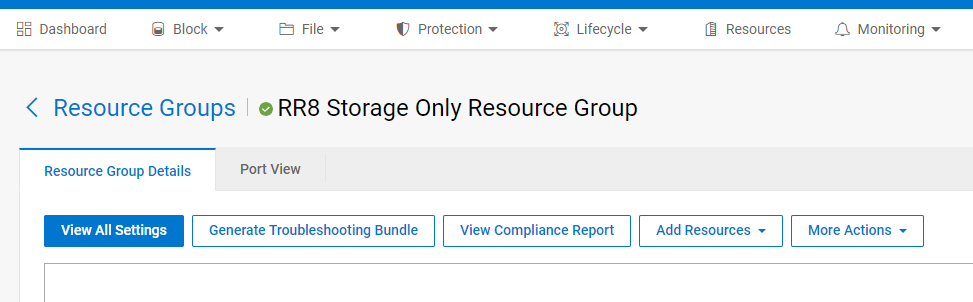
Ta skärmbilder av följande:
- Samla in nätverksmappningar (inklusive VLAN)
- Tjänstens namn
- Serviceinformation
- Typ av nätverksautomatisering (fullständig/partiell)
- Inloggningsuppgifter
- Nod-IP-adresser
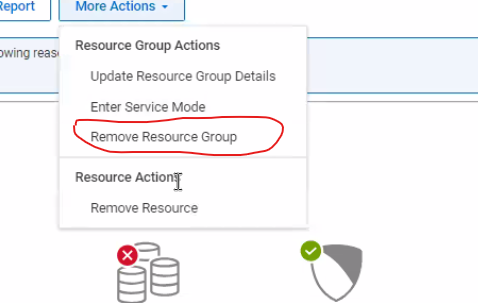
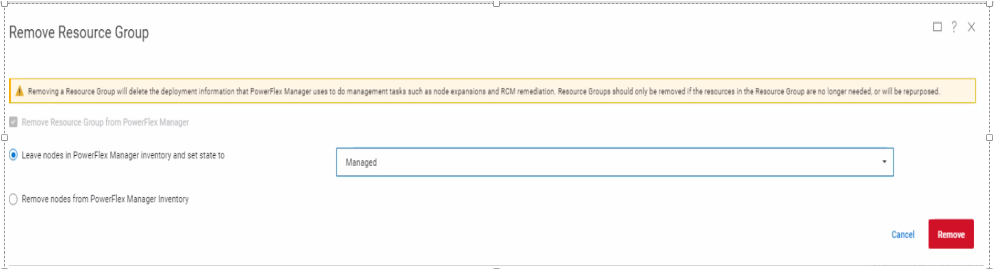
2) I tjänsten klickar du på fler åtgärder och sedan på ta bort resursgrupp.
3) Ställ in borttagningstyp som ska tas bort (välj inte ta bort)
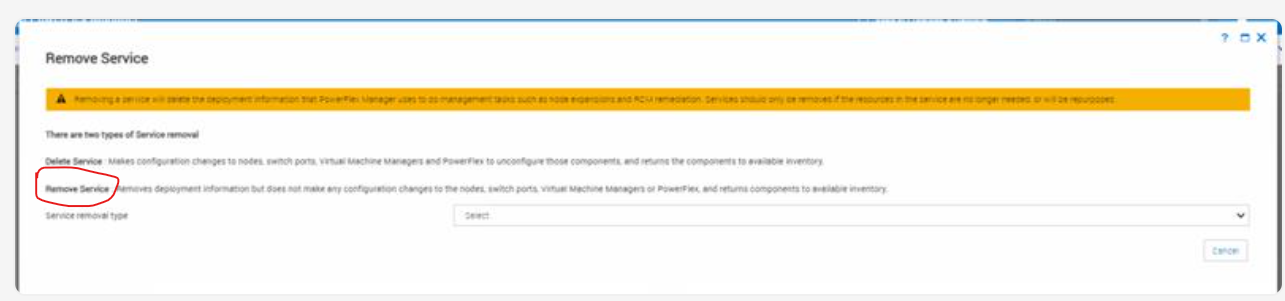
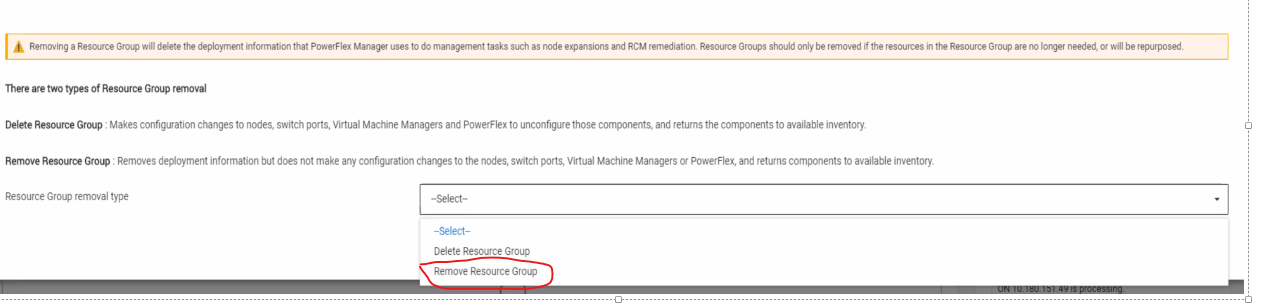
4) Lämna noderna i ett hanterat tillstånd när du tar bort tjänsten.
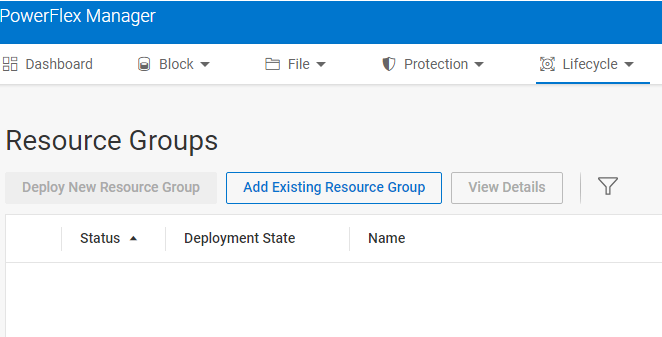
5) Om du vill läsa resursgruppen igen väljer du livscykel och lägger sedan till den befintliga resursgruppen.... Ange den information som samlats in innan tjänsten tas bort.
Affected Products
PowerFlex rack, VxFlex Ready Nodes, PowerFlex custom node, PowerFlex appliance connectivity, PowerFlex appliance R650, PowerFlex appliance R6525, PowerFlex appliance R660, PowerFlex appliance R6625, Powerflex appliance R750, PowerFlex appliance R760
, PowerFlex appliance R7625, PowerFlex appliance R640, PowerFlex appliance R740XD, PowerFlex appliance R7525, PowerFlex appliance R840
...
Article Properties
Article Number: 000237096
Article Type: How To
Last Modified: 25 Apr 2025
Version: 4
Find answers to your questions from other Dell users
Support Services
Check if your device is covered by Support Services.