PowerEdge: How to find the older versions of Dell Customized ISOs for VMware on Dells Support Site
Summary: This article helps with locating and downloading the older versions of Dell Customized ISOs for ESXI on the Dell Support Site.
This article applies to
This article does not apply to
This article is not tied to any specific product.
Not all product versions are identified in this article.
Instructions
Warning: For the latest available Dell drivers, it is recommended to use the latest version of the Dell Customized ISOs available from Broadcom's Download Page .
.
.
These steps should only be used when the older versions are required. You can view the release notes from each version to see what version of the Dell drives are included.
To find the older versions of the Dell Customized ISOs for VMware, follow these steps:
- Go to the Dell Support Site.
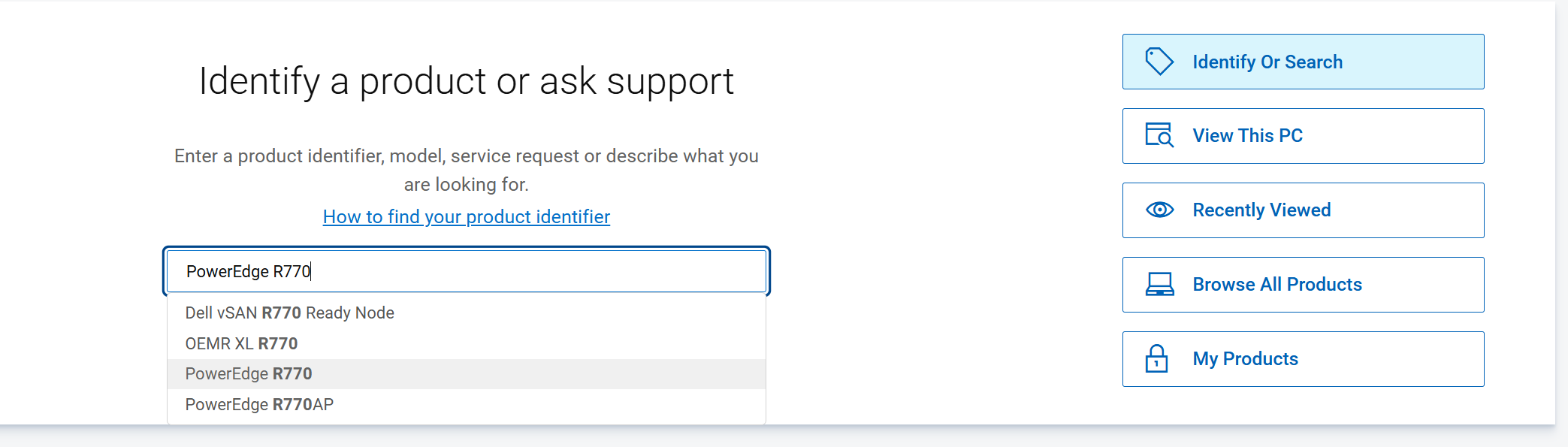
- Search for your server using your service tag or model number. You can do this by clicking the "Search" bar and entering your service tag or model number.
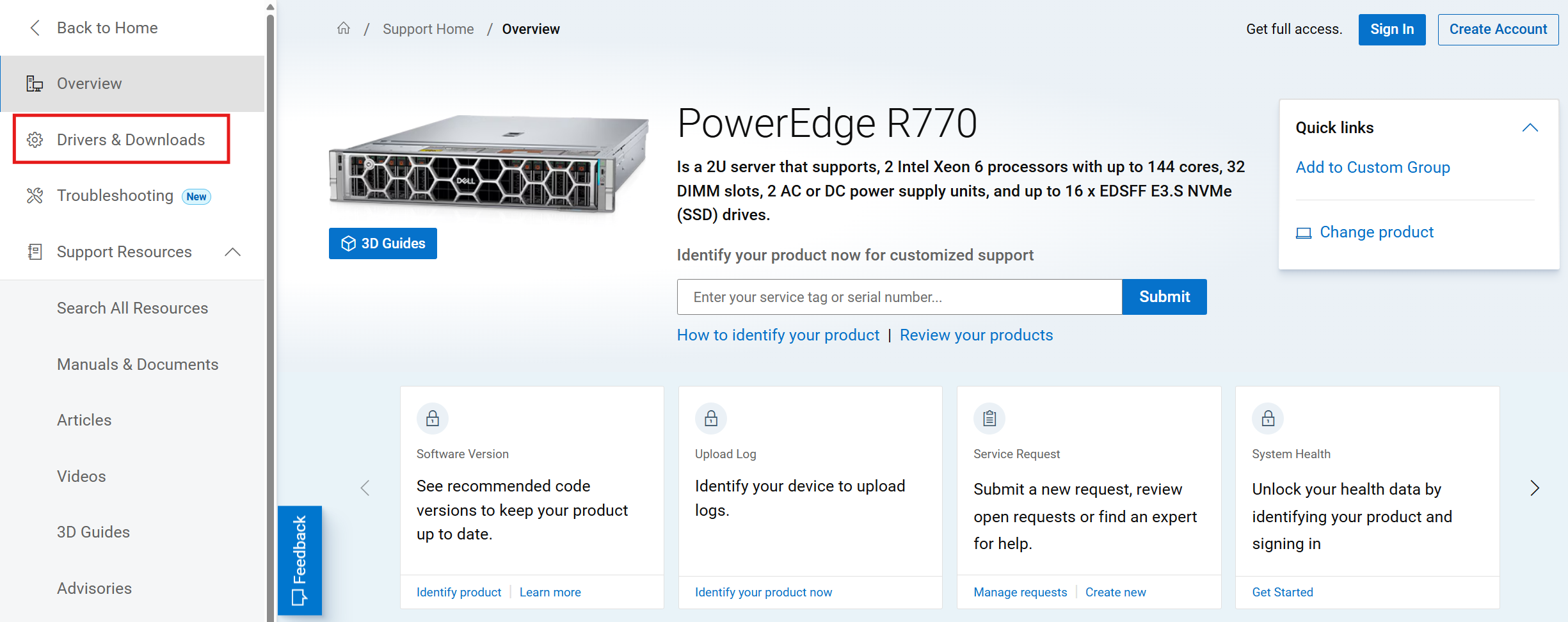
- Once on your server's support page, click the "Drivers & Downloads" tab.
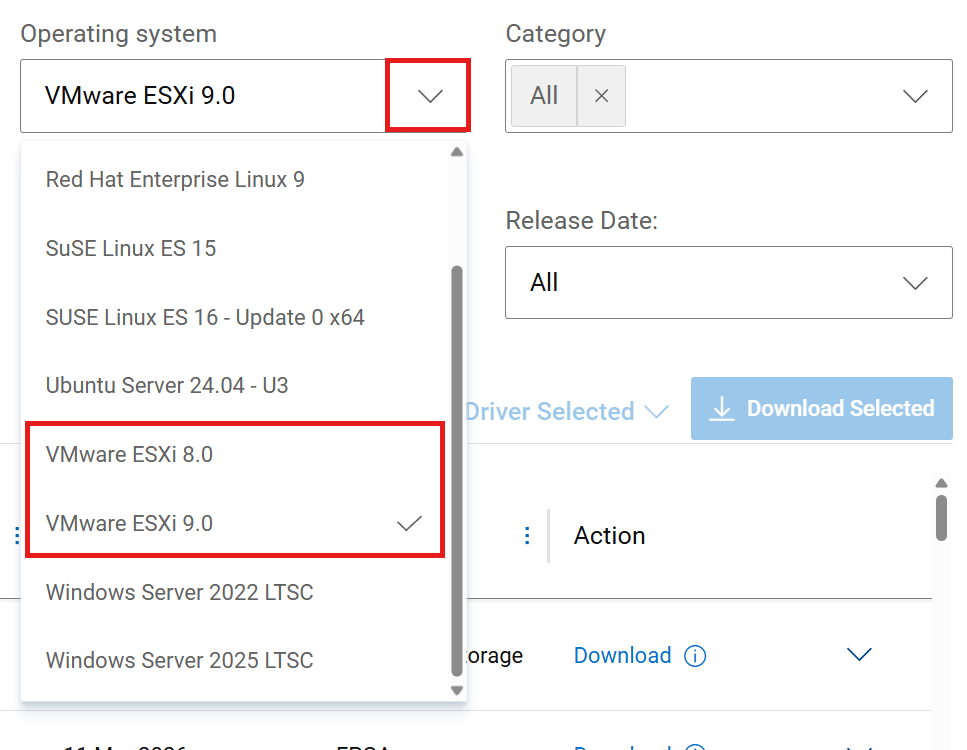
- After selecting Drivers & Downloads, select the ESXi version required from the Operating System dropdown menu.
- Next, use the Keyword search box and enter "esxi" to filter results.
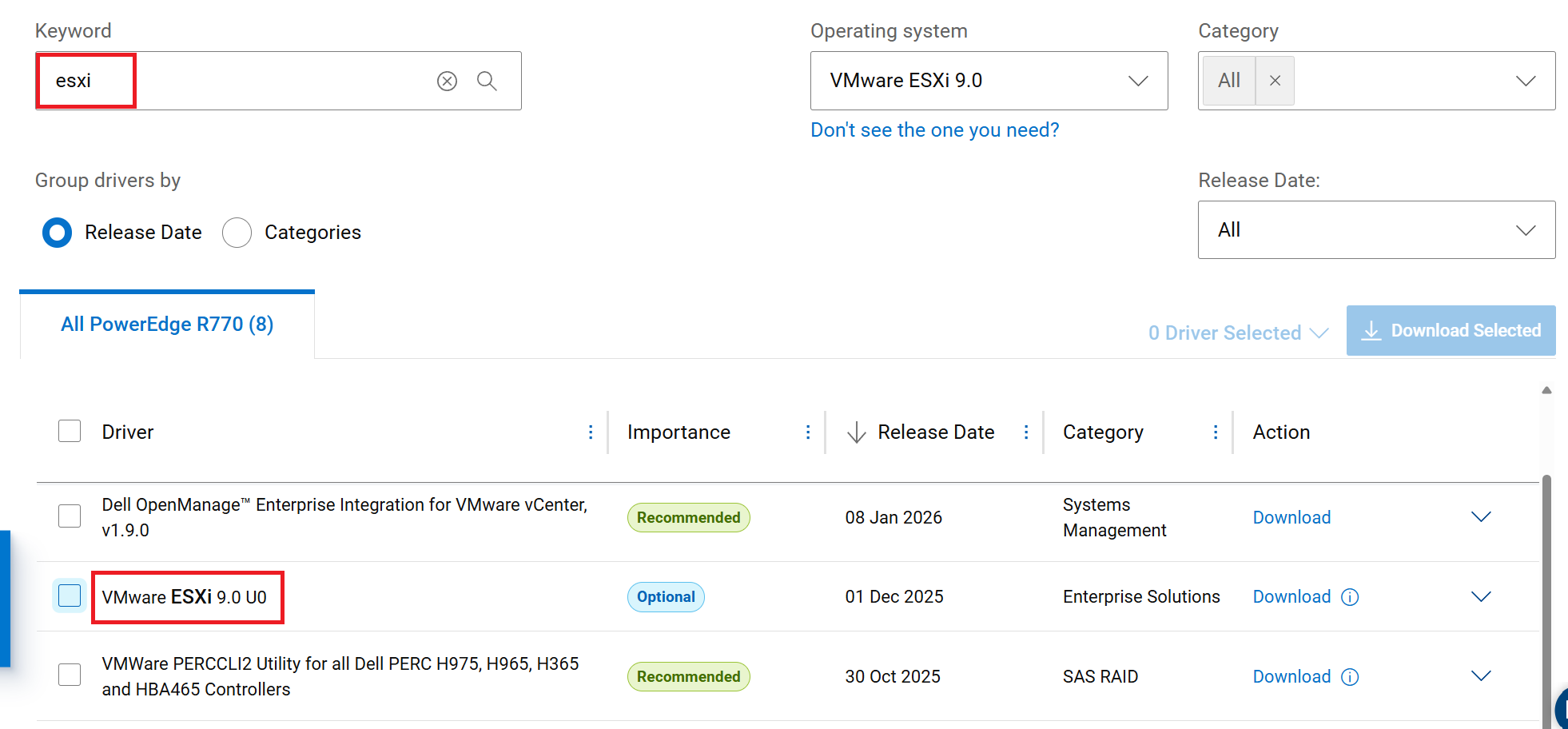
- Select the VMware ESXi option from the filtered list to expand it and then click "Older versions" to view a list of previous versions.
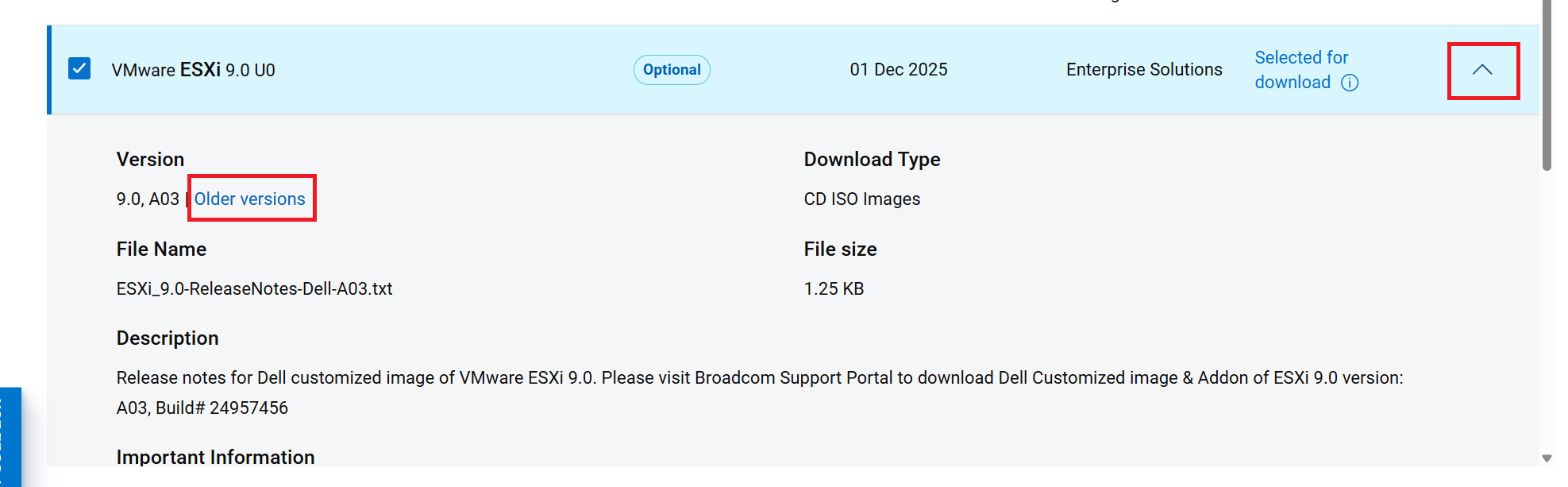
- Select the specific version of your release needed from the list.
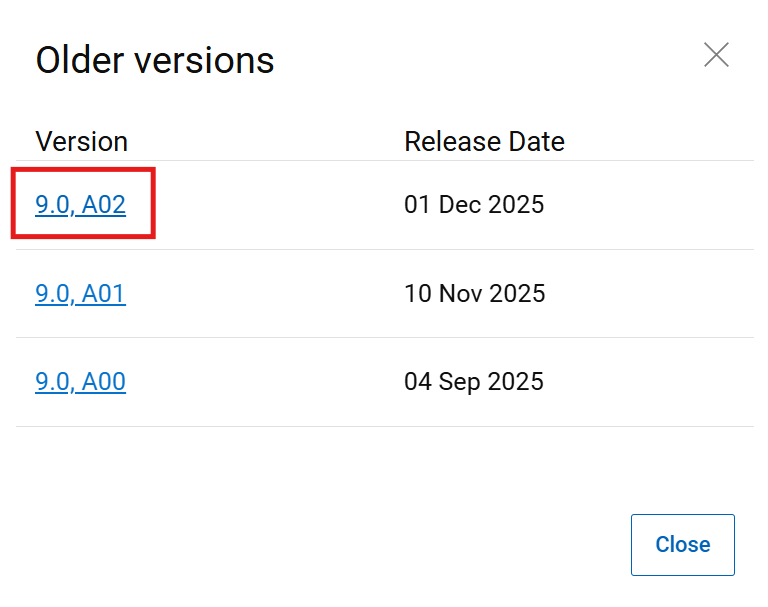
- Once the wanted version is selected, click the "Download current version instead" link to download the ISO file.
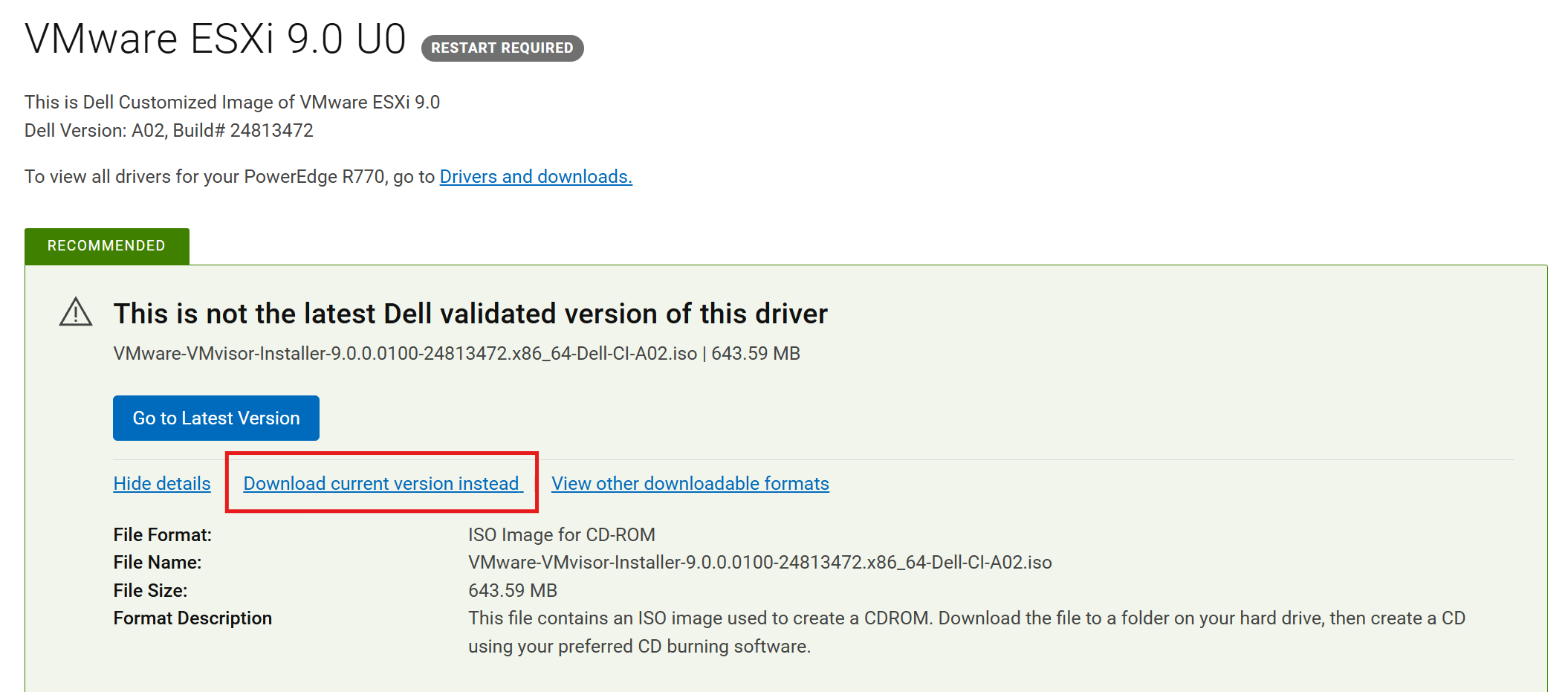
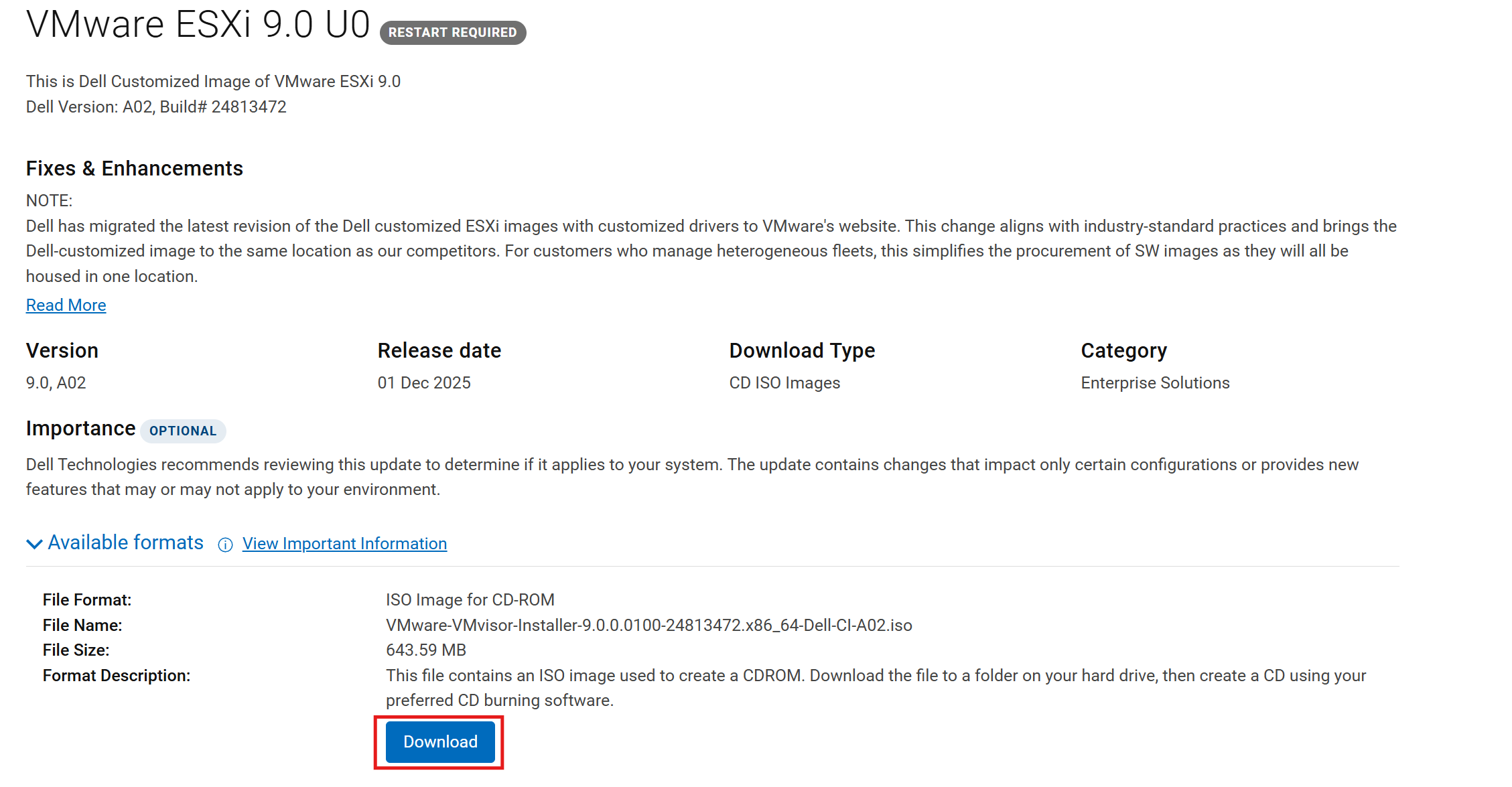
- If the download page has already been viewed, it can also be seen without the recommendation section and then you only need to click the Download button for the ISO format.
Additional Information
Instructions for Downloading the latest release of the Dell Customized ISOs: How to Download and Use Dell Customized VMware ESXi Images for PowerEdge Servers
Affected Products
VMware ESXi 7.x, VMware ESXi 8.x, VMware ESXi 9.xArticle Properties
Article Number: 000238184
Article Type: How To
Last Modified: 21 May 2026
Version: 5
Find answers to your questions from other Dell users
Support Services
Check if your device is covered by Support Services.