PowerEdge: Dell Connectivity Client connection type for Dell AIOps
Summary: Dell Connectivity Client for PowerEdge is a lightweight software plug-in installed on the integrated Dell Remote Access Controller (iDRAC). As of December 2024, DCC is factory installed on the iDRAC of Dell PowerEdge 15th, 16th, and 17th generation servers. ...
This article applies to
This article does not apply to
This article is not tied to any specific product.
Not all product versions are identified in this article.
Instructions
Dell Connectivity Client enables secure, bidirectional connectivity between your PowerEdge device (iDRAC) and Dell Technologies. It is used to collect telemetry data such as configuration, alerts, metrics, and logs to provide a better support experience and maximize the device's uptime. Dell Connectivity Client for PowerEdge is enabled by default but may require certain actions to ensure connectivity and telemetry flow and enable proactive support.
More information can be found on the Dell Technologies Info Hub.
Review the following feature capabilities table to determine which connector is best for your environment.
Dell Connectivity Client vs. OpenManage Enterprise (OME)
|
Feature |
OpenManage Enterprise (OME) Supported |
Dell Connectivity Client (DCC) Supported |
|
Centralized Monitoring |
Yes |
Yes |
|
Predictive Analytics |
Yes |
Yes |
|
Proactive Health Score |
Yes |
Yes |
|
Cybersecurity* |
Yes* |
Yes* |
|
Multisystem Updates |
Yes |
No |
* Cybersecurity remediation requires additional licensing. Please see AIOps Plugin support page for more information.
Details for each feature can be found on the AIOps Plugin support page
Which connector is my server using?
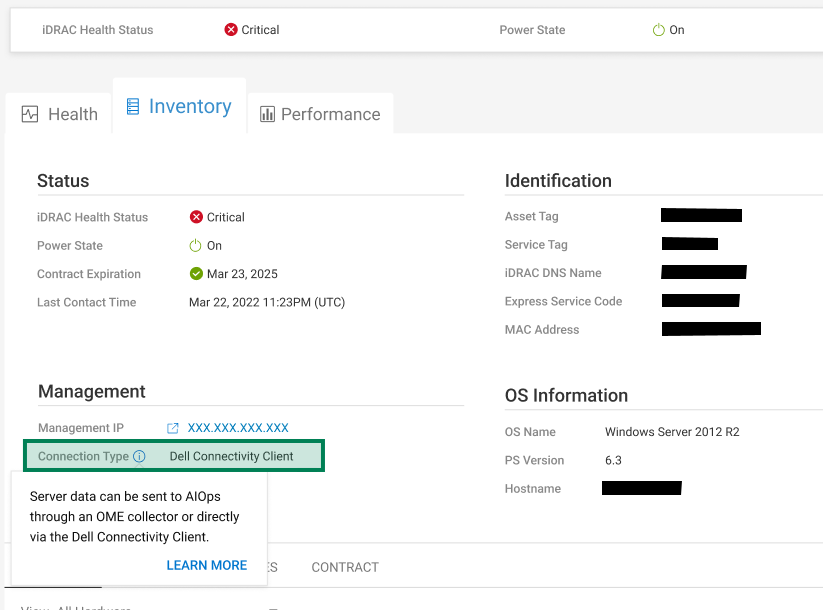
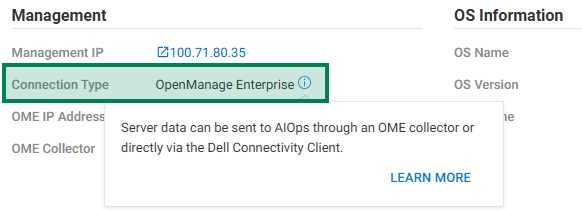
Log in to the Dell AIOps web portal and browse to Monitor - Systems. For Server system type, note the Connection Type under Inventory - Management.
Server inventory showing the connection type as the Dell Connectivity Client from the device's iDRAC.
Server inventory showing the connection type as OpenManage Enterprise
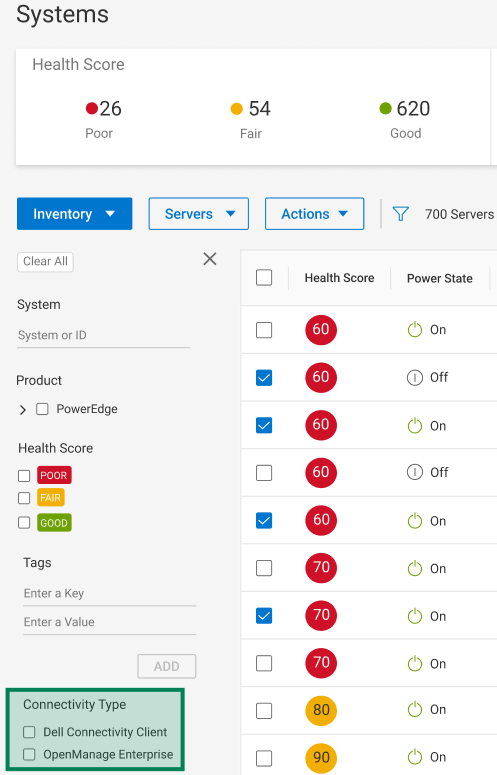
For viewing all server devices based on their connectivity type, select the filter icon, and select the Connectivity Type from the lower left pane.
Affected Products
APEX AIOps Infrastructure Observability, iDRAC10 - 1.10.xx Series, iDRAC10 - 1.20.xx Series, iDRAC9 - 7.xx Series, OpenManage Enterprise Dell AIOpsArticle Properties
Article Number: 000321684
Article Type: How To
Last Modified: 23 May 2026
Version: 4
Find answers to your questions from other Dell users
Support Services
Check if your device is covered by Support Services.