PowerStore: Pre-Upgrade Health Check (PUHC) to Identify duplicate NTP Entries
Summary: This health check ensures that no duplicate NTP server IP addresses exist and verifies internal consistency. The check applies to upgrade paths from 3.x/4.0.x/4.1.0.0 → 4.1.x/4.2.x, but not for 4.3.x or higher or systems already at 4.1.0.1. ...
This article applies to
This article does not apply to
This article is not tied to any specific product.
Not all product versions are identified in this article.
Symptoms
PowerStore pre upgrade health check (PUHC) fails with error: cyc_ntp_addresses_duplication_check_error
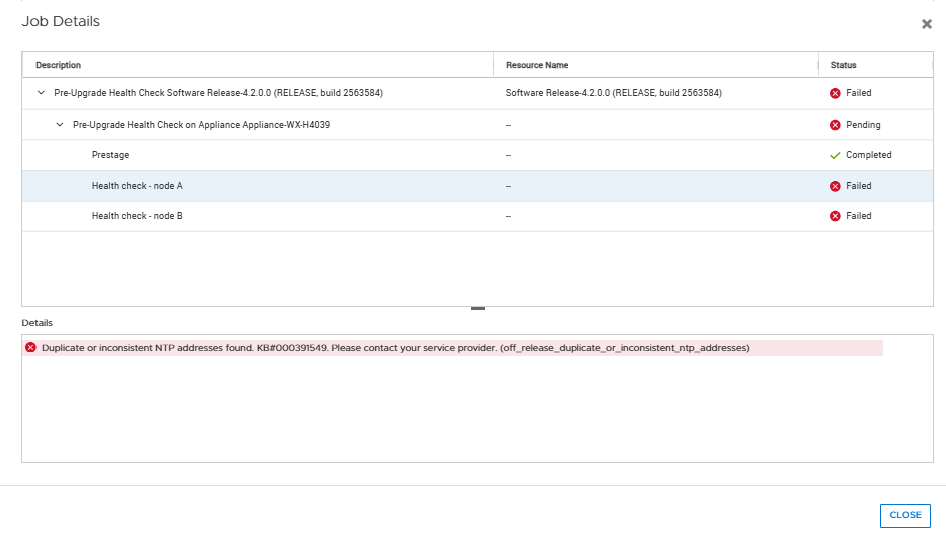
Without this health check, customers risk encountering upgrade failures due to duplicate NTP server IP configurations. PowerStore OS remains in a partially upgraded state, requiring manual intervention and rollback or recovery steps. This can lead to extended downtime and delayed upgrade schedules, impacting service availability.
Cause
The failure is triggered by duplicate NTP server IP addresses configured in the system, causing mismatched UUID updates between System Manager (SYM) and internal management database.
This condition typically arises when multiple identical NTP servers are added manually during Initial Installation (ICW) or by PSTCLI before initiating the upgrade.
Resolution
Do not proceed with the NDU until the issue is resolved.
Remove duplicate NTP server entries before retrying the upgrade. Ensure that each NTP server has a unique IP address.
Validate the configuration using PSTCLI or user interface to confirm consistency between SYM and management database.
cli> ntp show
 #  |  id  |   addresses
----+------+---------------
  1 | NTP1 | 10.244.53.108
    |      | 10.228.254.66
Affected Products
PowerStore 1000T, PowerStore 1200T, PowerStore 3000T, PowerStore 3200T, PowerStore 5000T, PowerStore 5200T, PowerStore 7000T, PowerStore 9000T, PowerStore 9200TArticle Properties
Article Number: 000391549
Article Type: Solution
Last Modified: 07 Jan 2026
Version: 1
Find answers to your questions from other Dell users
Support Services
Check if your device is covered by Support Services.