PowerStore: System Health Checks detects excessive DIMM Correctable Errors (CE) count
Summary: The System Health Checks detected a message of excessive DIMM Correctable Errors (CE) count .
Instructions
| IMPORTANT |
|---|
|
This System Health Check (SHC) is no longer applicable if the appliance is running PowerStoreOS version 4.x and can be ignored. |
System Health may display a message "Correctable errors over limit:DIMM 16(KB#000199245)" in one of the following scenarios:
- Running a System Check using PowerStore Manager (UI) with the Run Upgrade Extensions option:
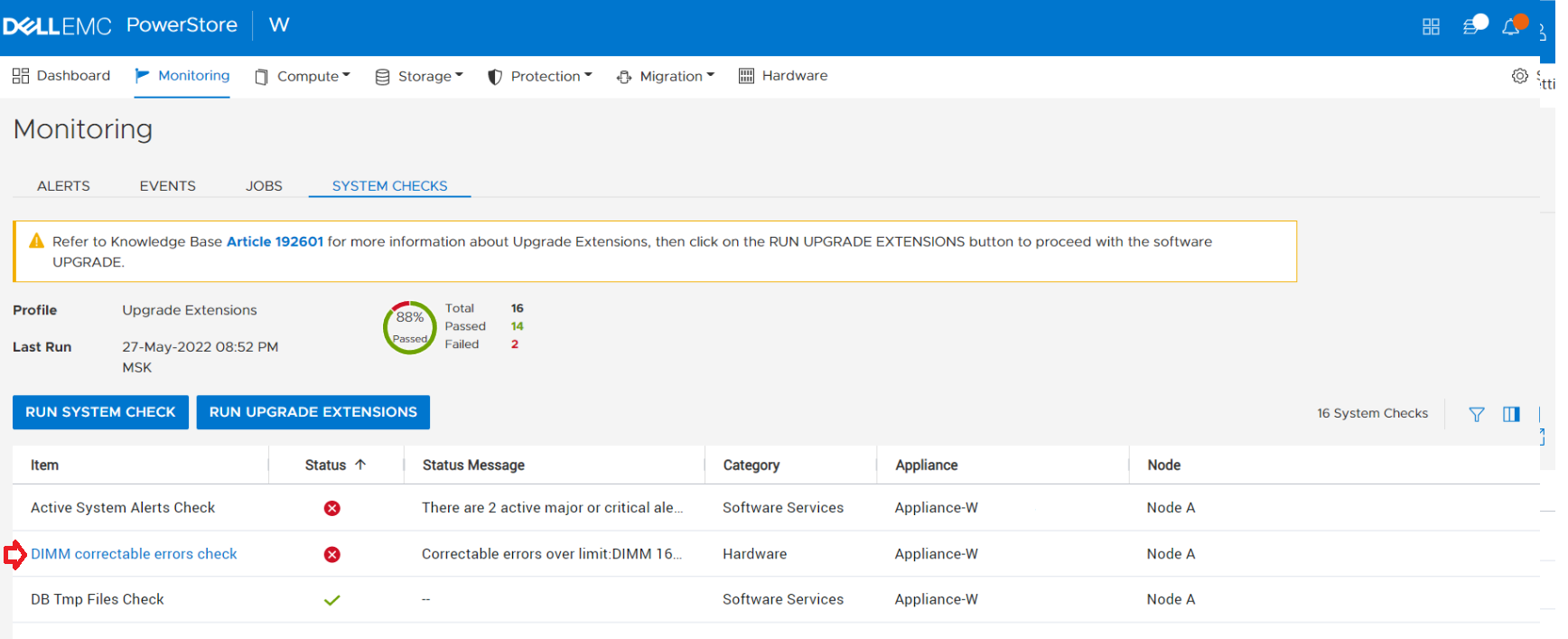
Tip: The Profile field displays Upgrade Extensions when the Run Upgrade Extensions option is used to perform a System Check.
- Running a System Check using PowerStore Manager (UI) with the Run System Check option:
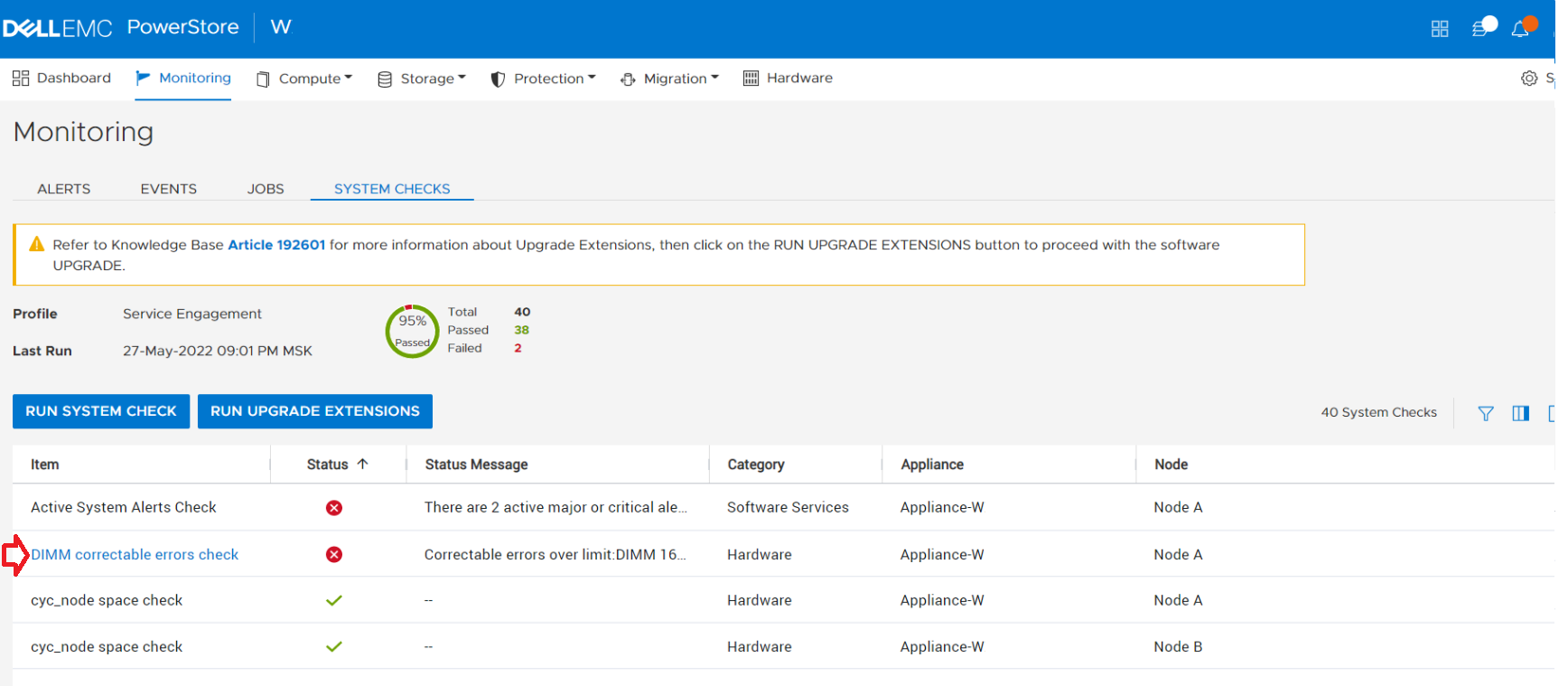
Tip: The Profile field displays Service Engagement when the Run System Check option is used to perform a System Check.
- Running the System Health Service Script (svc_health_check) using an SSH connection:
[SVC:service@W-A user]$ svc_health_check run -rhc dimm_correctable_error_check
Name                          Location Status     Description
DIMM correctable errors check node_a   FAILED     Correctable errors over limit:DIMM 16(KB#000199245)
DIMM correctable errors check node_b   PASSED
The above message indicates that the Node has one or more DIMMs with an excessive Correctable Error (CE) count and requires attention. The criteria for used to detect an excessive CE count is 5K CE Errors in a 24 hour period.
The impacted DIMMs must be replaced by technical support. The error message in the system health check includes the names of the faulty DIMMs. In the example above the faulty DIMM is DIMM16. In the PowerStore PowerStore Manager the DIMM16 can be viewed in the Hardware page. 
If System Health detects this condition, the node may fail.
Contact Dell Technical Support for assistance. Reference KB # 000199245 for expedited attention and resolution.