VNX: 전용 LUN 클론을 삭제하는 방법
Summary: VNX: 클론 전용 LUN을 삭제하는 방법
This article applies to
This article does not apply to
This article is not tied to any specific product.
Not all product versions are identified in this article.
Instructions
-
Unisphere에 로그인합니다. "Dashboard" 왼쪽에 있는 풀다운 막대를 사용하거나 디스플레이 왼쪽 상단에 있는 "Systems by Severity" 상자에서 선택하여 영향을 받는 어레이를 선택합니다.
-
데이터 보호 탭으로 이동합니다.
-
오른쪽에서 Configure Clone Settings를 클릭합니다
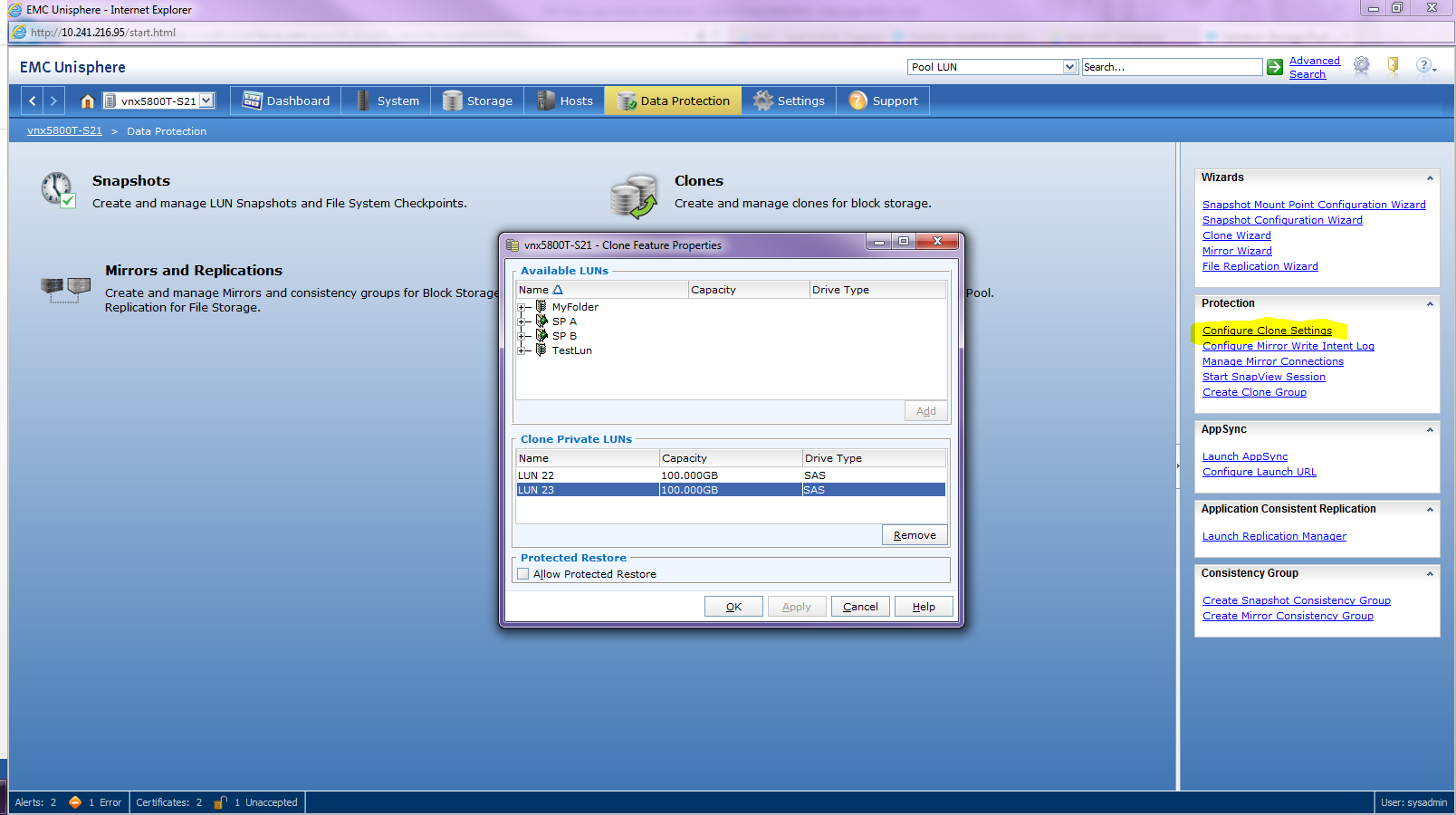
-
Clone Private LUN 목록에서 원하는 Clone Private LUN을 클릭합니다
-
제거를 클릭합니다.
참고: 클론 전용 LUN을 삭제하기 전에 연결된 모든 클론 및 클론 그룹을 분리하고 제거해야 합니다.
Affected Products
VNX1 SeriesProducts
VNX1 Series, VNX2 Series, VNX/VNXeArticle Properties
Article Number: 000022409
Article Type: How To
Last Modified: 22 Oct 2025
Version: 5
Find answers to your questions from other Dell users
Support Services
Check if your device is covered by Support Services.