Dell EMC Unity:如何使用 MMC 将本地用户添加到已加入域的 CIFS 服务器
Summary: Dell EMC Unity:如何使用 MMC 将本地用户添加到加入域的 CIFS 服务器。
This article applies to
This article does not apply to
This article is not tied to any specific product.
Not all product versions are identified in this article.
Instructions
本知识库文章介绍如何使用 MMC 将本地用户添加到加入域的 CIFS 服务器。
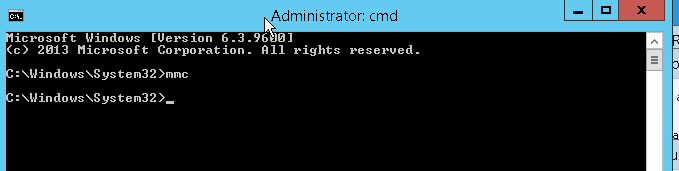
- 从 Windows 客户端 cmd:类型
mmc
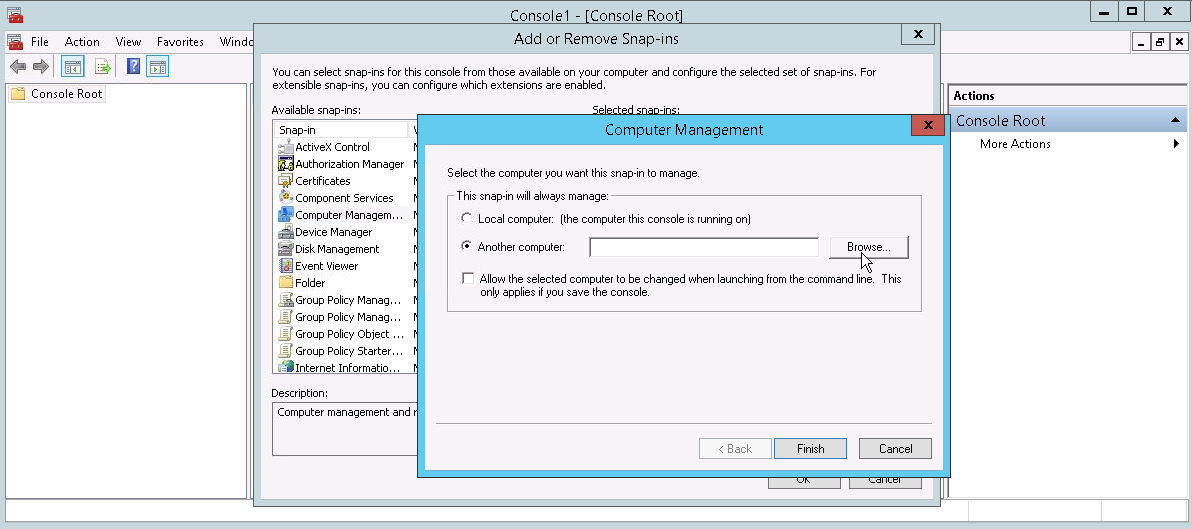
- 从 文件 >> 添加/删除管理单元 >> 中,选择 计算机管理,然后选择需要管理的远程 CIFS 服务器,然后单击 确定。
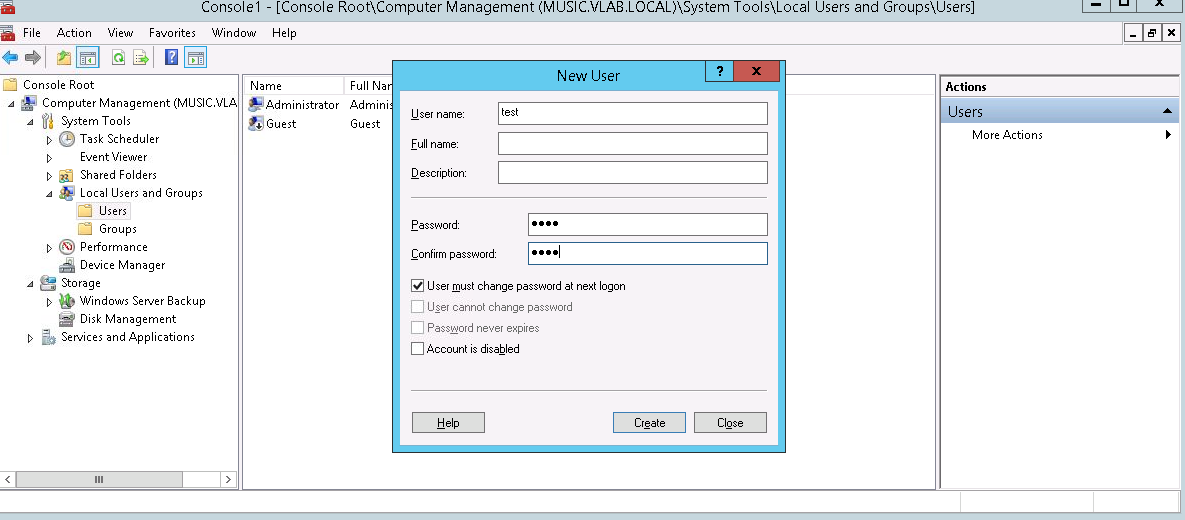
- 连接到所需的 CIFS 服务器后,从 本地用户和组中,单击 添加新用户

- 在 新用户 面板中,填写 用户名、 描述、 密码 ,以及此用户是否必须在首次登录时更改密码。然后单击 Create。这将导致在 CIFS 服务器上本地创建新用户。(请注意,此用户不是域用户)
Additional Information
要访问此 cifs 服务器上的资源,请使用 <CIFS_server\Username> or <IP Address\User name >
而不是 <Domainname\Username> 因为这是 CIFS 服务器上的本地用户。
例如,如果此用户被授予使用 filezella 或任何 ftp 客户端的 FTP 权限,
则用户名将为 CIFS_server\username
Affected Products
Dell EMC Unity FamilyProducts
Celerra, Dell EMC Unity Family, VNX/VNXeArticle Properties
Article Number: 000022823
Article Type: How To
Last Modified: 22 Oct 2025
Version: 7
Find answers to your questions from other Dell users
Support Services
Check if your device is covered by Support Services.