Dell Unity:运行状况检查因错误而失败:check_peer_management_port_link_2(用户可纠正)
Summary: 在运行状况检查期间,对等存储处理器 (SP) 失去与管理网络的通信。
This article applies to
This article does not apply to
This article is not tied to any specific product.
Not all product versions are identified in this article.
Symptoms
运行状况检查失败,并显示以下消息:
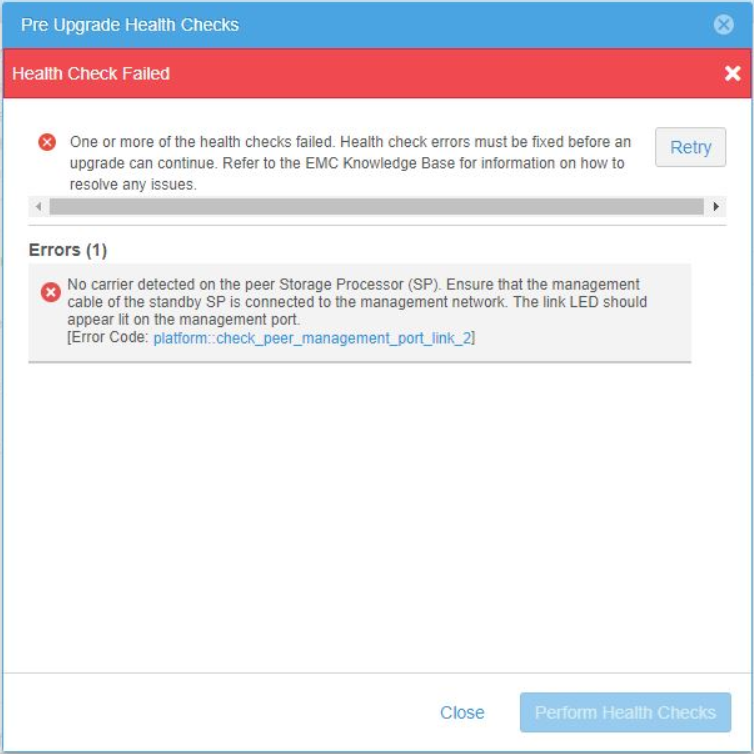
No carrier was detected on the peer Storage Processor (SP). Ensure that the management cable of the standby SP is connected to the management network.
The link LED should appear lit on the management port.
[Error code: platform::check_peer_management_port_link_2]
Cause
对等(非主)SP 已断开与管理网络的连接。当管理服务故障切换到对等 SP 时,Unity 管理访问权限(UI 和 CLI)将变得无法访问。
在 Unisphere 中,从系统视图 >存储模块(后视图) >对等 (非主),SP 报告管理端口的“端口链路已关闭”。
Unisphere 中的示例:
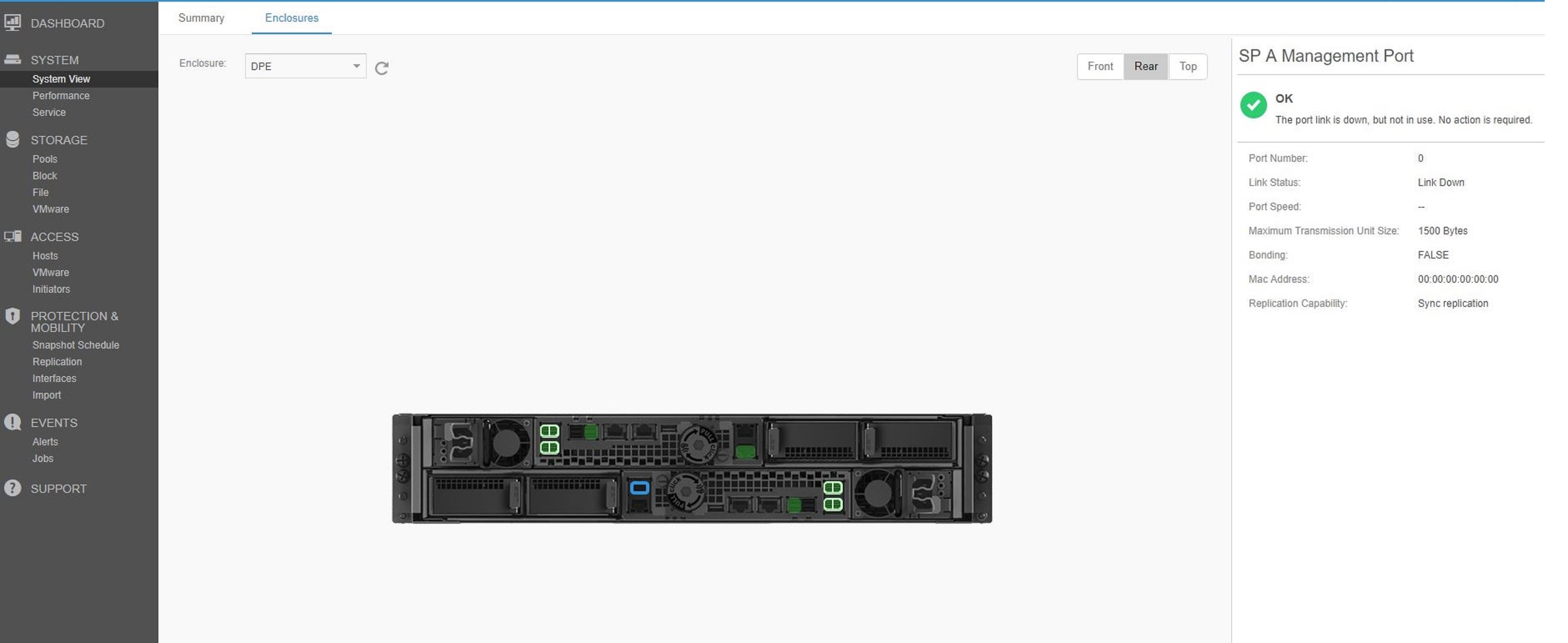
在 Unisphere 中,从系统视图 >存储模块(后视图) >对等 (非主),SP 报告管理端口的“端口链路已关闭”。
Unisphere 中的示例:
Resolution
使用以下检查确定问题所在。每次检查后,在 Unisphere 中验证链路是否建立。
- 检查管理网络电缆。
- 确保有线缆连接到网络交换机的对等(非主)SP。
- 验证线缆的两端在端口中是否牢固。
- 如果电缆有缺陷或损坏,请更换电缆。
- 检查交换机以确定端口是否已关闭,或者交换机端是否存在问题。
- 如果线缆没有问题,并且它在 Unity 和交换机端口中是安全的,请执行以下步骤。
- 从对等(非主)SP 上的管理端口拔下线缆。
- 使用压缩空气清除线缆端口和末端的任何碎屑或灰尘。
- 将线缆重新插入对等(非主)SP 上的管理端口。
- 追踪到网络交换机的线缆。
- 从交换机端口拔下线缆。
- 使用压缩空气清除线缆端口和末端的任何碎屑或灰尘。
- 将线缆重新插入交换机端口。
- 在 Unisphere 中验证链路已启动后,执行新的运行状况检查以验证不再报告错误。
Affected Products
Dell EMC Unity FamilyProducts
Dell EMC Unity Family |Dell EMC Unity All Flash, Dell EMC Unity Family, Dell EMC Unity HybridArticle Properties
Article Number: 000061985
Article Type: Solution
Last Modified: 27 Jun 2024
Version: 6
Find answers to your questions from other Dell users
Support Services
Check if your device is covered by Support Services.