CloudIQ: Unisphere for PowerMax: Unable to view just performance data in CloudIQ. It shows "No data to display".
Summary: Unable to view just performance data in CloudIQ. It shows "No data to display".
This article applies to
This article does not apply to
This article is not tied to any specific product.
Not all product versions are identified in this article.
Symptoms
Unable to view performance data only in CloudIQ. It shows "No data to display".
All other data collecting in CloudIQ is ok.
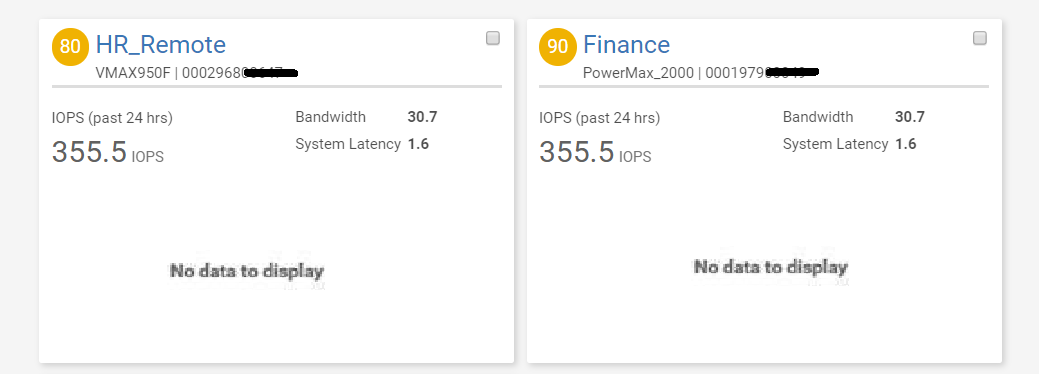
The collection.log and smas.log is streaming with status code: 400 errors but that does not indicate the actual failure.
The actual failure is found in the smas.log. See below snippet:
2020-01-17 08:28:48,676 ERROR [org.jboss.as.ejb3.invocation] (EE-ManagedThreadFactory-default-Thread-6) WFLYEJB0034: EJB Invocation failed on component MetricsDateManager for method public abstract com.emc.em.common.collector.persistence.MetricsCollectionPeriod com.emc.em.collector.impl.util.IMetricsDateManager.getMetricsCollectionPeriod(): javax.ejb.EJBException: java.lang.RuntimeException: com.emc.em.common.persistence.PersistenceException: java.io.EOFException
Cause
MetricsDateManager file is corrupted. That is the file that the SPA (metrics) data is written to.
Resolution
Follow the steps below to address the issue:
- Stop Unisphere server
- Rename the file:
<SMAS>\ jboss\standalone\data\esrs\MetricsDateManager.pers
to
MetricsDateManager_backup.pers
MetricsDateManager_backup.pers
- Restart the Unisphere server.
Affected Products
CloudIQProducts
CloudIQ, Unisphere for PowerMaxArticle Properties
Article Number: 000081995
Article Type: Solution
Last Modified: 25 Apr 2025
Version: 3
Find answers to your questions from other Dell users
Support Services
Check if your device is covered by Support Services.