PowerConnect: Enabling DHCP server on PowerConnect 2800
Summary: PowerConnect: Enabling DHCP server on PowerConnect 2800
This article applies to
This article does not apply to
This article is not tied to any specific product.
Not all product versions are identified in this article.
Instructions
The PowerConnect 2800 Series lets you enable the DHCP Server feature from the Switch. This article will detail the procedure.
Back to Top
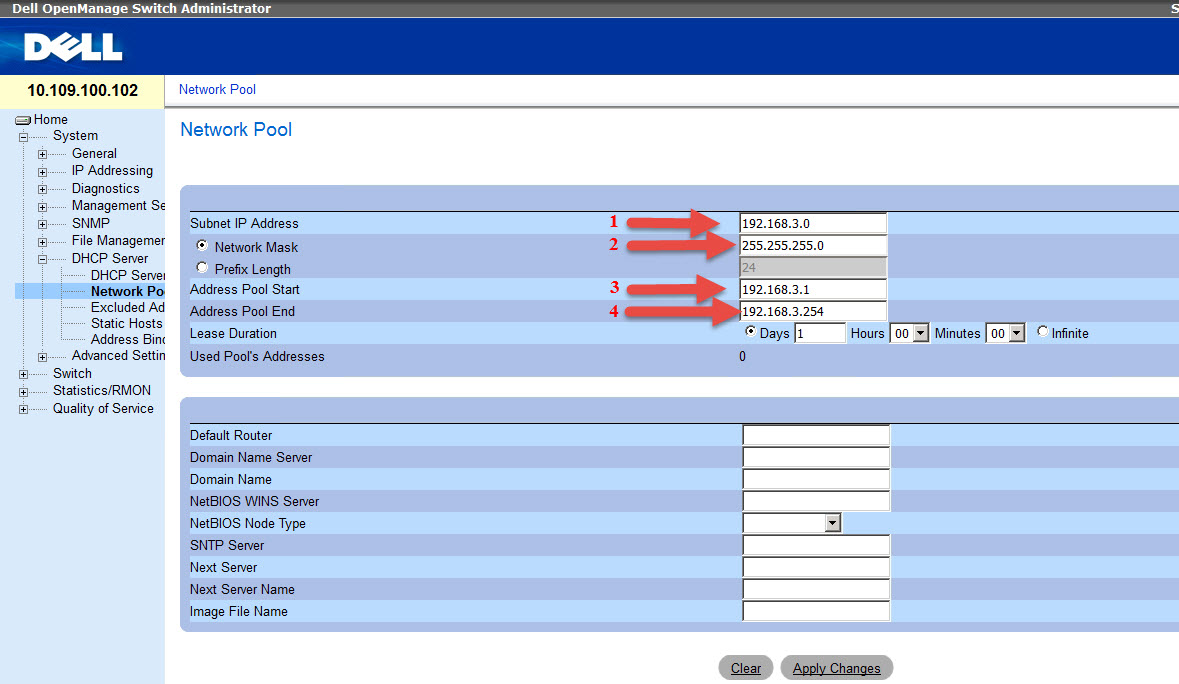
 Enter the Network Address(1) and Mask (2) and it will fill the Address Pool Start (3) and End (4) automatically.
Table of Contents:
- Enable Management Mode in Switch
- Enable DHCP Server on the Switch
- Set DHCP Pool scope
- Common configuration errors
1 - Enable mode Management in Switch:
- If the switch is not in managed mode, follow article HOW10276.
- Access Switch with your management IP
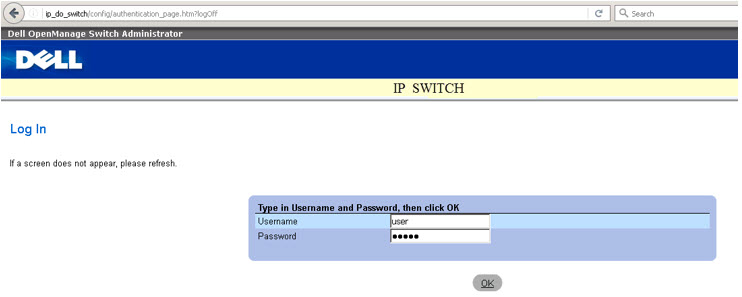
2 - Enable DHCP Server on the Switch.
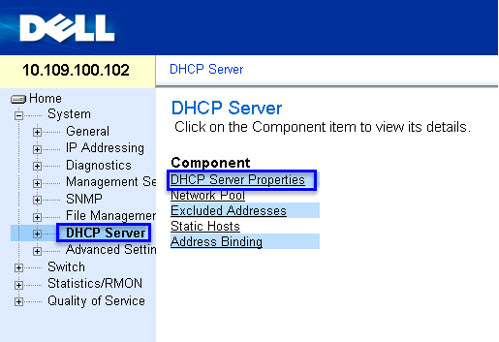
- To enable the DHCP server, go to System > DHCP Server > DHCP Server Properties:
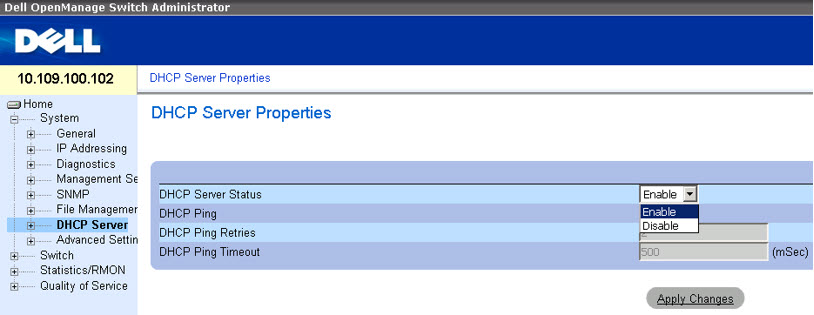
- On the option DHCP Server Status, select Enable and click Apply Changes:
Back to Top
3 - Configuring Network Pool.
- After enabling the DHCP Server, the Network Pool needs to be configured. Browse DHCP Server > Network Poll.
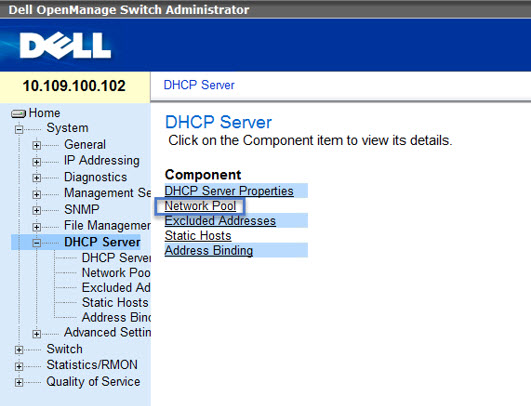
- Here you will choose the network addresses ranges and polls that will be delivered throughout the network and click Apply Change.
Enter the Network Address(1) and Mask (2) and it will fill the Address Pool Start (3) and End (4) automatically.
4 - Common configuration errors
- Error enabling the DHCP Server: "DHCP Server can't be configured. In order to enable DHCP server remove DHCP client on all interfaces."
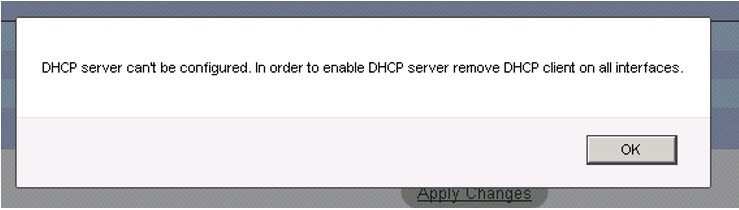
This error is due to the fact that DHCP is being used in the IP management. It must be disabled and a fixed IP needs to be set on the Switch.
- Addressing error for DHCP Pool:
"Illegal IP addresses rage or subnet configuration. Trying to configure a network pool on default IP interface."
This error happens because the default manage address 192.168.2.X is being used on the DHCP Pool. This address can't be used because it is reserved to manage.
Affected Products
PowerConnect 2808, PowerConnect 2816, PowerConnect 2824, PowerConnect 2848Article Properties
Article Number: 000121675
Article Type: How To
Last Modified: 13 Mar 2025
Version: 5
Find answers to your questions from other Dell users
Support Services
Check if your device is covered by Support Services.