VPLEX: Kuinka käsitellä ongelmia normaalin toiminnan aikana
Summary: Tässä artikkelissa kerrotaan, miten luodaan SolVe Desktop -toimenpide, joka korjaa VPLEXin normaalin toiminnan aikana mahdollisesti ilmenevät ongelmat.
This article applies to
This article does not apply to
This article is not tied to any specific product.
Not all product versions are identified in this article.
Instructions
Tämä menettely löytyy Solve Desktop Procedure Generatorista seuraavasta sijainnista:
VPLEX -> Muut -> Vianmääritys -> Vianmääritys Asiakirjat -> Vianmääritys Luokat -> Normaalin toiminnan ongelmat
Menettely luodaan seuraavien vaihtoehtojen mukaan:
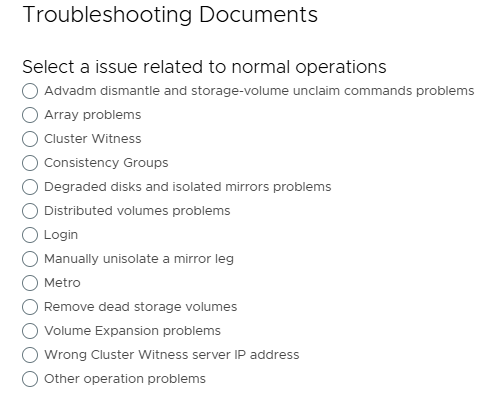
HUOMAUTUS: Jos SolVe Desktop vaaditaan, asenna ohjeet KB How to Download and Install SolVe Desktop . (Tämän artikkelin lukemiseen tarvitaan Dellin tukitili)
Affected Products
VPLEX, VPLEX GeoSynchronyProducts
VPLEX VS2, VPLEX VS6Article Properties
Article Number: 000158200
Article Type: How To
Last Modified: 30 Sept 2025
Version: 5
Find answers to your questions from other Dell users
Support Services
Check if your device is covered by Support Services.