「VPLEX:通常の運用中の問題に対処する方法
Summary: この記事では、SolVe Desktop手順を生成して、通常のVPLEX操作中に発生した問題に対処する手順について説明します。
This article applies to
This article does not apply to
This article is not tied to any specific product.
Not all product versions are identified in this article.
Instructions
この手順については、次の場所にあるSolve Desktop Procedure Generatorを参照してください。
VPLEX -> その他 -> トラブルシューティング -> トラブルシューティング ドキュメント -> トラブルシューティング カテゴリー -> 通常のオペレーション中の問題
プロシージャは、次のオプションに応じて生成されます。
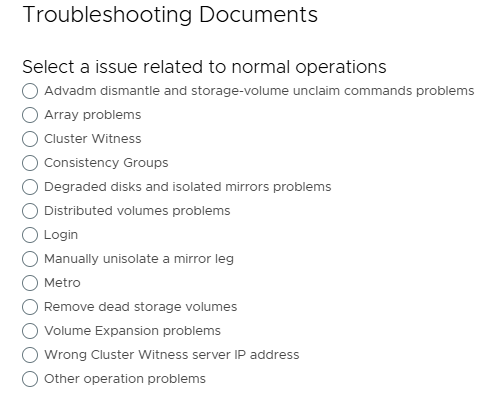
メモ: SolVe Desktopが必要な場合は、KBに従ってSolVe Desktopをダウンロードしてインストール する方法に従ってインストールしてください。(この記事を表示するには、Dellサポート アカウントが必要です)
Affected Products
VPLEX, VPLEX GeoSynchronyProducts
VPLEX VS2, VPLEX VS6Article Properties
Article Number: 000158200
Article Type: How To
Last Modified: 30 Sept 2025
Version: 5
Find answers to your questions from other Dell users
Support Services
Check if your device is covered by Support Services.